How long does LinkedIn keep your history?
Anna SheronovaUpdated
LinkedIn keeps most of your history while your account is open, but it shows some records only for a window. As of October 2026, a free account sees its three most recent profile viewers from the last 90 days. Premium Career and Business see up to 365 days, and LinkedIn never lists the profiles you visited. Posts, messages and searches stay until you delete them. A pending invitation expires after six months, after up to two reminders to the recipient.
The storage rule comes from section 4.1 of the LinkedIn Privacy Policy (effective November 3, 2025): "We keep most of your personal data for as long as your account is open." That is one clock. The clock you notice is a second one: how long LinkedIn lets you see a record. For viewers and post analytics, the second clock runs out long before the first.
How long LinkedIn keeps each record
Each row below comes from a LinkedIn Help page, as of October 2026. "Shown" is how long you can see the record on LinkedIn. The last column says whether the downloadable data archive has a file for it.
| Record | How long LinkedIn shows it | Where you see it | In the data archive |
|---|---|---|---|
| Profile viewers, free account | PartlyThree most recent, last 90 days | Me, View Profile, profile views | No |
| Profile viewers, Premium Career or Business | PartlyFull list, up to 365 days | Me, View Profile, profile views | No |
| Profiles you visited | Not keptNever listed | Nowhere | No |
| Searches | KeptUntil you clear them (no time limit stated) | Search box, See all | Yes: Search Queries, with dates |
| Sent invitations | PartlyWhile pending: they expire after six months, after up to two reminders to the recipient | My Network, Manage invitations, Sent | Yes: Invitations, sent and received |
| Messages | KeptUntil you delete them | Messaging | Yes: Messages, including archived |
| Posts, comments, reactions | KeptUntil you delete them | Me, Posts & Activity | Yes: Shares, Comments, Reactions |
| Post analytics | Partly180 days to 1,000 days, by metric | Analytics on each post | Separate export: up to 365 days, XLSX |
| Archive download link | Partly72 hours | Settings & Privacy, Data Privacy | n/a |
| Closed account | Not keptRemoved from production in 24 hours, deleted or de-identified within 30 days | n/a | No access after closing |
The records you created stay. The ones that slip away are the lists LinkedIn only shows you.
How long does LinkedIn keep who viewed your profile?
On a free account, LinkedIn shows the three most recent viewers from the last 90 days, according to LinkedIn Help on basic and Premium viewer lists. Think of it as a three-slot shelf: each new viewer pushes the oldest one off. The list appears only if your own profile-viewing setting shows your name and headline. Browse in private or semi-private mode and a free account sees no viewers at all.
Premium Career and Premium Business show the full list for up to 365 days. The date filter starts at 90 days and extends to 365. Anything older than that leaves the page, and the data archive has no viewers file to fall back on.
The viewer list raises more questions than one section can answer, so each has its own guide:
- What each account type shows about viewers: names, counts and insights on free and Premium accounts.
- How far back the viewer list goes: the time window alone, free against Premium.
- Why your viewer list is empty: the settings and gaps that leave the page blank.
- What private mode hides: what you give up on your own list when you browse unseen.
- Who the anonymous viewers are: what "LinkedIn Member" and "Someone at" entries still tell you.
- What to do after a recruiter views your profile: how to read the visit and when to reach out.
Shown for a window: post analytics
Post analytics is the one record with published expiry dates, and they differ by metric. According to LinkedIn Help on post analytics, as of October 2026:
- Discovery and engagement counts: 1,000 days.
- Members reached: 400 days.
- Demographic breakdowns: 180 days.
- Video performance and video viewer demographics: 180 days.
- Article and newsletter analytics: two years.
The post itself stays. What expires is the data about who saw it. For a year of posts, combined analytics lets you pick a range up to the past 365 days and export it to an XLSX file.
Kept until you delete it
Your posts, comments and reactions stay until you delete them or close your account. You find them under Me, Posts & Activity, and the archive has a file for each, with dates and links.
Messages stay in your inbox until you delete them. Per LinkedIn Help on deleting a conversation, deleting a conversation removes it from your inbox only, not the other person's, and you cannot restore it. A single sent message can be deleted for everyone, but only within 60 minutes of sending it.
Searches are kept until you clear them. LinkedIn's search history page states no time limit and says only you can see them. Clear them from the search box (See all, then Clear) or from Data privacy in Settings. The archive is a different matter: in my own archive from October 2026 the Search Queries file began in February 2026, on a much older account, so check the first date in yours before you rely on it.
Sent invitations stay listed under My Network, Manage invitations, Sent while they are pending. A pending invitation expires after six months, after LinkedIn sends up to two reminders to the recipient (LinkedIn Help). LinkedIn Help on withdrawing an invitation says you can withdraw one any time before it is accepted. A withdrawn invitation cannot be restored, and you cannot invite the same person again for up to three weeks.
Never listed: the profiles you visited
LinkedIn has no list of the profiles you opened, and the data archive has no file for them either. Your searches, reactions and invitations leave a trace. A profile you opened and closed leaves none on LinkedIn's side that you can look up.
That is the gap behind "who was that person I looked at last week". How to find a profile you looked at walks through your browser history, the traces inside LinkedIn, and a visit log.
The visit itself is a different matter for the other person: depending on your viewing setting, it can show up on their viewer list. Whether they see your visit covers the public, semi-private and private settings and what each one reveals.
What the data archive keeps, and what closing your account does
The archive is LinkedIn's export of your account. Request it at Me, Settings & Privacy, Data Privacy, Download your data. Per LinkedIn Help on downloading your data, specific categories arrive within minutes and the larger download within 24 hours. The link works for 72 hours.
It holds the records you created: messages, invitations, reactions, comments, shares, search queries, connections. LinkedIn states that it does not include Who's Viewed Your Profile data, and there is no file for profiles you visited. A common mistake is to count on the archive for viewers. For the full list, see every file in the archive, and what it lacks.
Closing your account ends access to the archive. LinkedIn removes your information from production within 24 hours of closing and deletes or de-identifies it within 30 days, with exceptions set out in its Privacy Policy. Download the archive before you close.
How to keep your own record before it drops off
Sort what you need by which clock it runs on:
- Something you created (a post, a message, a comment): it is kept. Look in Posts & Activity, your inbox, or the archive.
- A list LinkedIn shows for a window (viewers, post analytics): save it before the window closes. On a free account, check your viewers at least once a month and note the names.
- A profile you visited: LinkedIn never had a list. Use your browser history, which covers the desktop browser and not the LinkedIn app.
- Before closing your account: download the archive first.
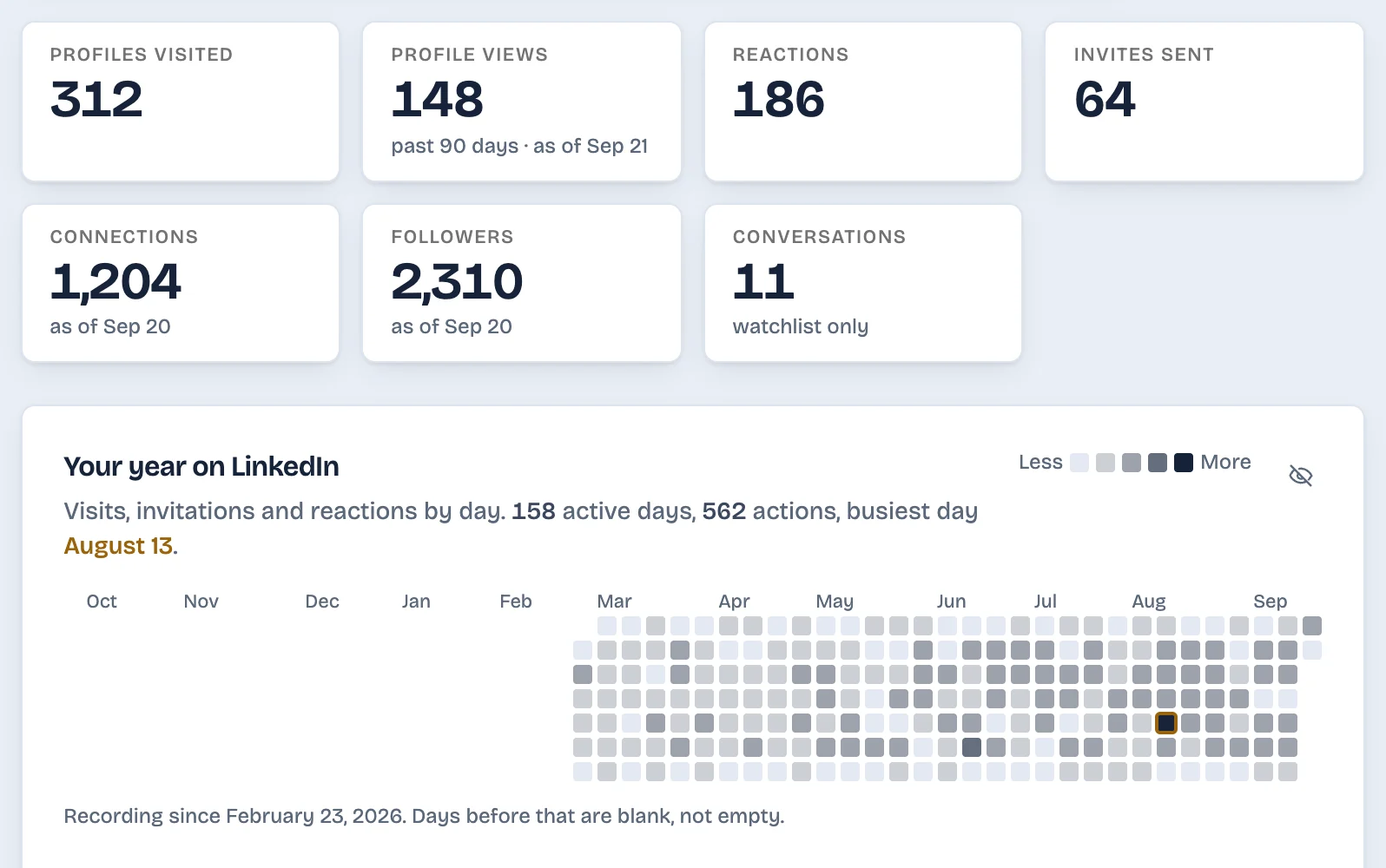
To keep the windowed and unlisted records without a monthly check, one option is an extension. LinkedAsk keeps a dated record of the profiles you visit, your viewers, your invitations and whether they were accepted, reactions, followers and conversations.
Questions
Does LinkedIn delete your posts after a year?
No. Posts, comments and reactions stay until you delete them or close your account, under LinkedIn's rule of keeping most data while the account is open. What expires is the analytics: engagement counts are available for 1,000 days and demographic breakdowns for 180 days.
Does LinkedIn keep my search history?
Yes, until you clear it. LinkedIn states no time limit, only you can see your searches, and the data archive's Search Queries file lists searches with their dates, though it may not reach back to your first one. Clear them from the search box or from Data privacy in Settings.
Are old LinkedIn messages deleted?
Not by LinkedIn. Messages stay in your inbox until you delete them. Deleting a conversation removes it from your side only and cannot be undone; the other person keeps their copy.
Can I see a profile viewer again after they drop off the list?
No. Once a viewer falls outside the window your account shows, LinkedIn no longer lists them, and the data archive has no viewers file. The only way to have older viewers is to note them while they are still on the list.
Does the LinkedIn data export include everything?
No. It includes messages, invitations, reactions, comments, posts, searches and connections, but LinkedIn says it leaves out Who's Viewed Your Profile and People You May Know data. There is no file for the profiles you visited.
How long until a LinkedIn account is deleted?
LinkedIn removes a closed account's information from production within 24 hours and deletes or de-identifies it within 30 days, with exceptions listed in its Privacy Policy. You lose access to the data archive once the account is closed, so download it first.
Keep reading
- Guide · 5 minCan't see who viewed your LinkedIn profile? WhyWho's viewed your profile empty or short? Eight LinkedIn rules cause it, from your own private mode to the free three-viewer cut-off. How to check each one.
- Guide · 5 minRecruiter viewed your LinkedIn profile: what nowWhat a recruiter's view usually means, whether to message them, and two short notes you can send without mentioning the view.
- Guide · 4 minYour anonymous LinkedIn viewers: what to learnYour anonymous LinkedIn profile viewers, LinkedIn Member and Someone at a company, explained: what each means, why Premium won't name them, what to do.
Keep the records LinkedIn lets slip away.
LinkedAsk keeps a dated record of your viewers, the profiles you visit and your invitations, starting the day you install it.