Everything LinkedIn forgets, kept in one place
LinkedIn shows a free account the last three people who viewed your profile and keeps no list of the profiles you visited. If your work depends on those conversations, that is a real problem.
LinkedIn shows the last 3
Who viewed my profile
Your viewers are saved as they appear, so the list grows past LinkedIn’s 5 and never expires.
- After the window
- Still in your list
- Search and date filter
- Yes
- Export
- CSV
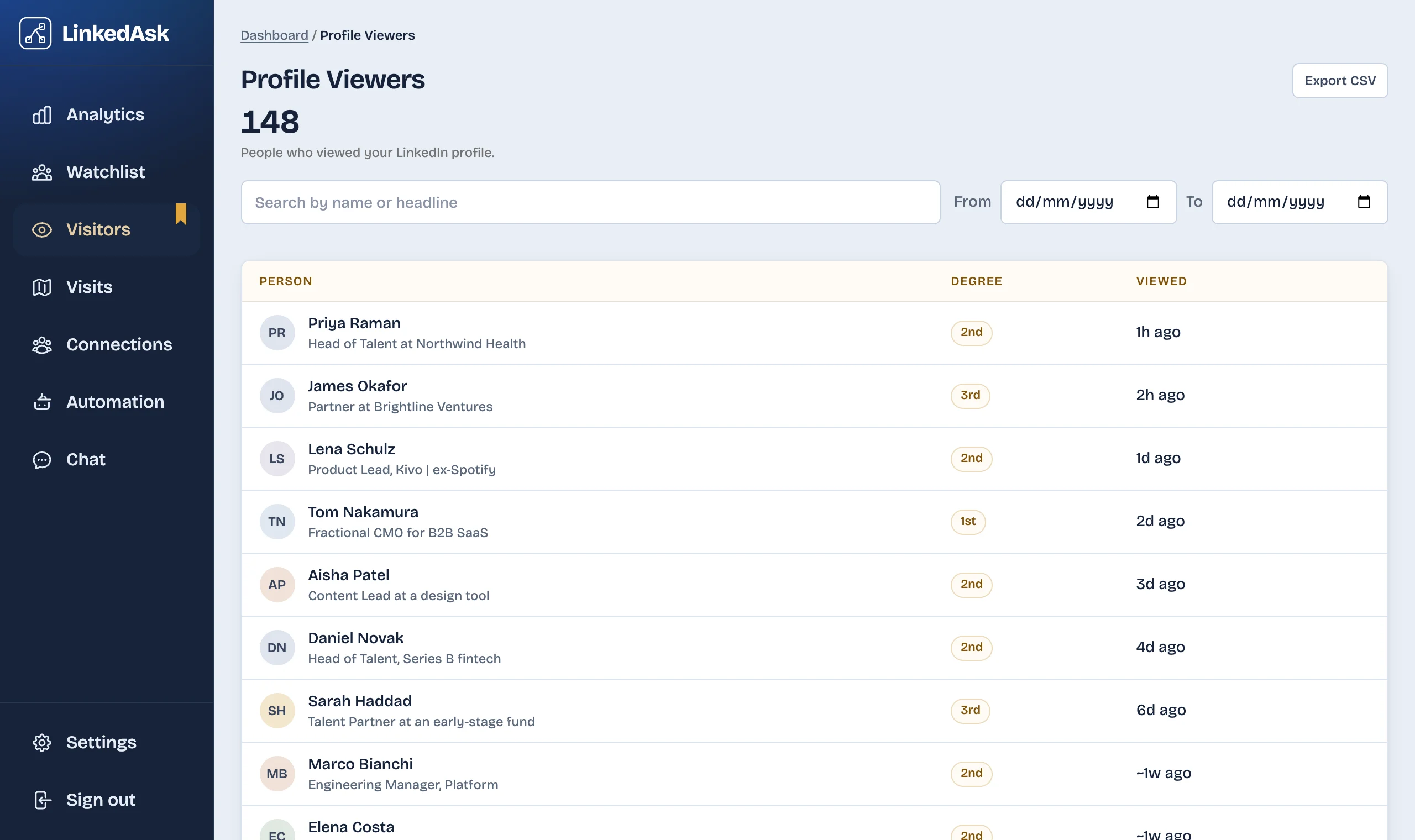
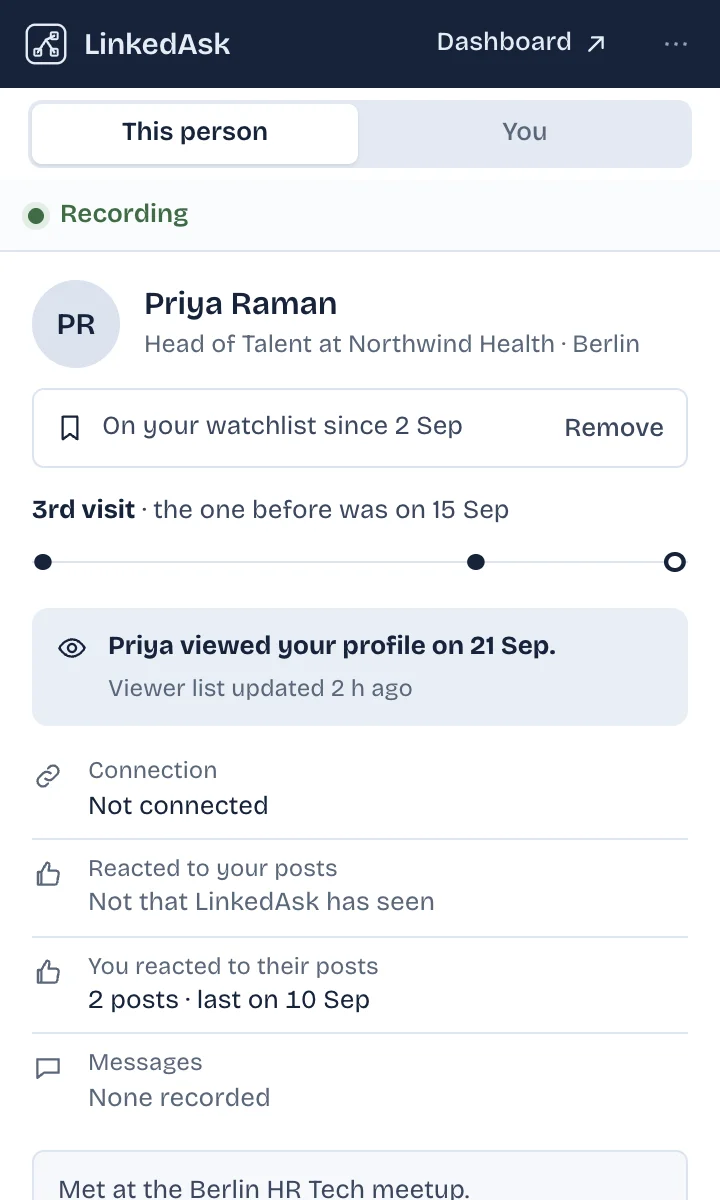
Named viewers
- LinkedIn free
- Last 3
- LinkedIn Premium
- Past 365 days
- With LinkedAsk
- Every viewer it saw, kept
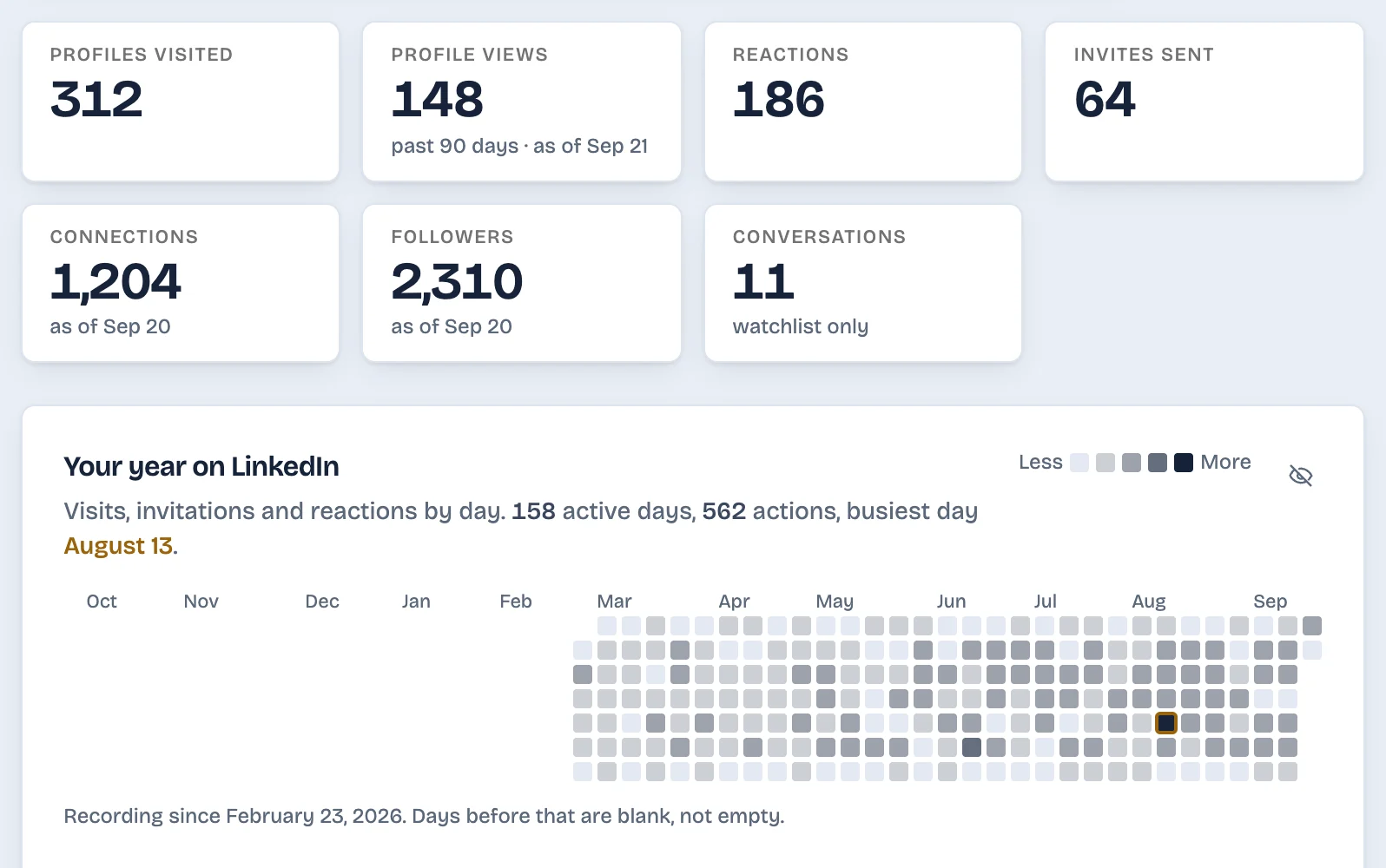
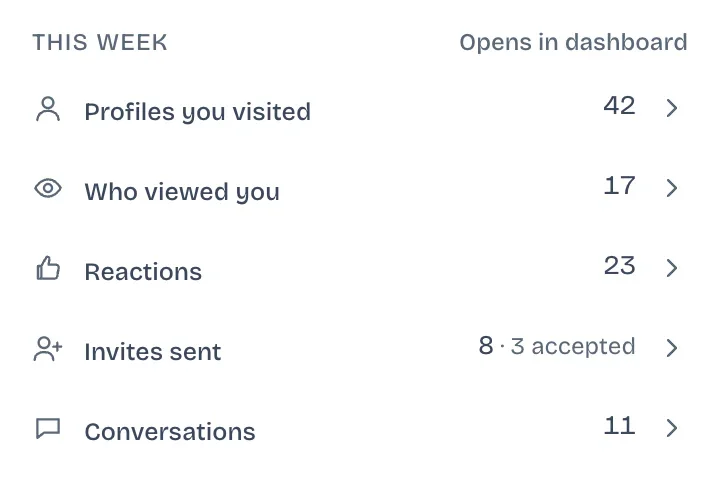
LinkedIn keeps no list of your visits
Activity history
The profiles you visit, the invites you send and the reactions you leave, kept with dates, searchable and exportable to CSV.
Profiles you visited
Invites you sent
Who viewed you
Your reactions
It starts the day you install it. Visits, invites and reactions from before are not recovered.
Learn more about Activity historyThe inbox is sorted by date, nothing more
Watchlist
A card per person that matters, with every touch between you and a signal when it is time to follow up.
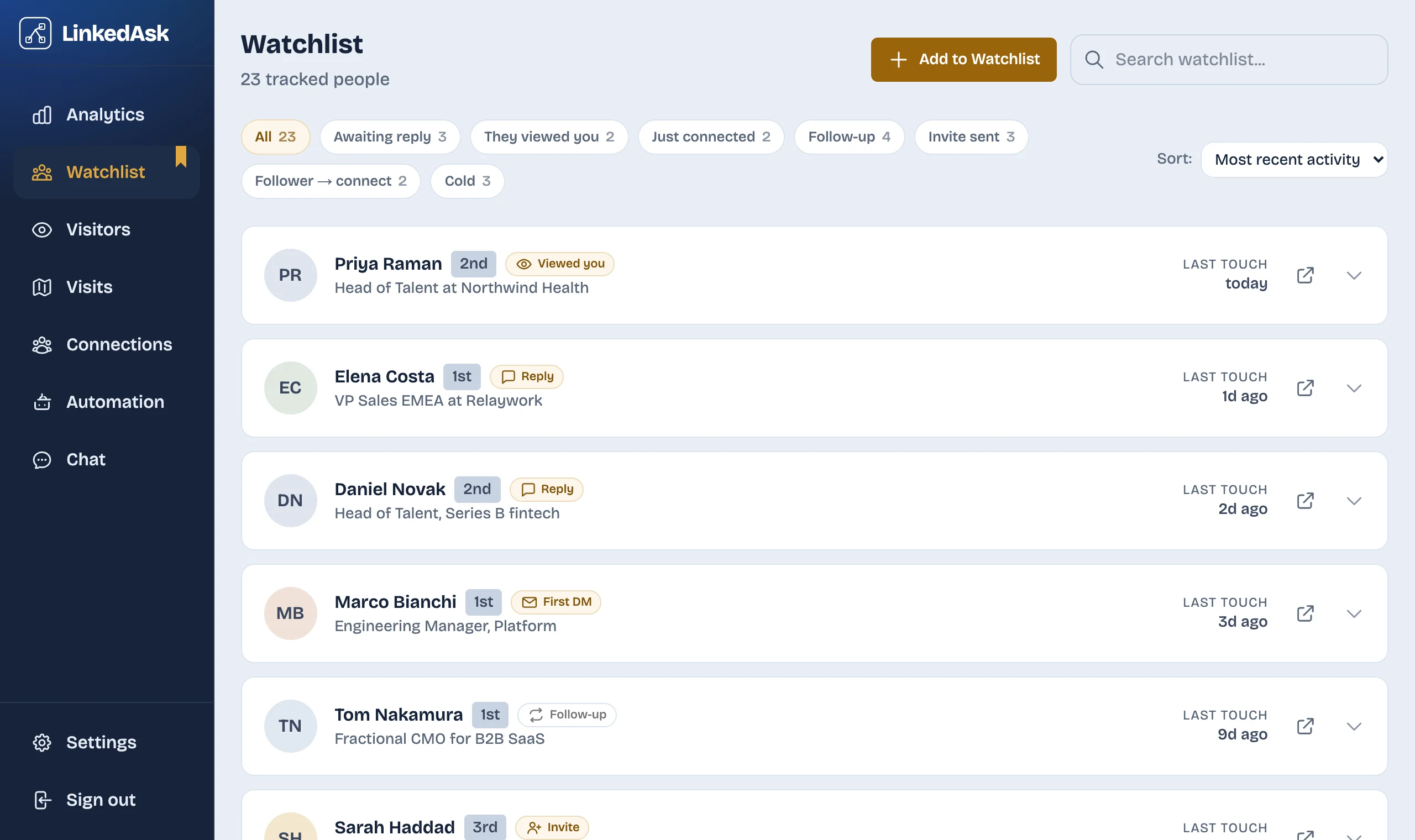
Which follow-up signals does LinkedAsk show?
- They viewed you
- They viewed your profile in the last 7 days and you have not messaged them in that time
- Reply to them
- They sent the last message, a day or more ago
- New role
- Their headline changed between two of your visits, in the last 90 days
- Send first DM
- You connected in the last 7 days and have not written yet
- Withdraw invite
- Invite sent, waiting
- Follow up
- Send invite
- Cold revival
LinkedIn shows no acceptance rate
AI chart builder
Ask a question about your own LinkedIn activity in plain English and get the chart, ready to save to your dashboard.
Ask it like this
- What share of my invites were accepted this month?
- How did my connections grow this month?
- Who viewed my profile this month that I am not connected with?
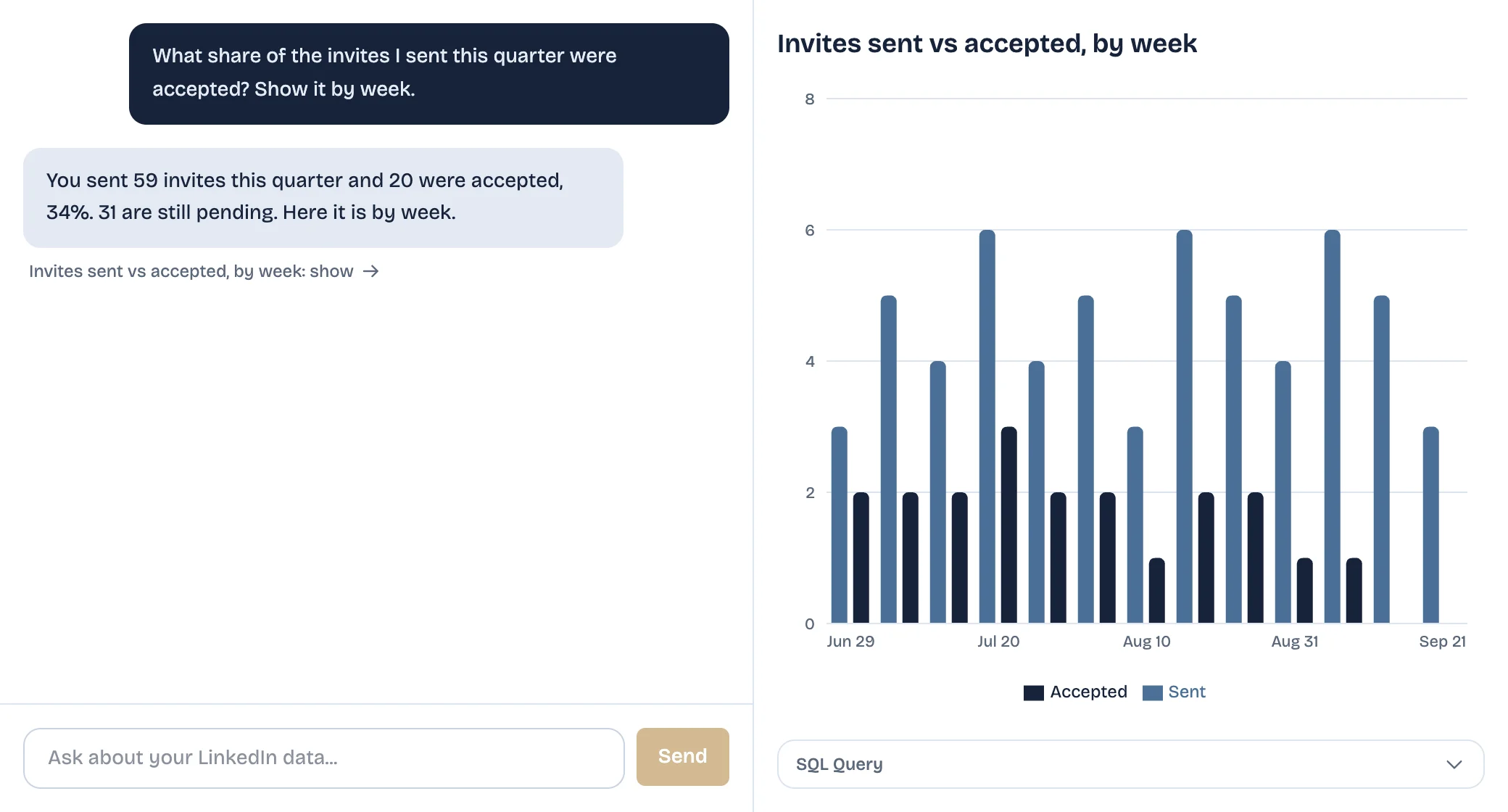
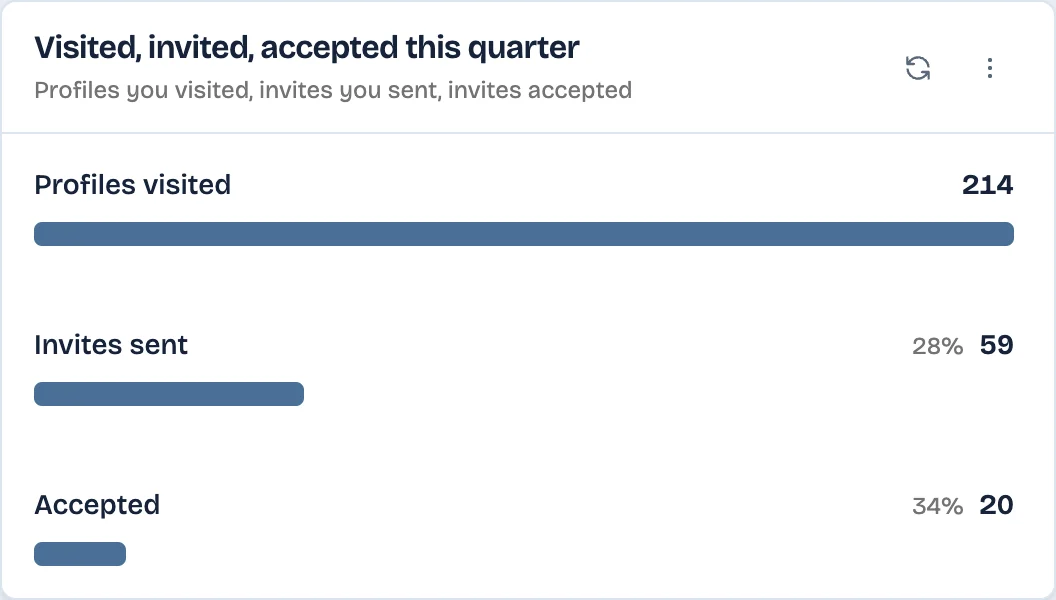
- Lists of people, not just numbers
- Save it, and it stays current
- See where your outreach stalls
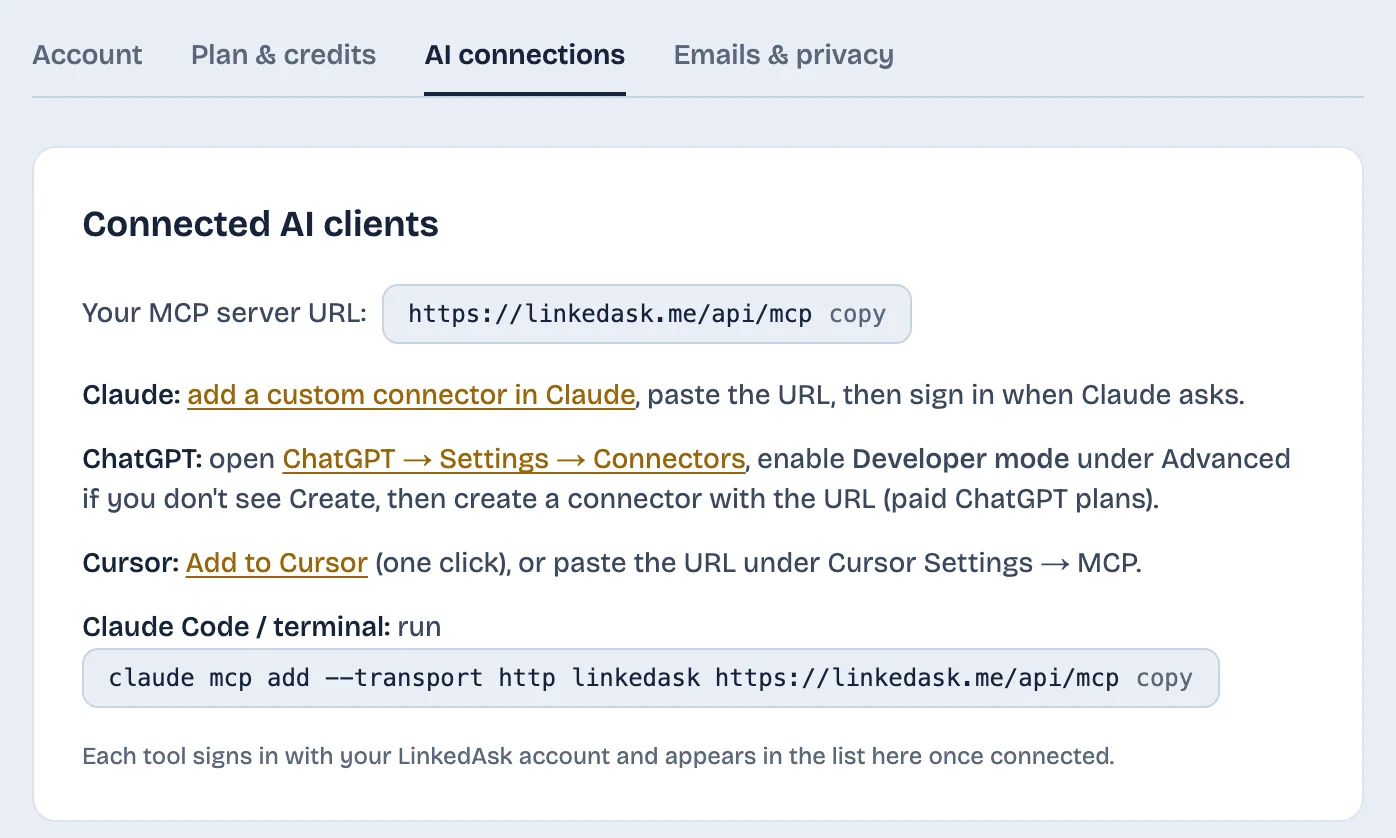
MCP server URL
https://linkedask.me/api/mcpClaude Code
claude mcp add --transport http linkedask https://linkedask.me/api/mcpYour assistant cannot see your LinkedIn
Bring your own AI
Connect Claude, ChatGPT, Cursor or Claude Code and ask about your own LinkedIn activity in the chat you already use.
Works with
- Claude
- ChatGPT
- Cursor
- Claude Code
Connect in three steps
- 1Copy your server URL
- 2Paste it into your AI tool
- 3Sign in and allow access
One plan, everything included
Every feature on this page, plus AI credits each month.
Your history starts the day you install
The sooner it starts, the more there is to look back on.
Built for solopreneurs, job seekers, coaches and sellers.