Know who to follow up with on LinkedIn today
Put the people who matter on your watchlist. LinkedAsk keeps every visit, invite, reaction and message with each of them on one card, and marks who to write to: they viewed you, they wrote last, you just connected.
LinkedIn messaging
Your conversations, newest first
- ECElena CostaThanks for connecting!Sep 20
- DNDaniel NovakDoes Thursday work?Sep 19
- TNTom NakamuraYou: I’ll send the deck over.Sep 12
- OBOliver BergYou: Catch up in the autumn?Aug 11
- JLJonas LarsenSounds good, talk soon.Aug 2
Sorted by date, nothing more
Nothing here says who is waiting on whom.
Does LinkedIn have a follow-up tracker?
No. In 2017 LinkedIn retired the notes and tags members kept on their connections’ profiles, and pointed people to Sales Navigator and Recruiter Lite instead. The inbox is sorted by date and does not show who is waiting on whom. LinkedAsk is a Chrome extension that keeps a card for each person on your watchlist: every visit, invite, reaction and message it saw between you, your private note, and a signal such as “They viewed you” or “Reply to them” when there is a reason to write.
Updated September 2026.
Set up once, then use LinkedIn as usual
Add LinkedAsk to Chrome
Install the extension and sign in.
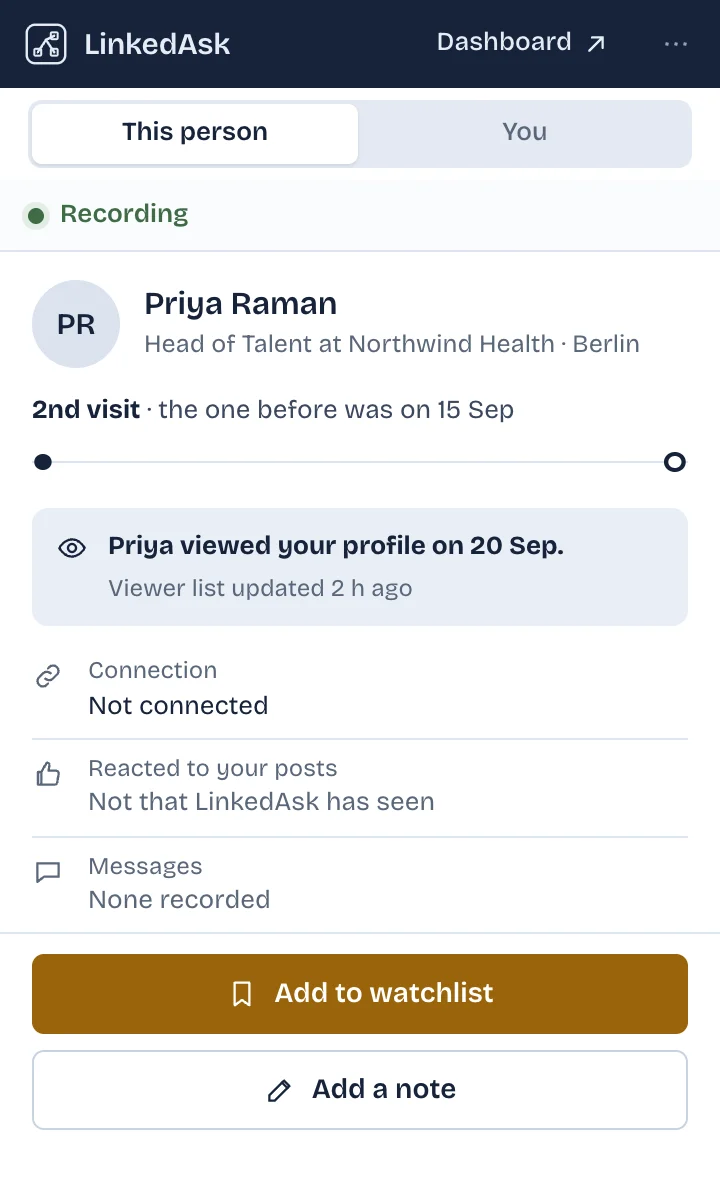
Open a profile and add them
On anyone’s LinkedIn profile, open LinkedAsk and press Add to watchlist. You can also add people from your list of profiles you visited.
Open your watchlist
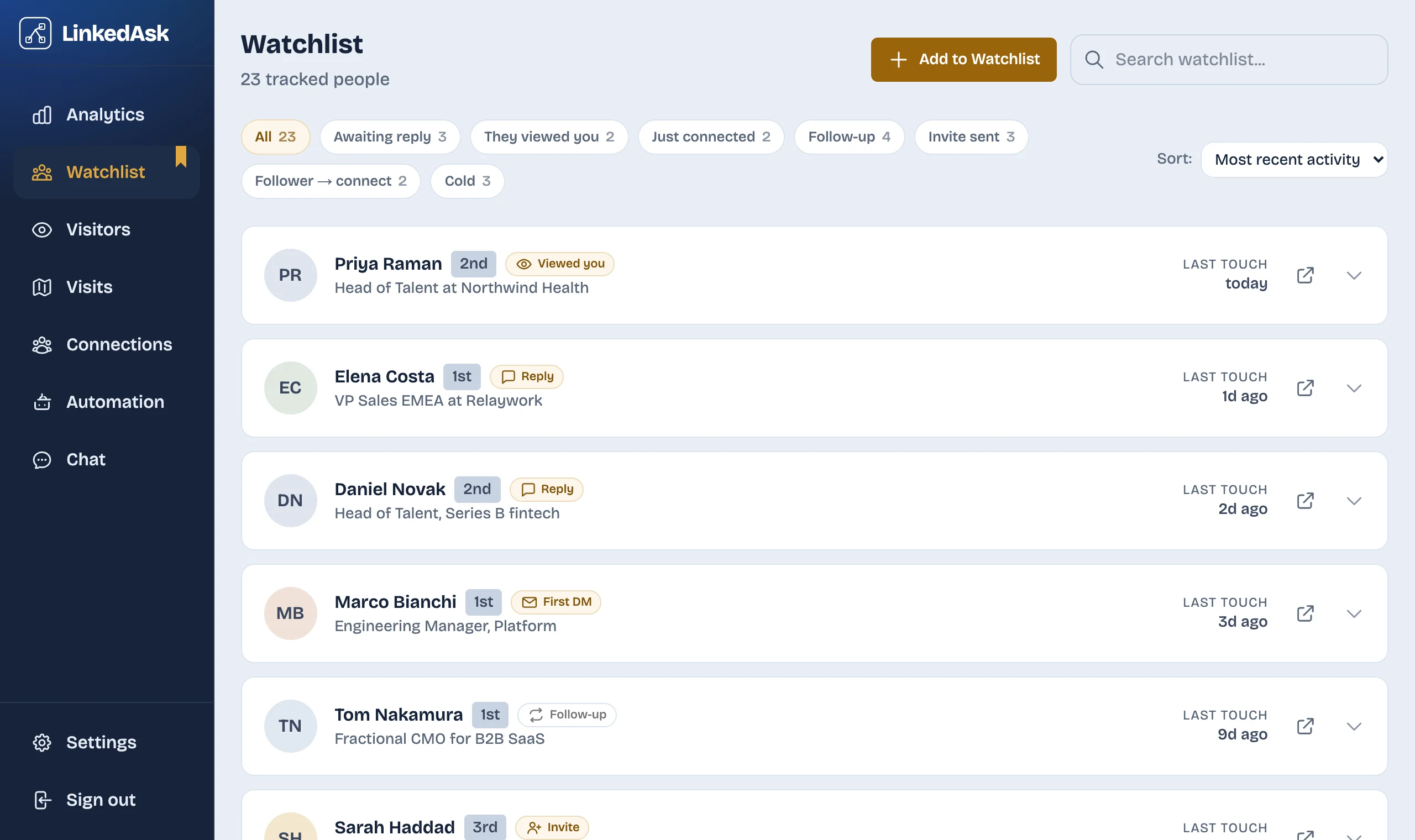
Everyone sorted by who has gone quiet longest, with a signal on the people worth writing to.
What the watchlist does for you
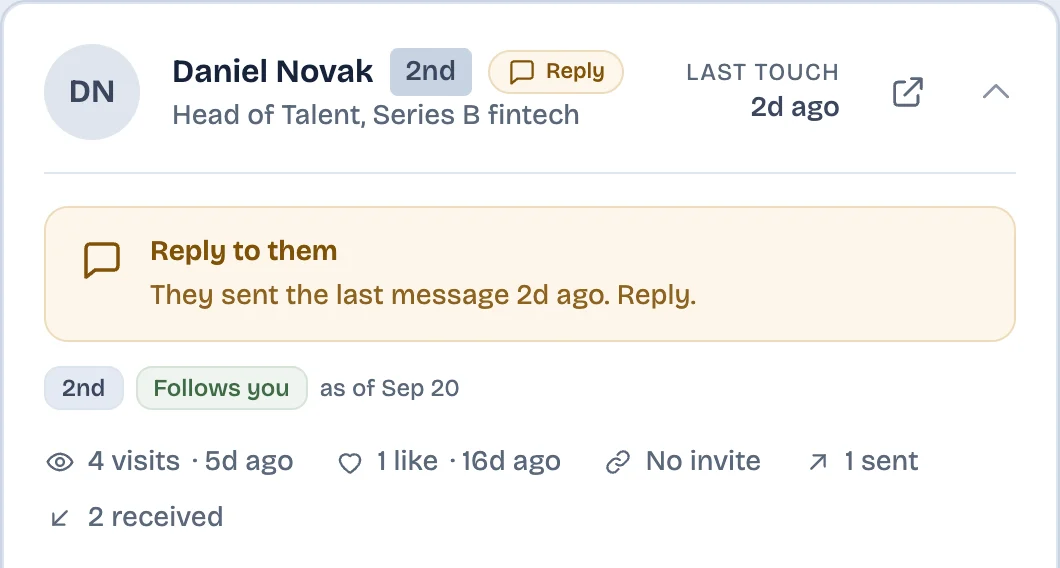
A reason to write, not a guess
Each card says why today: they viewed your profile, they wrote last, you just connected, or your message has gone unanswered for a few days. You write the message yourself.
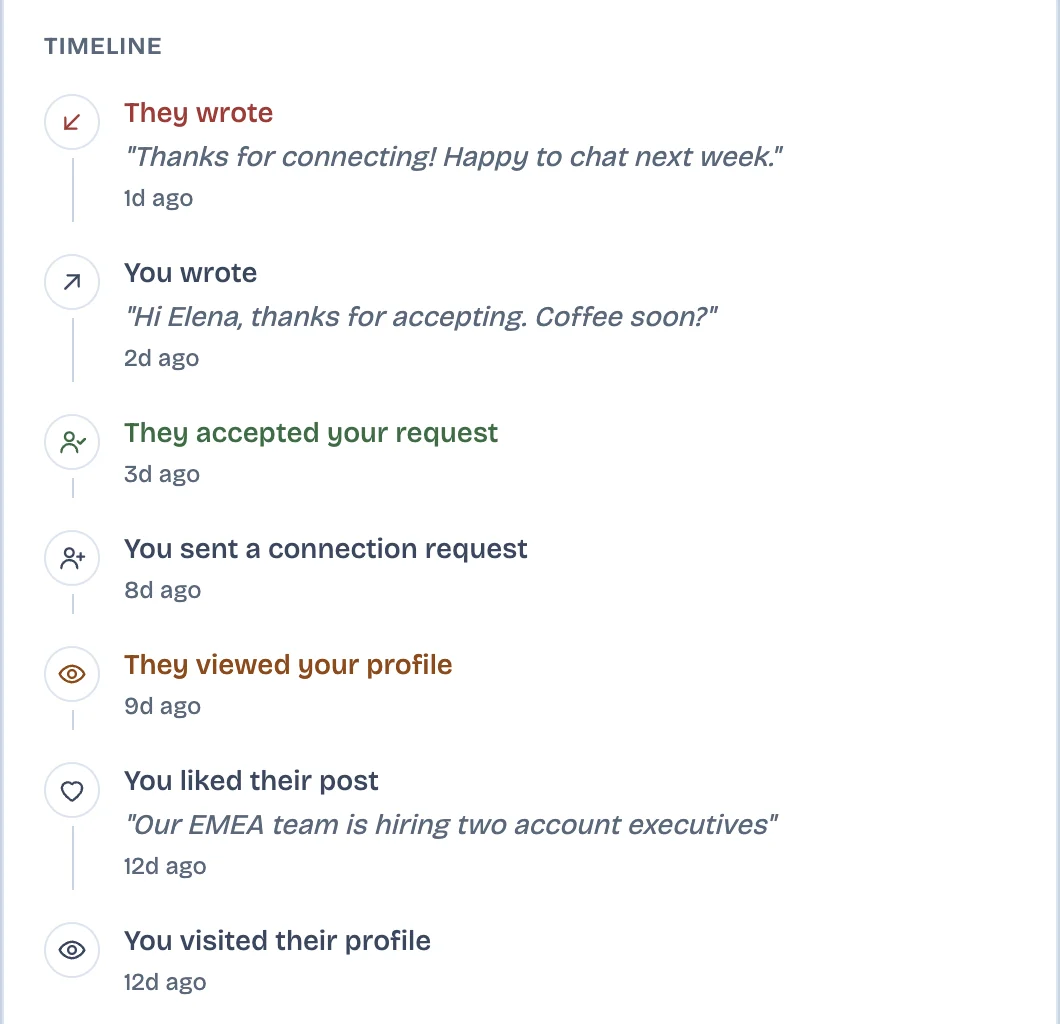
Every touch on one timeline
Profile visits both ways, the invite and when they accepted, reactions, and messages with their first line, in date order.
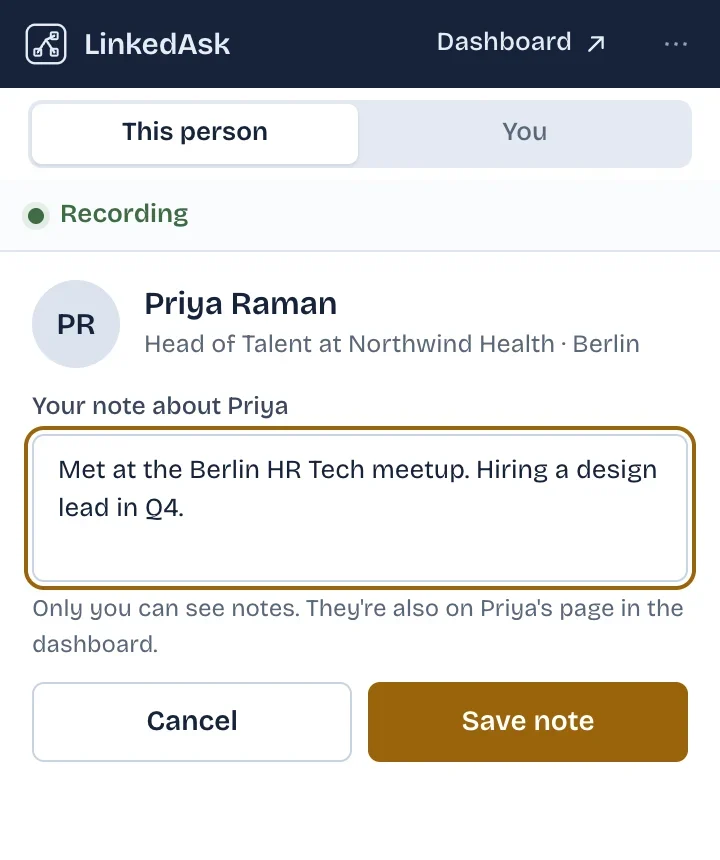
Your notes, on their profile
Write what you know about someone: where you met, what they asked for. The note is on their watchlist card and in the extension when you open their profile again. Only you can see it.
Which follow-up signals does LinkedAsk show?
Each person gets one signal at a time, the most urgent one, in the order below. New role shows inside the person’s card, not in the list.
| Signal | When it appears |
|---|---|
| They viewed you | They viewed your profile in the last 7 days and you have not messaged them in that time |
| Reply to them | They sent the last message, a day or more ago |
| New role | Their headline changed between two of your visits, in the last 90 days |
| Send first DM | You connected in the last 7 days and have not written yet |
| Withdraw invite | Your connection request has been pending for more than 14 days |
| Invite sent, waiting | Your connection request is pending, up to 14 days |
| Follow up | You wrote last, 5 to 30 days ago, and they have not answered |
| Send invite | They follow you but you are not connected |
| Cold revival | No touch either way for more than 30 days |
LinkedIn, a spreadsheet, and the watchlist
| A spreadsheet you keep | LinkedAsk watchlist | ||
|---|---|---|---|
| History with one person | Spread across messages, invitations and notifications | What you remember to type | One timeline, filled as you use LinkedIn |
| Notes | In Sales Navigator | Yes, by hand | On each card and in the extension |
| Who to write today | Not shown | A formula you maintain | A signal per person |
| Did they view you | Last 3 viewers on a free account | No | On their card |
What it cannot do
- It does not remind you on a date you pick, and it sends no alerts. Signals show when you open your watchlist.
- It does not write or send messages. You write them yourself on LinkedIn.
- It keeps messages only with people on your watchlist, from the day you add them. Older conversations are not in the timeline.
- New role shows after you open their profile again and their headline has changed.
- History starts when you install. You can add people whose profile you have opened.
- A card shows the latest 100 events with that person.
- It is one person’s list: no tags, stages, team sharing or CRM sync. Search covers name, headline and location, not notes.
Watchlist: questions
Can I track follow-ups on LinkedIn without Sales Navigator?
LinkedIn has no follow-up list, and notes on contacts have been a Sales Navigator feature since LinkedIn retired profile notes in 2017. LinkedAsk gives you a watchlist of the people you pick, with their history and a signal when a follow-up makes sense.
Does LinkedAsk remind me to follow up?
Not on a date you set, and it sends no alerts. When you open your watchlist, the people with a reason to write are marked, for example “Reply to them”, or “Follow up” after 5 days without an answer.
Can I add private notes to LinkedIn profiles?
Yes. Write a note on the person’s card or in the extension while you are on their profile. Only you can see it, and it is there the next time you open their profile.
How do I see all my interactions with someone on LinkedIn?
Add them to your watchlist and open their card: profile visits both ways, the invite and when they accepted, reactions and messages, in date order. It covers what LinkedAsk saw since you installed it, and messages from the day you added them.
Will LinkedAsk message people for me?
No. It tells you who to write to and why. You write and send the message yourself on LinkedIn.
Start your watchlist today
Add the first person the next time you open a LinkedIn profile.