Your LinkedIn activity history, in one place
LinkedIn shows your posts and reactions, but not the profiles you opened or what happened to the invites you sent. LinkedAsk keeps a dated record of each one from the day you install it, so you can search it, filter it by date and export it.
What LinkedIn keeps
Free account
- Posts, comments, reactions
- Shownon your Activity page
- Profiles you visited
- No list
- Invites you sent
- Pending onlyon the Sent tab
- Who viewed you
- Last 3
No single history
Nothing to search across, and no record of the profiles you opened.
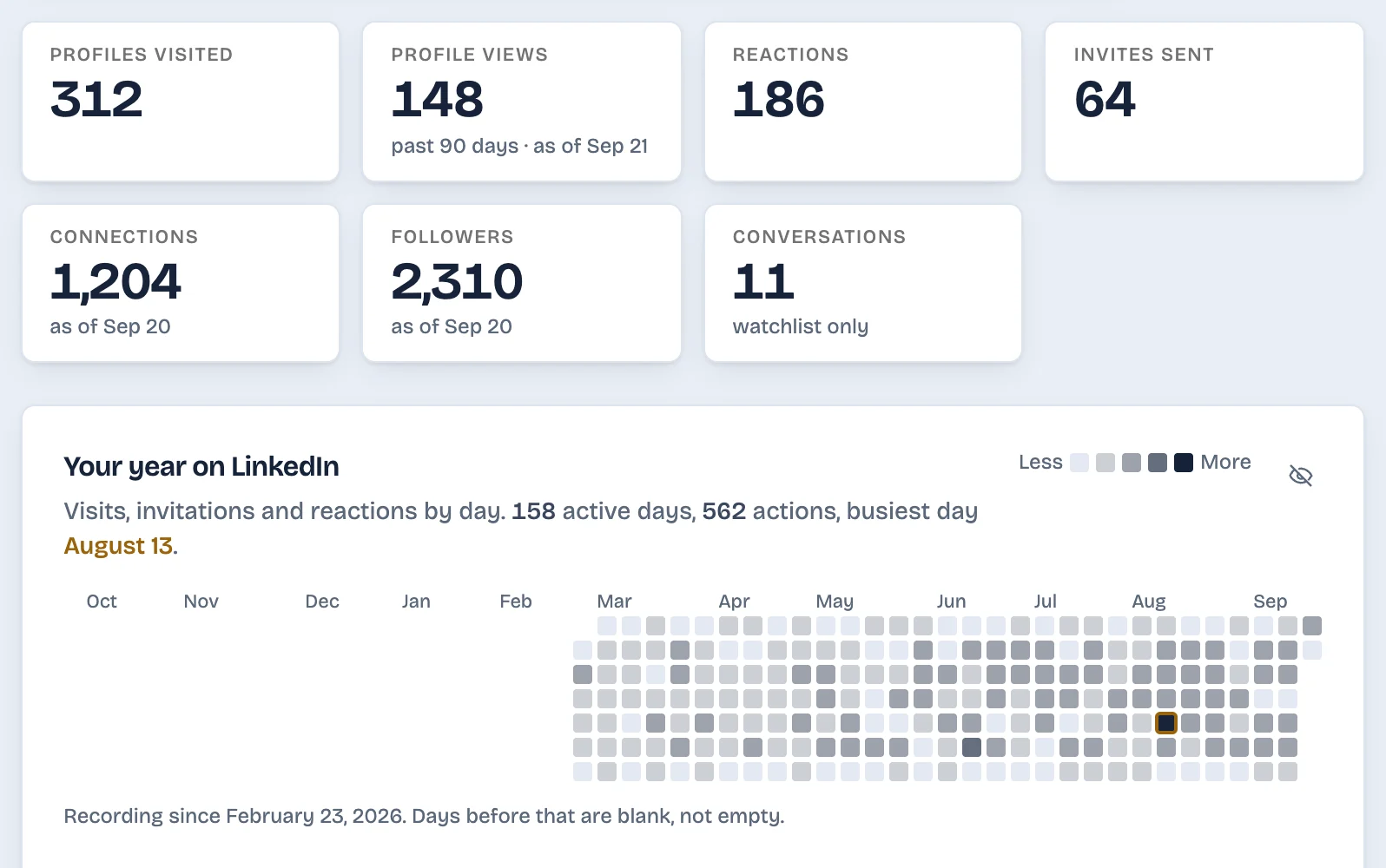
What does LinkedIn keep of your activity?
LinkedIn’s Activity page shows your posts, comments and reactions. Its Sent tab lists the invitations still waiting for an answer, and a free account sees its last three profile viewers. LinkedIn keeps no list of the profiles you open, and its downloadable archive has no file for profile visits or for who viewed you. LinkedAsk is a Chrome extension that keeps a dated record of your own LinkedIn activity from the day you install it: profiles you visited, invites and whether they were accepted, reactions, viewers and followers. You can search that record, filter it by date and export it to CSV.
Updated September 2026.
Set up once, then use LinkedIn as usual
Add LinkedAsk to Chrome
Install the extension and sign in.
Keep using LinkedIn
Open profiles, send invites and react to posts as you always do. Each one is saved with the date.
Open your history
One list per kind of activity. Search by name or headline, pick dates, export to CSV.
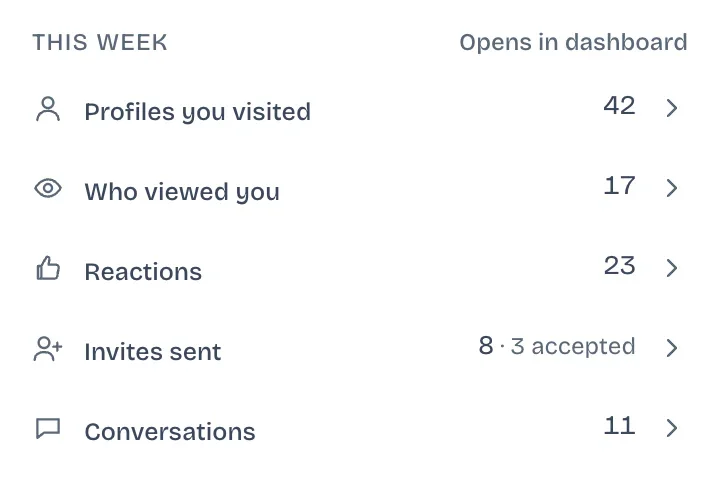
What a LinkedIn activity history is good for
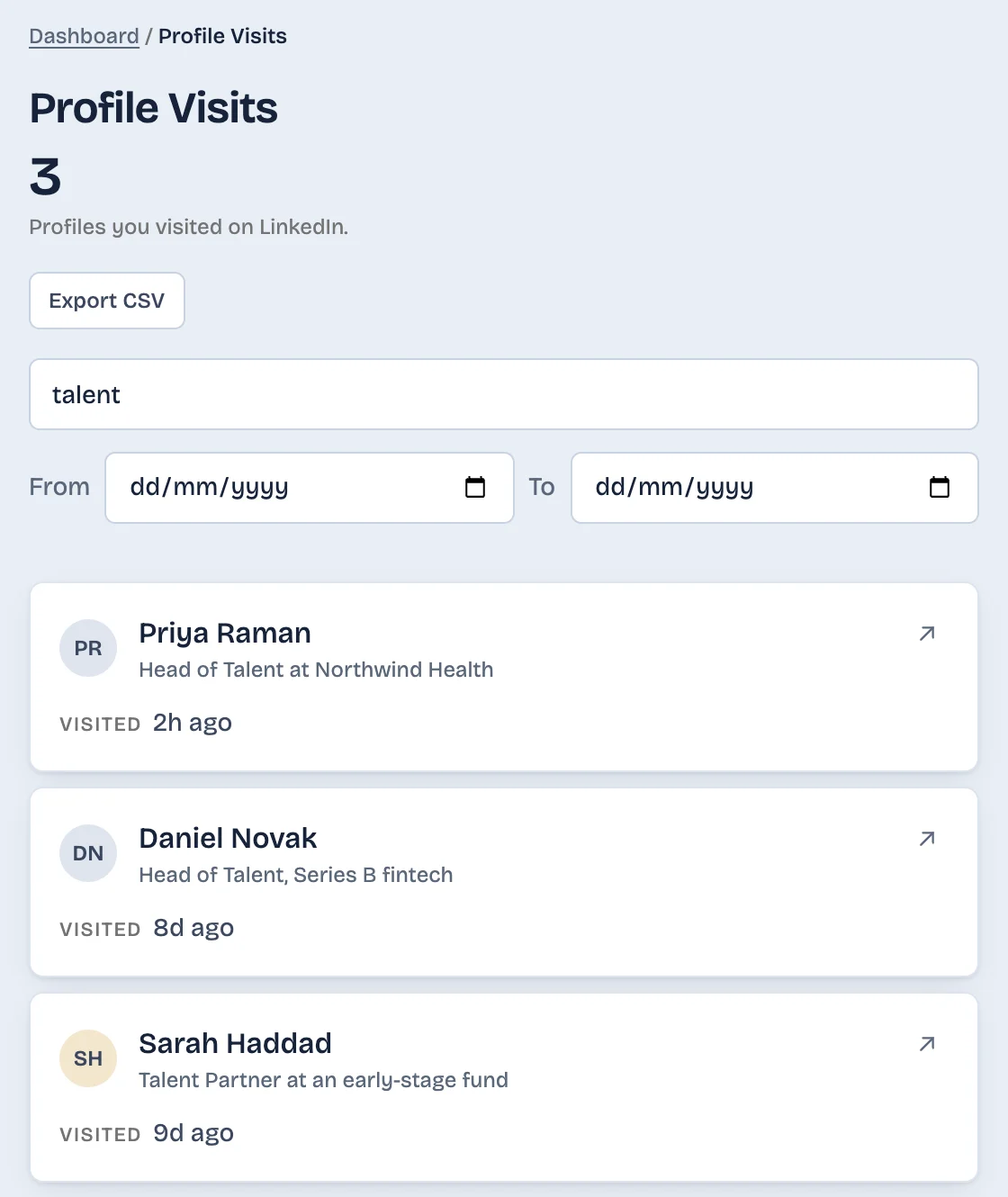
Find the person you looked at last week
Search every profile you opened by name or headline, or narrow it to a date. Useful when you remember a job title but not the name.
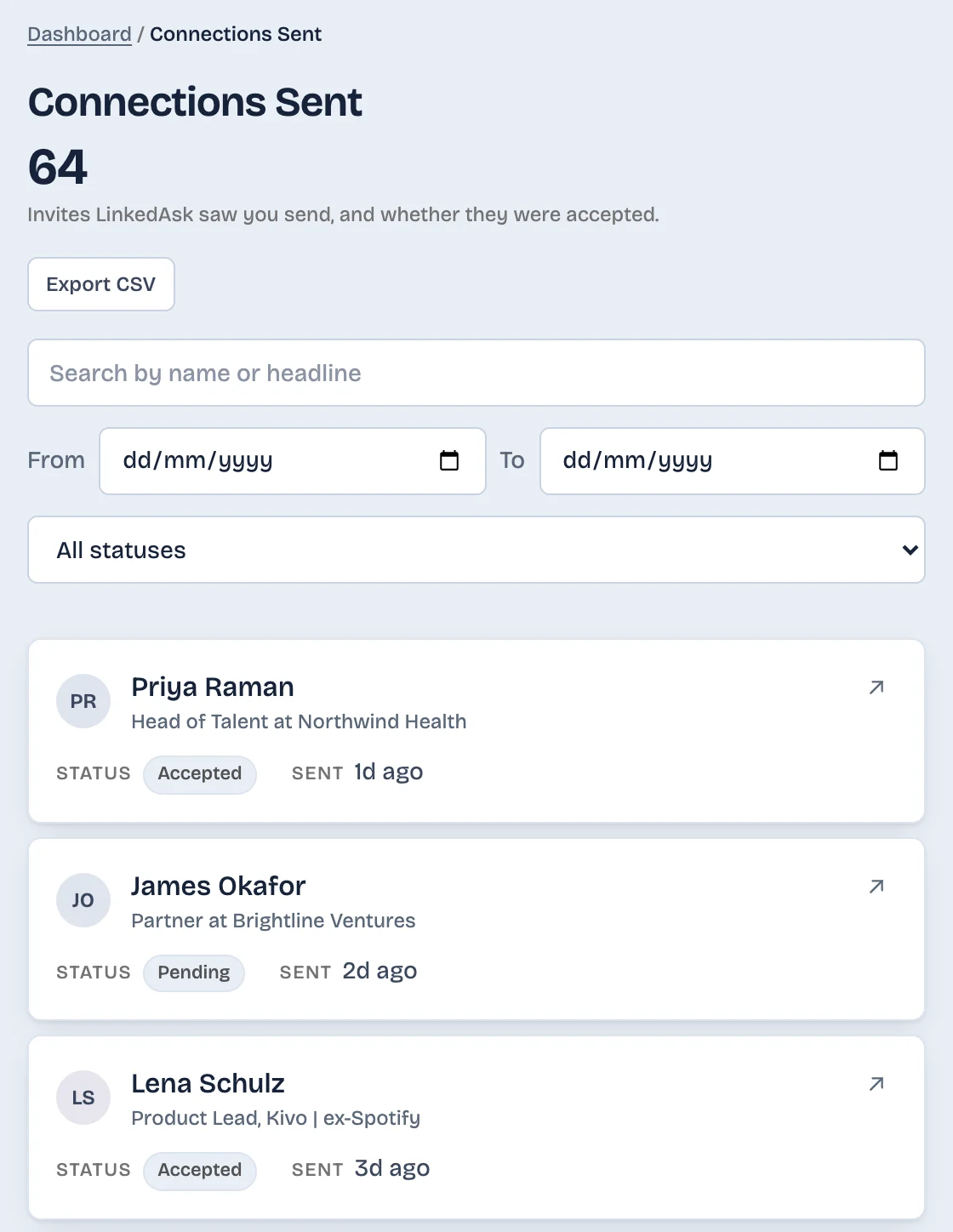
See which invites turned into connections
Every invite LinkedAsk sees you send is kept with its date and whether it was accepted. When LinkedAsk sees your Connections page, the day each person connected is kept on your connections list.
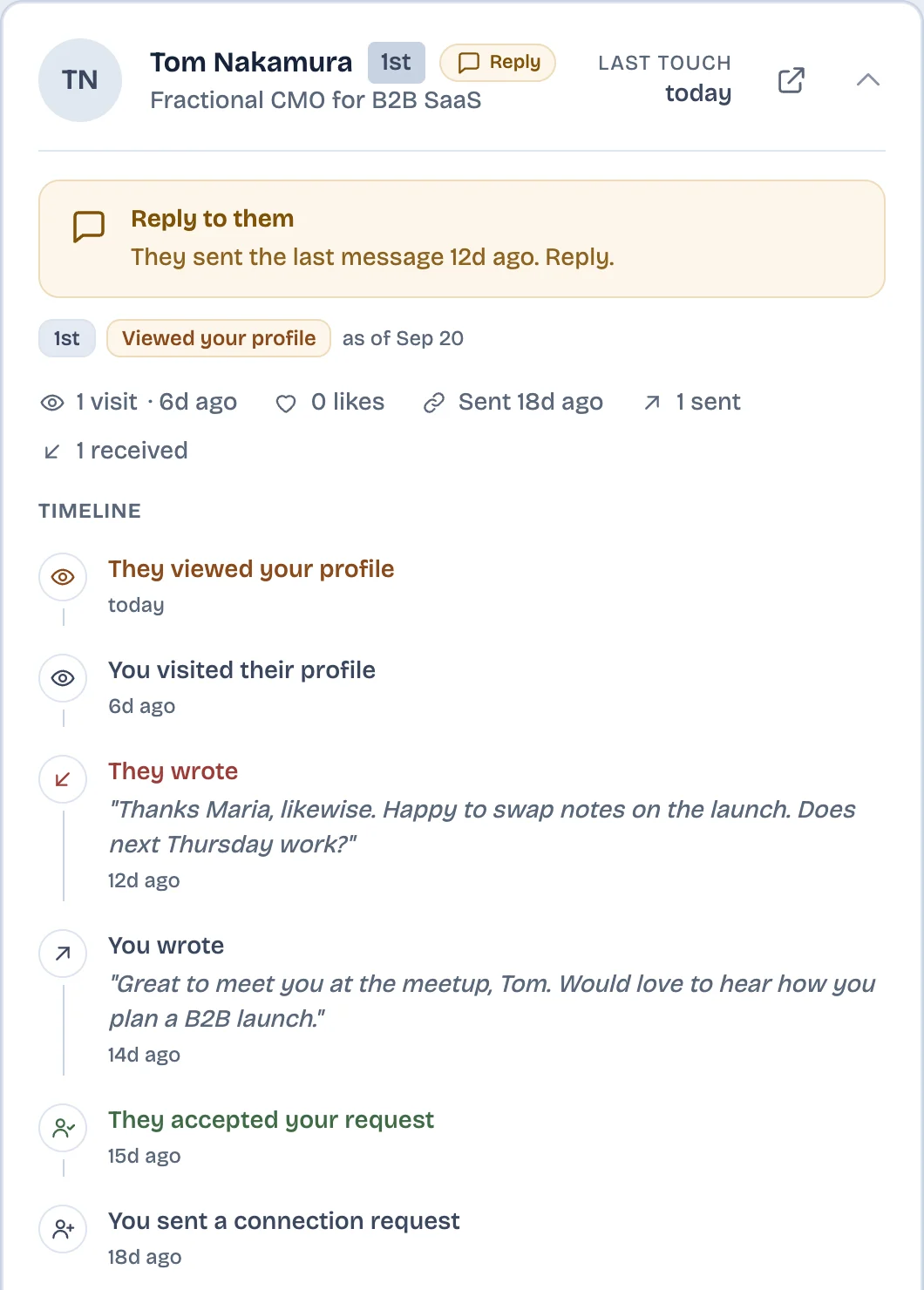
Everything with one person, on one timeline
Put someone on your watchlist and their card shows each invite, acceptance, message and visit in order, including when they wrote back. Messages are kept for watchlist people only.
LinkedIn and LinkedAsk, side by side
| With LinkedAsk | ||
|---|---|---|
| Profiles you visited | No list | Each visit, with name, headline and date |
| Invites you sent | Pending ones only | Each invite with its sent date, accepted or pending |
| Who viewed you | Last 3 (free), past 365 days (Premium) | Every viewer it saw, kept |
| Your reactions | Activity page and data archive | Also kept, with author and post preview |
| Search and date filter | No single place | On every list |
| Export | Data archive, with no visits or viewers | CSV for each list |
What it cannot do
- It starts the day you install it. Visits, invites and reactions from before are not recovered.
- It only records what you do on LinkedIn in Chrome on your computer. Activity in the LinkedIn mobile app is not recorded.
- Messages are kept only for people on your watchlist.
- LinkedIn shows no date for a follow, so a follower is dated by when LinkedAsk first saw them.
- Your connections list holds the connections LinkedAsk has seen, not your full LinkedIn list.
Activity history: questions
Can I see my full LinkedIn activity history?
LinkedIn’s Activity page shows your posts, comments and reactions. It has no list of the profiles you opened, and the Sent tab shows only invitations still pending. LinkedAsk keeps those too, with dates, from the day you install it.
How do I see the profiles I visited on LinkedIn?
LinkedIn does not keep a list of them. Your browser history is one way to find them, and LinkedAsk’s visits list is another. The guide “How to see profiles you visited on LinkedIn” walks through both.
Where do my old LinkedIn invitations go?
LinkedIn’s Sent tab lists only invitations that are still pending, and accepted ones become connections. LinkedAsk keeps each invite it saw you send, with the date and whether it was accepted.
Can I export my LinkedIn activity to CSV?
LinkedIn’s data archive includes reactions, invitations and messages, but no profile visits and no viewers. In LinkedAsk every list (visits, viewers, reactions, invites, connections, followers) has an Export CSV button.
Does LinkedAsk show activity from before I installed it?
No. Your history starts the day you install it, and the dashboard shows the date recording began.
Does it work on the LinkedIn mobile app?
No. It records what you do on LinkedIn in desktop Chrome. You can open the dashboard on any device.
Start your LinkedIn history today
Your history starts the day you install, so the profiles you open and the invites you send before then are not in it.