LinkedIn data export: what's inside each file
Anna SheronovaUpdated
LinkedIn's data archive is a zip of CSV files, one per category, and LinkedIn lists 69 categories on its download page. Nearly all of them describe your profile and your own actions. A few describe LinkedIn's data about you, such as inferences and ad targeting. The archive does not contain who viewed your profile or the profiles you opened. Reactions other people left on your posts are missing too, and most email cells in the connections file are blank.
Who viewed your profile and the profiles you opened are two of several records LinkedIn keeps only on screen. How long LinkedIn keeps your history lists them all.
How to request the archive
- Click your photo at the top of LinkedIn, then Settings & Privacy.
- Open Data privacy in the left rail. Under How LinkedIn uses your data, open the download row. Settings labels it Get a copy of your data, and the help page calls it Download your data.
- Choose Download larger data archive, or tick specific categories, and press Request archive. Connections and Messages come only with the larger archive. In October 2026 the tick list offered five categories (Articles, Invitations, Profile, Recommendations, Registration).
The larger archive arrives in two parts. LinkedIn's help page groups 38 categories as "available within 10 minutes" and the other 31 as available within 48 hours, and says the full download is emailed within 24 hours. When I requested mine on October 2, 2026, the first ZIP came within minutes and held 33 files, Connections.csv, Invitations.csv and messages.csv among them. The second ZIP came the next day with the same files plus 14 more, including my reactions, comments, posts and search queries. The download link stays live for 72 hours. You receive only the categories that apply to your account: if you have not used Learning, there is no Learning file.
Every category, and what is inside
Search for the thing you want, or switch to the gaps.
69 categories · 6 with a catch · 5 gaps
Not in the archive
Network
In the archive, with a catch · larger download, within 24 hours
Every 1st-degree connection with name, company, position and the date you connected.
Columns seen in real archives:
First NameLast NameURLEmail AddressCompanyPositionConnected OnEmail Address is blank unless that person allowed downloads under the setting "Who can see or download your email address".
Your activity
Messaging
Profile and career
Jobs
Learning
Account
Ads and inferences
Category names and the two delivery groups are LinkedIn’s, from its “Download your data” page, as of September 2026. You receive only the categories that apply to your account.
My first ZIP arrived in minutes. Connections and Messages were already in it.
Five things you open the archive for and don't find
| You look for | What the archive has | Where it lives instead |
|---|---|---|
| Who viewed your profile | Not keptNothing. LinkedIn's help page says it is not provided. | The on-site viewers page: last 3 for 90 days free, 365 days on Premium |
| Profiles you opened | Not keptNo category for it. | Your browser history, or a recording extension |
| Reactions and comments on your posts | Not keptOnly the reactions and comments you gave. | Post analytics on the site, while the post exists |
| Your connections' emails | PartlyA column that is mostly blank. | Filled only where the person allowed downloads of their email |
| Whether an invitation was accepted | PartlyThe invitation and its note, no outcome. | My Network → Manage → Sent shows the ones still pending |
The connections file and its empty email column
Connections.csv lists every 1st-degree connection with name, company, position and the date you connected. LinkedIn fills the email column only for people who allowed their connections to download it in the Email visibility setting. LinkedIn explains the blanks on the download page. Expect most Email Address cells to be empty. The steps and each column are in how to export LinkedIn connections to CSV.
What the file does hold is a date for every connection. Drop it on the network map and each person becomes a dot at the month and year you connected, so a new job or a conference shows up as a cluster. To pull every name at one employer, search the file by company.
For one person, see when you connected with someone on LinkedIn. To sort and filter the file yourself, import LinkedIn connections to Google Sheets. Two exports taken on different dates also show who is no longer in your connections, which how to tell if someone removed you on LinkedIn walks through.
Uses for the archive
Use it to move your connections into a CRM, or to keep your posts and comments after you delete them. Invitations.csv lists invitations with the sender, the recipient, the date sent, the note and the direction. Messages.csv holds full text and dates for your conversations, archived ones included. You can search it by word, person or date, or list the conversations that stopped without an answer. All four tools read the file in your browser tab and upload nothing.
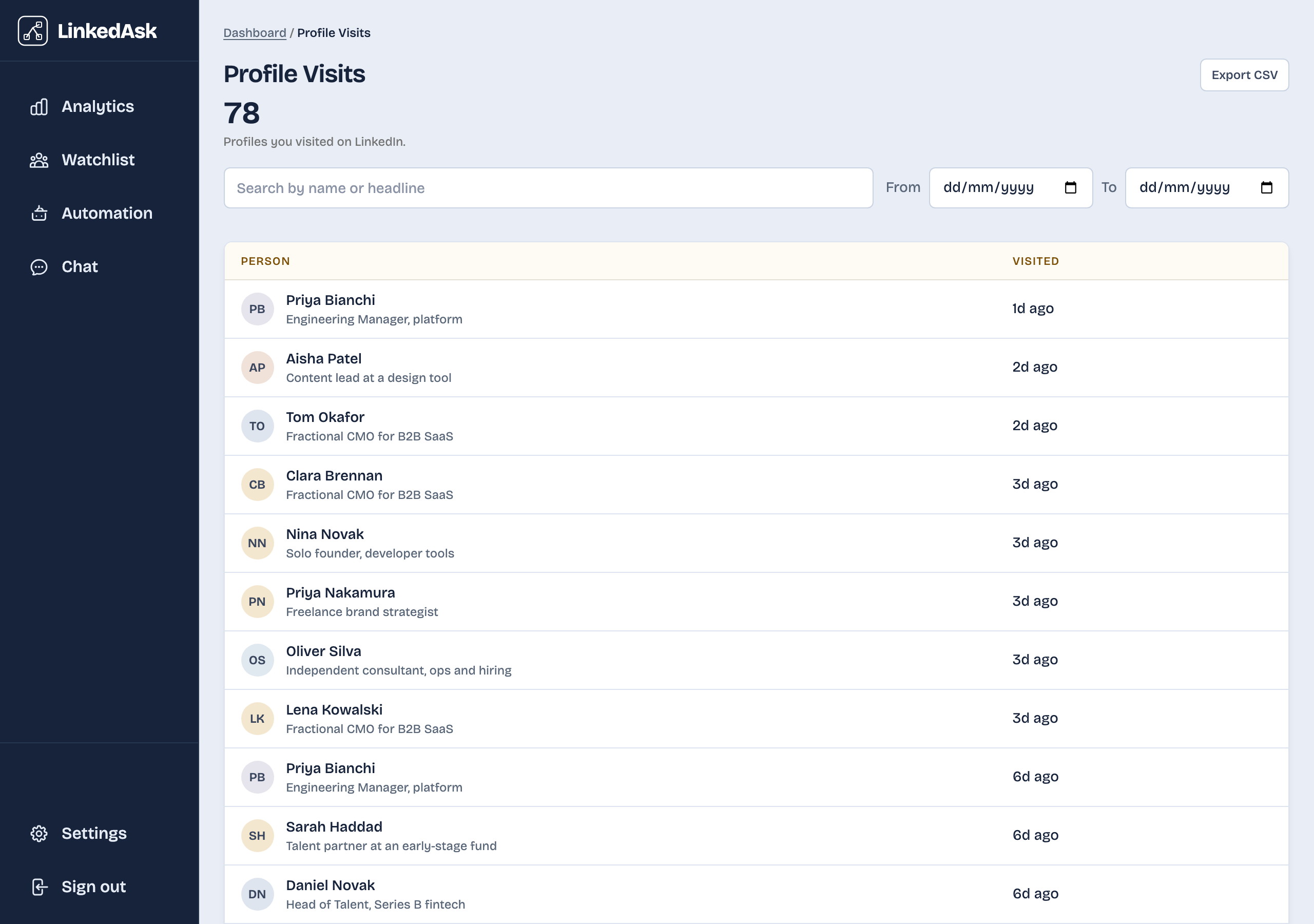
The archive has no viewers list and no visits list. LinkedIn shows a free account its last three viewers, for 90 days, on the viewers page. LinkedIn keeps no visits list anywhere.
LinkedAsk records profile visits and new viewers from the day you install it, and exports them as CSV from the activity page.
LinkedIn data export: questions
How long does the LinkedIn data export take?
The larger archive comes in two parts. My first ZIP arrived within minutes and already held Connections, Invitations and Messages. LinkedIn says the complete archive is emailed within 24 hours. The download link works for 72 hours, after which you request it again.
Does the LinkedIn archive include who viewed my profile?
No. LinkedIn's download page states that Who's Viewed Your Profile and People You May Know are not provided. The viewers page on the site is the only place that list exists.
Does the export include profiles I visited?
No. None of the 69 categories covers the profiles you opened. Search Queries holds only the text you typed.
Why are so many email addresses missing in Connections.csv?
Each member decides in their own settings whether connections may download their email. If they have not allowed it, their row has an empty Email Address cell.
Are my messages in the export?
Yes. Messages is part of the larger download and holds sender, date and the full text of each message, for one-to-one and group conversations.
Keep reading
- Guide · 5 minImport LinkedIn connections to Google SheetsImport LinkedIn's Connections.csv into Google Sheets with File, Import, then delete the notes above the header and check that Connected On sorts by date.
- Guide · 5 minHow to tell if someone removed you on LinkedInLinkedIn never tells you when someone removes you. Two quick checks show if a person unconnected, and one shows everyone who left your network.
- Guide · 4 minSee when you connected with someone on LinkedInThree places that can show when you connected on LinkedIn: the person's Contact info, your Connections page, and a date column in your data export.
Record your visits and viewers.
LinkedAsk logs profile visits and viewers as they happen. Export any time.