Find and restore archived LinkedIn messages
Anna SheronovaUpdated
Archived LinkedIn messages are not deleted. They sit in the Archived category of your messaging inbox until you move them back. As of October 2026, open Messaging, pick Archived from the inbox category dropdown, open the conversation, then click More and Restore on desktop, or tap More and Unarchive in the app.
- in the inbox dropdown: Focused, Other, Archived and Spam
- 4 categories
- on desktop, Unarchive or Restore in the LinkedIn app
- Restore
- until LinkedIn archives a Sponsored message by itself
- 7 to 40 days
Archived is one of four inbox categories, next to Focused, Other and Spam, and the first place to check when a LinkedIn message disappears from your list after a cleanup or a tap on Archive you did not mean.
Find archived messages on desktop and in the app
Archived is a view you switch to inside Messaging, and LinkedIn's Use filters and search for messages page gives a slightly different control for each place you read messages.
| Where you are | How to open Archived |
|---|---|
| Messaging page, desktop | Click the Messaging icon at the top of LinkedIn, then pick Archived from the inbox category dropdown |
| Messaging window, lower right of the homepage, desktop | Click the filter icon in the Search messages bar, then Archived |
| LinkedIn app, iPhone and Android | Tap the Messaging icon in the upper right, then pick Archived from the category dropdown |
Messaging
Illustration · example data- TRTomas RiveraSep 30Great meeting you at the workshop last week.
- IDIris DelacroixOpen, then RestoreSep 12Here is the proposal we talked about on Tuesday.
- HOHannah OkoyeAug 21Thanks, I will pass your name to our hiring lead.
Recruiter and Sales Navigator have their own inboxes, each with its own Archived folder.
Unarchive a conversation on desktop or in the app
From the Archived list:
| Step | Desktop | LinkedIn app | |---|---|---| | 1 | Click the archived conversation to open it | Tap the archived conversation to open it | | 2 | Click the More icon in the upper right of the conversation | Tap More | | 3 | Click Restore | Tap Unarchive (LinkedIn Help names both Unarchive and Restore for the app, so your version may show either word) |
In the app you can also skip opening the chat: in the Archived list, swipe left on the conversation and tap Unarchive or Restore.
LinkedIn documents bulk tools for archiving and names no bulk restore, so plan on restoring archived threads one at a time. Manage conversations (under the More icon on desktop, or tap and hold a conversation in the app) lets you tick several threads and archive them together.
What archiving does and does not do
The conversation leaves your main list and keeps every message, and LinkedIn's Archive your conversations page frames it as a way to keep your inbox organized. The same page shows how easy it is to do by accident: inside any conversation, More then Archive moves it out of your list.
Deleting is the step you cannot undo. LinkedIn's bulk actions page says "You can't restore or access deleted messages," and its Delete a conversation page says a deleted conversation leaves your inbox, not the other person's. Taking back a single message you sent is a separate action, covered in unsending a LinkedIn message.
Conversations you never archived
LinkedIn moves Sponsored Messaging ads to Archived by itself, "between 7 and 40 days after you receive the message," according to Manage Sponsored Messages in your Focused Inbox as of October 2026. Two older Help pages still say 20 to 40. An ad you remember opening and can no longer find is most likely there.
If a conversation with a real person is not in Archived, switch the same dropdown to Other, then Spam. When it turns up in Other, how LinkedIn's Other inbox works explains why it was sorted there.
Archived conversations are still in your data export
LinkedIn's Download your data page describes the Messages file as "messages sent, received, and archived."
In my own archive, requested October 2, 2026, messages.csv has a FOLDER column, and archived conversations are listed there as ARCHIVE alongside the INBOX ones. The dates in mine go back to 2019. That is one account, not a rule.
To get the file on desktop, go to Me, then Settings & Privacy, then Data Privacy, then Download your data, and request the archive. LinkedIn says the larger download arrives within 24 hours, while its table lists Messages under 48 hours. On my account messages.csv came in the first ZIP within minutes. The rest of what arrives is laid out in what you get in a LinkedIn data export.
Drop messages.csv into the LinkedIn message search tool and pick its Archived filter to list only those conversations, then search them by word or name. It shows what was in the file on the day you downloaded it, so anything archived or received after that is missing until you request a new export.
Keep track of who is waiting on a reply
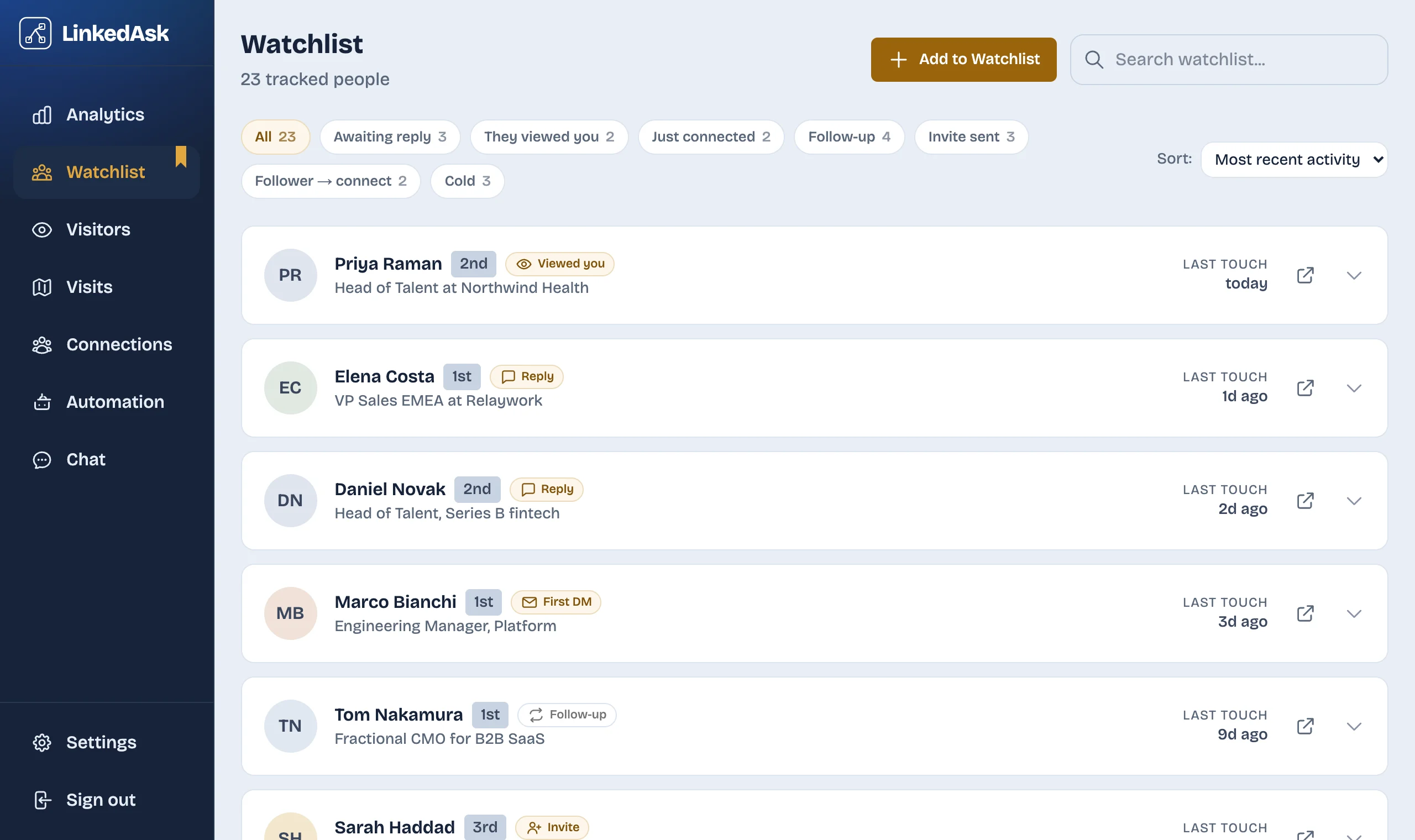
If you archive threads to tidy your inbox, a conversation that still needs an answer can drop out of view. For the people you save to the LinkedAsk watchlist, LinkedAsk shows who wrote last and when, from conversations you open on LinkedIn in Chrome on your computer, and marks Reply to them when they sent the last message.
Archived LinkedIn messages: questions
Does archiving a LinkedIn message delete it?
No. An archived conversation keeps every message and stays in the Archived category of your inbox until you restore it, and LinkedIn's data download still includes it. Deleting is different: LinkedIn says deleted messages can't be restored.
How do I unarchive a LinkedIn message on my iPhone?
Tap the Messaging icon in the upper right, pick Archived from the category dropdown, open the conversation, tap More, then Unarchive (some versions say Restore). LinkedIn Help gives one set of app steps for iPhone and Android.
Will an archived LinkedIn chat come back if the other person replies?
LinkedIn Help does not say, as of October 2026. The claim that a reply brings an archived chat back comes from third-party tools, not from LinkedIn. If you archived a chat while waiting for an answer, look in Archived before you send a follow-up, or restore the conversation first if you plan to keep talking.
Is the other person notified when I archive our conversation?
LinkedIn documents no notice. As of October 2026, its archiving pages mention nothing sent to the other person when you archive a conversation.
How do I get archived messages back on LinkedIn?
In Messaging, pick Archived from the inbox category dropdown, open the conversation, click More, then Restore. In the app, tap More, then Unarchive or Restore, or swipe left on the conversation in the Archived list.
Keep reading
- Guide · 5 minLinkedIn messages disappeared? Where they wentA vanished LinkedIn conversation has usually moved to Other, Archived or Spam. Check these places in order, see what is gone for good, and keep a copy.
- Guide · 4 minTrack LinkedIn follow-ups without a spreadsheetLinkedIn has no follow-up list. To track follow-ups, run a weekly pass with Mark as unread and Archive that sorts who you owe, who owes you and who went quiet.
- Guide · 3 minCan you unsend a LinkedIn message?LinkedIn has no unsend button, but you can delete a message for everyone within 60 minutes. What they still see, and what to do once the hour is up.
Know who is waiting on your reply.
LinkedAsk shows who wrote last and when for the people on your watchlist, from conversations you open on LinkedIn in Chrome.