LinkedIn messages disappeared? Where they went
Anna SheronovaUpdated
If your LinkedIn messages disappeared, the conversation has usually moved, not been deleted. As of October 2026, LinkedIn can put a thread in Other, Archived or Spam, hide it behind a filter, or show the sender as "A LinkedIn member" after they hibernate their account. It is gone from your side only if you deleted it, reported it or left a group chat. The one copy LinkedIn gives you is the messages file in your data archive.
- in the inbox dropdown: Focused, Other, Archived, Spam
- 4 places
- your sent messages live inside each conversation
- No Sent folder
- that your data archive download link works
- 72 hours
Check these places in order
Open Messaging on desktop and stop at the first place that finds the conversation.
Check in this order
DiagramSearch messages
Type the person's name in the Search messages bar
Found: It still exists. Note which tab it is in
Inbox category dropdown
Check Focused, Other, Archived and Spam
Found: It was moved, by Focused Inbox, by you or by LinkedIn
Filters
Clear Unread, My Connections, Starred, InMail or Jobs
Found: A filter was hiding the rest of the inbox
Declined message requests
More icon, then Declined message requests
Found: You declined it and can still accept it
Their profile
Open the other person's profile
Maybe: Their account changed (see below)
Nothing above finds it
Every place above comes up empty
Not there: You deleted, reported or left it
There is no Sent folder: your sent messages live inside each conversation, so you find a reply you sent by finding the thread.
Moved: the Other inbox
A conversation you never touched may be in Other. LinkedIn's Focused Inbox sorts messages by relevance into Focused and Other, and when it was switched on for your account, LinkedIn moved older, less relevant messages into Other. A recruiter thread from last year can sit there without you touching it.
Messaging
Illustration · example data- MHMarcus HaleMoved, not deletedMar 14Hi, I have a role on my team that fits your background.
- SBSofia BrandtFeb 2Following up on the panel we both spoke at.
- LVLeo VargaJan 20Thanks for connecting!
It also explains "I got a notification but can't find the message": notifications fire for both Focused and Other. To bring a thread back, open it, click the More icon and choose Move to Focused. What lands in the LinkedIn Other inbox covers the app, switching Focused Inbox off and when that is worth it.
Moved: the Archived folder
An archived conversation sits in the Archived folder until you restore it. Pick Archived in the inbox category dropdown, open the conversation, then More > Restore. To find and restore archived LinkedIn messages in the app or the small messaging window, use the guide.
Two things archive threads without you noticing. Manage conversations under the More icon archives many threads at once, so one cleanup can move a batch. And LinkedIn moves Sponsored messages (ads) to Archived by itself, between 7 and 40 days after you receive one, according to Manage Sponsored Messages in your Focused Inbox as of October 2026. Two older Help pages still say 20 to 40.
Moved: filters, Spam and message requests
A filter left on is the quietest cause. Pick InMail to find a recruiter and the inbox shows only InMail until you clear it. How inbox filters hide LinkedIn conversations goes through each one. If you use both desktop and the app, check the same filter on the other one too.
Spam can fill without you. With LinkedIn's setting for harmful messages switched on, a likely harmful message from someone you have never messaged goes straight to the Spam folder.
Requests from coworkers or group members you are not connected to wait behind a "message requests" link, not in the main list. Where LinkedIn message requests wait shows how to open them. A declined message request stays under More > Declined message requests, where you can still accept it.
When the other person's account changed
Sometimes the thread is there but the person is not. LinkedIn's blocking overview lists why you may not find a member: they hibernated, were removed, blocked you, or closed their account.
- Hibernated: the messages stay, but the sender shows as "A LinkedIn member", per Hibernate your account. Look for that label, not their name.
- Blocked: you can no longer message each other. LinkedIn does not say the existing conversation is removed.
- Closed: the Privacy Policy (section 4.3) says information they shared with others, such as InMail, stays visible. LinkedIn Help does not say how the thread looks on your side.
- Removed you as a connection: you are not notified, and LinkedIn's Help page on removing a connection says nothing about the conversation, so a removal is not a documented reason a thread vanishes. To check, see how to find who removed you on LinkedIn.
Gone: you deleted, reported or left it
| What you did | Your inbox | Their inbox | Can it come back? |
|---|---|---|---|
| Deleted the conversation | Removed | Still there | No |
| Reported the conversation | No longer shown | Not stated by LinkedIn | No documented way |
| Left a group chat | You cannot reply or rejoin | Others stay in it | No |
LinkedIn's Delete a conversation page says: "When you delete a conversation, it'll be removed from your inbox and not from the recipient's." After you report a conversation, it no longer shows in your inbox. A single message works differently: you can delete a sent message for everyone within 60 minutes, and unsending a LinkedIn message leaves a note in the thread. A sent InMail cannot be deleted.
Keep your own copy
LinkedIn documents no expiry for ordinary messages, and how long LinkedIn keeps your history sets this beside the records it shows only for a window. Your one self-held copy is LinkedIn's data archive. On desktop, go to Me > Settings & Privacy > Data Privacy > Download your data, select the data and click Request archive. LinkedIn's Download your data page says the Messages file covers sent, received and archived messages, that the link works for 72 hours, and that the option is not on mobile. It says the larger download arrives within 24 hours, while its table lists Messages under 48 hours.
When I requested my own archive on October 2, 2026, messages.csv had a FOLDER column marking each conversation INBOX or ARCHIVE, so archived threads were in it too. Mine went back to 2019. That is one account, not a rule. A conversation you delete before requesting will not be in it, so request one now.
What each file in the LinkedIn data export holds covers the rest of the ZIP. To find a thread in messages.csv without a spreadsheet, search your LinkedIn messages in the browser, or list the LinkedIn messages you never answered.
Keep a record from now on
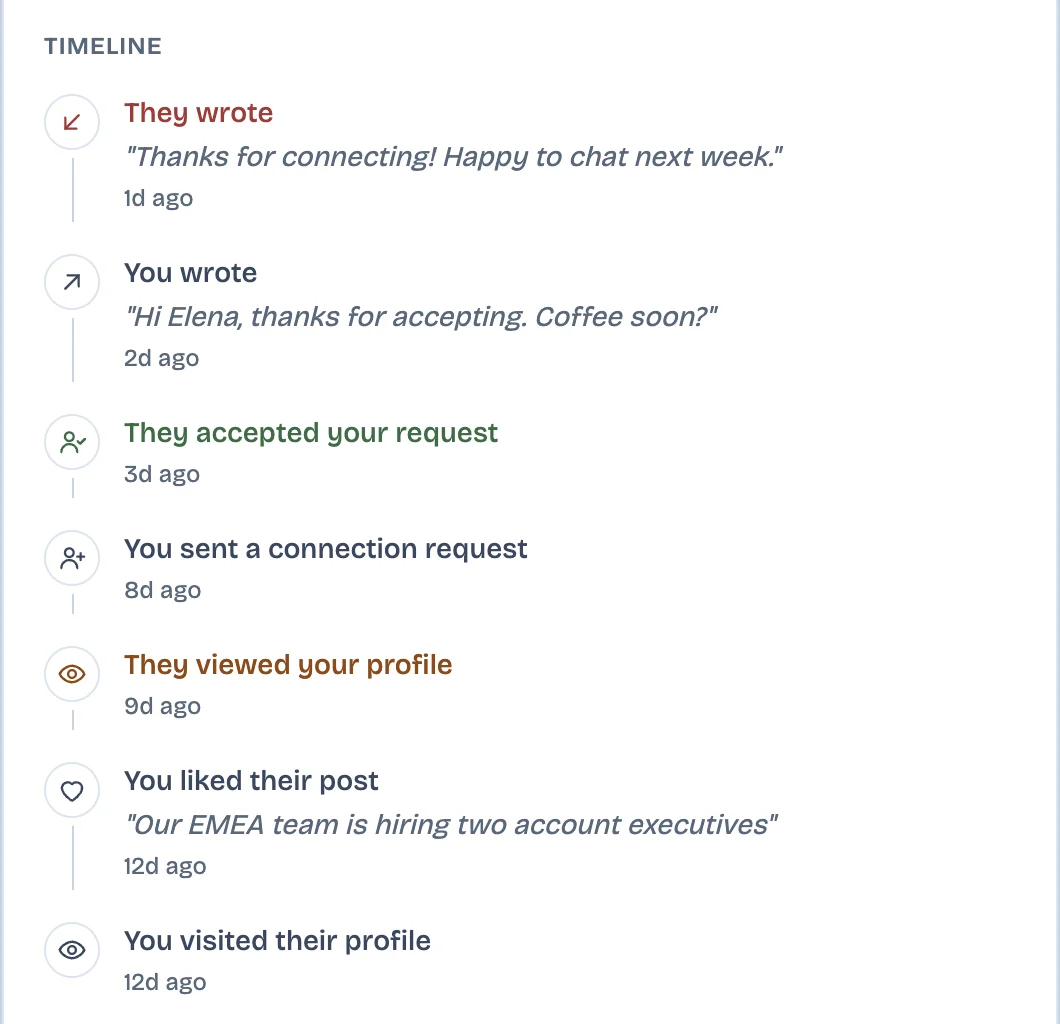
The archive holds only what was there on the day you asked, so it cannot keep up with who you owe a reply on LinkedIn after that day. LinkedAsk's watchlist is one way to keep a running record. For the people you save, it keeps the first line of each message, the dates and who wrote last, from conversations you open on LinkedIn in Chrome on your computer.
Disappeared LinkedIn messages: questions
Why would a LinkedIn message disappear?
Usually because it moved. Focused Inbox may have put it in Other, you or a bulk action may have archived it, it may be in Spam, or a filter such as InMail may be hiding it. It is gone from your side only if you deleted or reported it. Leaving a group chat ends your part in that chat.
Why are my LinkedIn messages not showing up?
They have usually been moved or hidden by a filter, not deleted. In LinkedIn Messaging, search the person's name, then open the inbox category dropdown, check Focused, Other, Archived and Spam, and clear filters such as Unread or InMail. The LinkedIn app has the same dropdown.
Does LinkedIn delete your messages?
No. As of October 2026, no LinkedIn Help page sets a time limit on ordinary messages, and LinkedIn's Privacy Policy says it keeps most personal data while your account is open. A conversation you can no longer see was moved, renamed or deleted, not expired.
Can I recover deleted LinkedIn messages?
Not from LinkedIn. Deleted conversations cannot be restored. If you downloaded your data archive before deleting, the conversation is in that archive's messages.csv. Otherwise, ask the person you were writing with to forward what you need.
Keep reading
- Guide · 4 minTrack LinkedIn follow-ups without a spreadsheetLinkedIn has no follow-up list. To track follow-ups, run a weekly pass with Mark as unread and Archive that sorts who you owe, who owes you and who went quiet.
- Guide · 3 minCan you unsend a LinkedIn message?LinkedIn has no unsend button, but you can delete a message for everyone within 60 minutes. What they still see, and what to do once the hour is up.
- Guide · 4 minFind and restore archived LinkedIn messagesArchived LinkedIn chats are not deleted. Where to find them on desktop and in the app, how to unarchive one, and why it is still in your data export.
Keep a record of the conversations that matter.
LinkedAsk keeps the first line, the date and who wrote last for the people on your watchlist, from conversations you open on LinkedIn in Chrome.