Can you unsend a LinkedIn message?
Anna SheronovaUpdated
LinkedIn has no unsend button, but a sent message can be deleted for everyone within 60 minutes of sending it, as of October 2026. Delete removes the message for every participant and leaves the note "This message has been deleted" in its place. Edit fixes the text and adds an "Edited" label. Once the hour is up, the message stays in their inbox.
- to edit or delete a sent message, per LinkedIn Help
- 60 minutes
- a message deleted in that hour is removed for all
- For everyone
- what deleting a whole conversation removes
- Your copy only
LinkedIn's Recall a sent message page says plainly: "You can't recall a message you send to your connections in LinkedIn Messaging." Its Edit or delete a sent message page gives the real way back, inside that hour. This guide covers messages you remove on purpose. A thread that disappeared from your LinkedIn messages without you deleting it is a different case.
After you send a message
DiagramSent
60 minutes
Edit (text only)DeleteAfter 60 minutes
Delete only your copy of the conversation
As of October 2026, per LinkedIn Help.
How to delete or edit a sent LinkedIn message
Do this inside the 60 minutes. On desktop, as of October 2026:
- Click the Messaging icon at the top of LinkedIn, or open the chat window at the bottom right.
- Open the conversation.
- Hover over the message you sent and click the More icon.
- Click Delete, then click Delete again to confirm.
To fix a typo or a wrong link instead, click Edit in step 4, change the text and click Save. Only text can be edited, so a wrong attachment needs Delete.
In the LinkedIn app, tap the Messaging icon in the upper right, open the conversation, tap and hold the message, then tap Delete and confirm (or Edit, then Save).
Pick by the mistake. A typo or a broken link: Edit, since an "Edited" label draws less attention than a deleted note. The wrong person, or words you regret: Delete.
What the other person sees after you delete
A deleted LinkedIn message is not invisible. In its place, everyone in the conversation sees "This message has been deleted", so the other person knows you sent something and took it back. An edited message shows the new text with an "Edited" label. LinkedIn says a deleted message can't be retrieved.
They may still have read it. LinkedIn tells people about new messages in Messaging and, depending on their settings, by email, and no LinkedIn Help page says a later delete pulls the text back out of an email or a phone notification that already arrived. A fast delete clears the message from LinkedIn. It may not clear it from their inbox or lock screen. If the content matters, assume it may have been seen and decide whether a one-line note ("Sent that to the wrong person, please ignore") is kinder than silence.
Delete a message vs delete a conversation
These two look alike and do opposite things. The conversation column follows LinkedIn's Delete a conversation page, and group chats work the same way.
| What changes | Delete one message | Delete the conversation |
|---|---|---|
| Time limit | 60 minutes after sending | None |
| Your copy | Replaced by "This message has been deleted" | Removed from your inbox |
| Their copy | Replaced by the same note | Untouched, every message stays |
| Can you get it back | No | No |
To delete a conversation, open it, click the More icon, choose Delete conversation and confirm Delete. It does not remove or block the connection.
Missed the 60 minutes?
After 60 minutes it stays in their inbox, and deleting the conversation only costs you your copy. The useful move is a short follow-up in the same thread: correct the fact, send the right link, or apologize in one line.
For a sent InMail the rule is stricter: you can't delete it at all, and you can edit it only before it is accepted or within 60 minutes of sending. Recruiter InMail follows its own rules in Recruiter.
Deleted is final
LinkedIn can't restore a deleted message or a deleted conversation. What can remain:
- The other person. Unless you deleted the message inside the 60 minutes, they can send you back the text you need.
- An earlier download. LinkedIn's Download your data archive holds messages you sent, received and archived. A copy you downloaded before deleting still has the text in its messages file in the LinkedIn data export. One requested afterwards does not.
- Archive instead of delete. If you only want a thread out of sight, archive it: it leaves your inbox and you can bring an archived conversation back later.
See who wrote and when
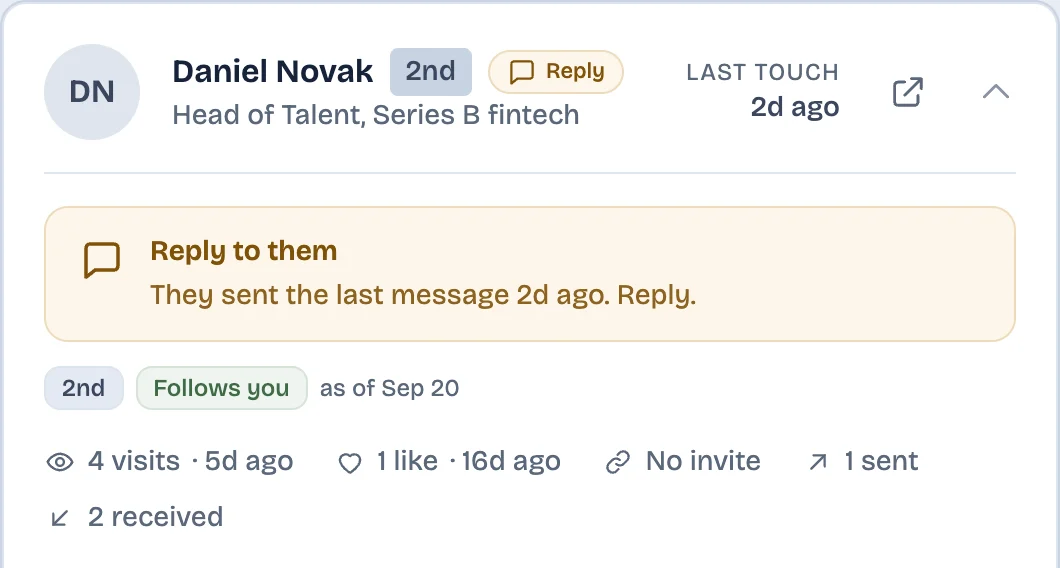
For people you save to the LinkedAsk watchlist, LinkedAsk shows the conversations you open with them on LinkedIn in Chrome on your computer: who wrote, when, and who replied, starting the day you add them.
Unsending a LinkedIn message: questions
Can you unsend a message on LinkedIn?
No, LinkedIn has no recall or unsend button. The closest thing is Delete: within 60 minutes of sending, it removes the message for everyone and leaves the note "This message has been deleted".
Does deleting a LinkedIn message delete it for the other person?
Yes, for a single message you delete within 60 minutes of sending it. No, for a whole conversation: deleting it removes it from your inbox only, and the other person keeps every message.
Can I delete a LinkedIn message after 60 minutes?
Not for the other person. After 60 minutes you can only delete the conversation from your own inbox, and their copy stays. A short correction in the same thread is the practical fix.
Does LinkedIn notify someone when you delete a message?
LinkedIn Help describes no separate alert for a delete, but the conversation shows "This message has been deleted", so they can see something was removed. LinkedIn does not say whether a delete removes the text from an email or phone notification they already received, so they may have read it before you deleted it.
Can you recover a deleted LinkedIn message?
No. LinkedIn says deleted messages and conversations can't be restored. If you downloaded your LinkedIn data before deleting, the text is in that archive. If a thread went missing without you deleting it, see the guide to LinkedIn messages that disappeared.
Keep reading
- Guide · 5 minLinkedIn messages disappeared? Where they wentA vanished LinkedIn conversation has usually moved to Other, Archived or Spam. Check these places in order, see what is gone for good, and keep a copy.
- Guide · 4 minTrack LinkedIn follow-ups without a spreadsheetLinkedIn has no follow-up list. To track follow-ups, run a weekly pass with Mark as unread and Archive that sorts who you owe, who owes you and who went quiet.
- Guide · 4 minFind and restore archived LinkedIn messagesArchived LinkedIn chats are not deleted. Where to find them on desktop and in the app, how to unarchive one, and why it is still in your data export.
See who replied after you wrote.
LinkedAsk shows who wrote, when, and who replied for the people on your watchlist, from conversations you open on LinkedIn in Chrome.