Does LinkedIn show who viewed your profile?
Anna SheronovaUpdated
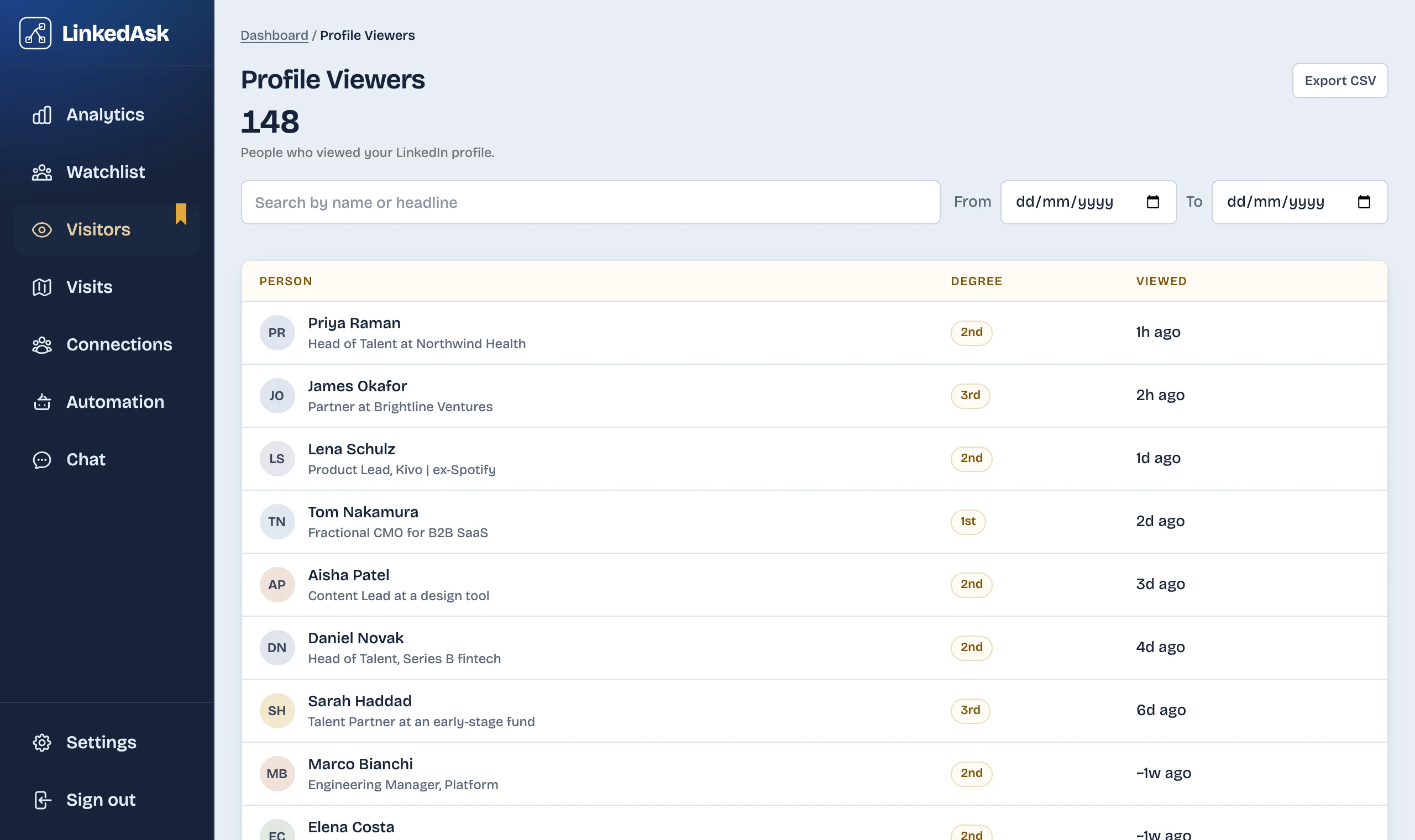
Yes, but what you see depends on your account and each viewer's setting. As of October 2026, a free account sees only "the three most recent viewers in the last 90 days", and only while you browse with your name and headline showing. Premium shows the full list for up to 365 days. A desktop Chrome extension such as LinkedAsk can keep names after LinkedIn drops them, saving each viewer LinkedIn shows you from the day you install it.
Nobody, on any plan, sees the names of people who viewed you in private mode. Many pages, and some AI answers, still say a free account sees five. LinkedIn Help says three. Viewers are one of several records LinkedIn keeps only for a while; how long LinkedIn keeps your history covers the rest.
What each account type shows
| What you get | Free (Basic) account | Premium Career or Premium Business |
|---|---|---|
| Named viewers you see | The three most recent | Everyone who viewed you with their name showing |
| Time window | Last 90 days | Up to 365 days |
| Condition to see the list | You browse with "Your name and headline" | None: you can browse privately and still see it |
| Filters, trends and sorting | Not available | Filters by date, company and industry, a trend graph, Most recent and Most relevant tabs |
| Viewers in private mode | Shown as "LinkedIn Member" | Shown as "LinkedIn Member" |
Sources: LinkedIn Help, basic vs Premium and Premium viewer insights, as of October 2026.
The window is the part that changes most between plans. How far back LinkedIn shows who viewed your profile goes through it in detail.
Where to find who viewed your profile
On desktop, click the Me icon at the top of LinkedIn, then View Profile. In the Analytics section, click "[Number] profile views". In the mobile app, tap your profile picture, tap your photo again, scroll to Analytics and tap profile views (LinkedIn Help).
If the page is empty, check two things. LinkedIn shows no visitor data when nobody viewed your profile in the past 90 days. And on a free account, the list only appears while your own viewing option is set to "Your name and headline".
To check that option, open Me, then Settings & Privacy, then Visibility, then Visibility when viewing other profiles (LinkedIn Help). If it says private mode or private profile characteristics, LinkedIn turns off your own viewer list on a free account (LinkedIn Help). Premium members can browse privately and still see who viewed them. The private mode guide covers what that switch hides and what it costs you.
Why some viewers are blurred or hidden
Two different things hide a viewer, and only one of them changes when you pay.
The Premium gate. On a free account, LinkedIn knows who your other recent viewers are. It lists three and keeps the rest of the list for Premium. These are the viewers people call "blurred": the name exists, and Premium shows it.
The viewer's own choice. Each person who views you picks how they appear, and LinkedIn shows them in one of three ways (LinkedIn Help):
- With their name and headline.
- With private profile characteristics: no name or photo, just a description such as "Someone at Accenture" or a job title and industry.
- In private mode, as "LinkedIn Member".
The second and third stay that way on every plan. LinkedIn Help is direct about it: you can't view the names of members who chose private mode, "even if you have a Premium account". So Premium lifts the gate. It does not lift anyone's privacy setting.
Premium lifts the gate. It does not lift anyone's privacy setting.
The same goes for unblur tricks and viewer-revealing tools. LinkedIn does not show a private-mode viewer's name to anyone, including the person who was viewed, so there is no name on the page for a trick or a tool to uncover.
How to see more of your viewers
The right option depends on whether you want more names now or a history that builds over time.
Upgrade to Premium if you need the full list now
Premium Career and Premium Business show everyone who viewed you with their name showing, across the longer window in the table above, with filters and a weekly trend. That includes named viewers who have already dropped off a free list, as long as they fall inside that window. It will not name private-mode viewers. Check current plans on LinkedIn before you decide.
Check more often on a free account
Your three names rotate: each new viewer pushes the oldest one off. If you open the page every few days instead of once a month, you see more of the people who looked at you over time, at no cost. The catch is that you have to remember to look, and on a free account a name that leaves the list does not come back. LinkedIn's downloadable data archive does not include your viewers either (what the LinkedIn data export contains).
Keep your own record from today
If what you want is a history rather than a snapshot, write names down when you check, or use a tool that saves them for you. LinkedAsk is a Chrome extension that saves each viewer LinkedIn shows you on Who's viewed your profile, with LinkedIn's "Viewed … ago" label and the date it saw them, so your list keeps growing after LinkedIn drops a name. See how LinkedAsk keeps your viewers.
Who viewed your LinkedIn profile: questions
Can you see who viewed your LinkedIn profile without Premium?
Yes, partly. As of October 2026, a free account sees the three most recent viewers from the last 90 days, plus a count of profile views. You only see those names while you browse other profiles with your name and headline showing.
Can you see who viewed your profile in private mode?
No. Viewers in private mode appear as "LinkedIn Member", and LinkedIn does not reveal their names on any plan, Premium included. Viewers using private profile characteristics show only a description, such as their company or job title.
Does LinkedIn Premium show how many times someone viewed your profile?
LinkedIn Help does not describe a per-person view count. What Premium adds is the full list of viewers over a longer window, filters, a trend graph, and details such as how viewers found you.
How often does LinkedIn update who viewed your profile?
LinkedIn does not publish a schedule. The list shows your most recent viewers, LinkedIn says viewing timeframes may vary, and it tries to show a minimum of three views over any timeframe.
How do I stop "who's viewed your profile" emails?
Open one of the emails and click Unsubscribe in the footer. That is the way LinkedIn Help describes.
Keep reading
- Guide · 6 minHow long does LinkedIn keep your history?Profile viewers 90 days, pending invites 6 months, posts and messages until you delete them. One table of what LinkedIn keeps and what it shows.
- Guide · 5 minCan't see who viewed your LinkedIn profile? WhyWho's viewed your profile empty or short? Eight LinkedIn rules cause it, from your own private mode to the free three-viewer cut-off. How to check each one.
- Guide · 5 minRecruiter viewed your LinkedIn profile: what nowWhat a recruiter's view usually means, whether to message them, and two short notes you can send without mentioning the view.
Stop losing the viewers LinkedIn drops.
LinkedAsk saves each viewer LinkedIn shows you, with the date it saw them, so your list keeps growing after LinkedIn lets a name go.