How far back LinkedIn shows your profile views
Anna SheronovaUpdated
As of October 2026, LinkedIn Help says a free (Basic) account sees the "Three most recent viewers in the last 90 days" of your profile, while Premium Career and Premium Business show the full viewer list for up to 365 days. A viewer older than your window stops showing, and LinkedIn's data download has no viewer data at all. If you want a name from further back, you have to have saved it yourself.
This guide covers the time window only. For how long LinkedIn keeps each kind of activity, see how long LinkedIn keeps your history. For what each account type shows about a viewer beyond the dates, see does LinkedIn show who viewed your profile. And if by "profile view history" you meant the profiles you visited yourself, that is a different list.
How far back LinkedIn shows profile views, by account
The window depends on your account type. Every figure below comes from LinkedIn Help (Basic vs Premium differences, Premium subscriber insights), as of October 7, 2026.
| What you get | Free (Basic) | Premium Career | Premium Business |
|---|---|---|---|
| How far back the list goes | Partly90 days | Up to 365 days | Up to 365 days |
| Names you see in that window | PartlyThe three most recent viewers | The full viewer list | The full viewer list |
| Date range you can pick | PartlyLast 90 days | 90 days by default, up to 365 | 90 days by default, up to 365 |
| Viewers older than the window | Not keptNot shown | Not shown | Not shown |
| In LinkedIn's data download | Not keptNo | No | No |
One condition applies to free accounts only: you see your viewers only if your own profile viewing option is set to "Your name and headline" (LinkedIn Help, visibility settings). If you browse others privately, your own list stays closed.
What drops off, and when
The list is a rolling window, not an archive. It moves forward every day, and two things push a name off it.
On a free account, the list holds three names. When a fourth person views you, the oldest of the three leaves. Separately, any view older than 90 days leaves too. In a busy week, the earliest viewers can drop off within days, so if you rely on a free account, check the page often.
On Premium, the cap on names goes away, but the clock does not. A view older than 365 days is no longer shown.
A few situations look like a bug and are not:
- No views in the past 90 days: LinkedIn Help says the page then shows no viewer data at all (Missing Who's viewed your profile).
- A viewer you know about is missing: people browsing in private mode are not named on any account, free or Premium.
- The window feels shorter than stated: the same Help page notes that viewing timeframes can change over time, so treat the numbers as LinkedIn's current rule, dated.
If your list is empty or shorter than you expect, the guide to missing profile viewers walks through each cause.
Note the wording: LinkedIn stops showing a viewer once the window passes. Nothing on its pages or in its export lets you reach that viewer again.
Does Premium Career show 90 days or 365?
Both show up to 365 days, as of October 2026. LinkedIn Help names Premium Business and Premium Career together for the 365-day filter (Premium subscriber insights).
Many articles and some AI answers still say a free account shows the last five viewers and that Premium Career stops at 90 days. The 90-day Career figure traces back to an older LinkedIn Learning course. LinkedIn's current Basic vs Premium Help page says three names on a free account, and puts Career with Business at 365.
There is one detail that may explain the confusion. On Premium, the date range filter starts at 90 days. A Career subscriber who never opens the filter sees 90 days and could reasonably conclude that is the limit. Widen the range to 365 to see the rest.
The data download has no viewers
If you plan to keep older viewers by downloading your LinkedIn data, it will not work. LinkedIn's Help page for the archive says it plainly: "LinkedIn does not provide People You May Know or Who's Viewed Your Profile data" (Download your account data).
The archive covers dozens of categories, connections and messages among them, but no viewer list, on free or Premium. Our guide to the LinkedIn data export lists what the archive does contain.
When Premium ends
Cancelling Premium does not cut your viewer list off that day. LinkedIn Help says a cancelled paid plan stays active until the end of the billing cycle; after that, the account returns to Basic and loses its profile insights (Cancel LinkedIn Premium).
From then on you get the Basic view: a short list of recent viewers instead of a year of names. The months of viewers you could scroll through on Premium are no longer reachable from your account.
Before your billing date, go through the 365-day range and save the viewers you care about, such as the recruiter you meant to reply to or the prospect who looked twice.
How to keep viewers past LinkedIn's window
LinkedIn gives you no way to save the viewer list, so a record past the window is one you keep yourself. Writing names into a note or spreadsheet works if you check the page often. Screenshots work too, though they are hard to search later.
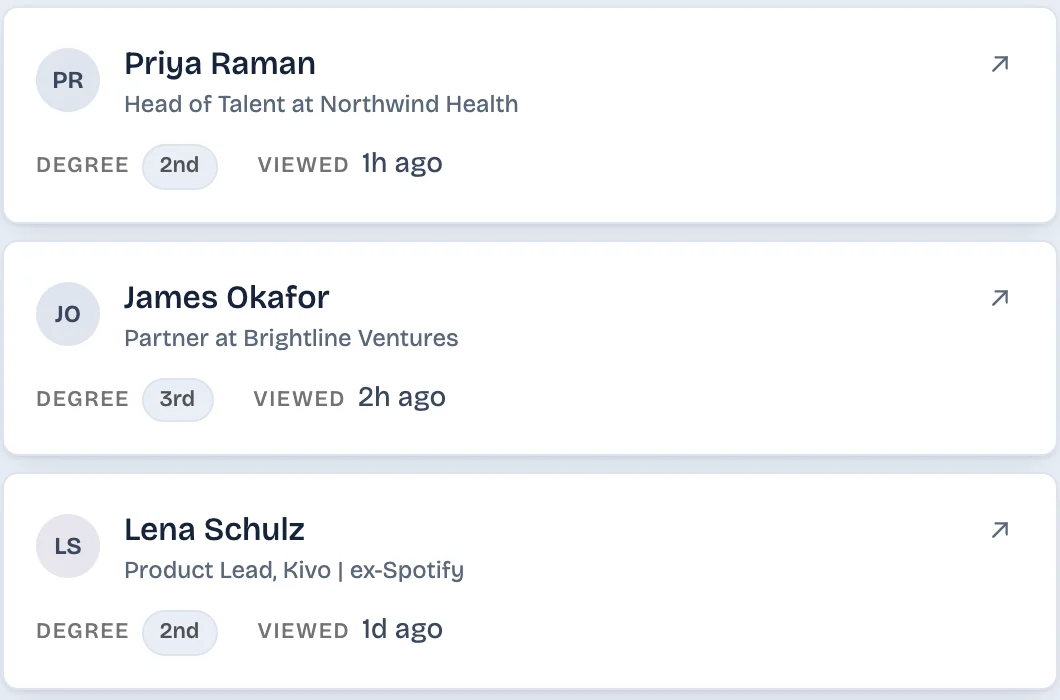
A tool can also do it. LinkedAsk, our Chrome extension, saves each viewer LinkedIn shows you on Who viewed your profile, with the date from LinkedIn's own label, and keeps that record after LinkedIn's window passes. See how LinkedAsk keeps your profile viewers.
Questions
How long does LinkedIn tell you who viewed your profile?
As of October 2026, LinkedIn Help says a free account shows the three most recent viewers in the last 90 days. Premium Career and Premium Business show the full viewer list for up to 365 days. Past that window, a viewer is no longer shown.
Does LinkedIn delete profile viewers after 90 days?
LinkedIn stops showing them to a free account after 90 days, and to Premium after 365 days. It offers no page, filter or export where you can see older viewers. The data download leaves viewers out entirely.
Does Premium Career show 365 days or 90?
LinkedIn Help says 365 days for both Premium Career and Premium Business. The date range filter on Premium starts at 90 days, which may be why some people think Career stops there. Widen the filter to 365 to see the full year.
Does the LinkedIn data export include who viewed my profile?
No. LinkedIn's Help page for the data download says it does not provide Who's Viewed Your Profile data. This holds for free and Premium accounts.
Do I lose my viewer list if I cancel Premium?
You keep Premium access until the end of your billing cycle. After that, the account returns to Basic and you see the Basic view of recent viewers instead of the year-long list. Save the viewers you care about before the billing date.
Does the list reset or roll day by day?
It rolls. There is no reset date: each day, views older than the window drop off, and on a free account a new viewer pushes the oldest of the three off the list.
Keep reading
- Guide · 6 minHow long does LinkedIn keep your history?Profile viewers 90 days, pending invites 6 months, posts and messages until you delete them. One table of what LinkedIn keeps and what it shows.
- Guide · 5 minCan't see who viewed your LinkedIn profile? WhyWho's viewed your profile empty or short? Eight LinkedIn rules cause it, from your own private mode to the free three-viewer cut-off. How to check each one.
- Guide · 5 minRecruiter viewed your LinkedIn profile: what nowWhat a recruiter's view usually means, whether to message them, and two short notes you can send without mentioning the view.
Keep your profile viewers past LinkedIn's window.
LinkedAsk saves each viewer LinkedIn shows you, with the date, and keeps the list after LinkedIn stops showing them.