Can't see who viewed your LinkedIn profile? Why
Anna SheronovaUpdated
If you can't see who viewed your LinkedIn profile, the cause is almost always a LinkedIn rule, not a bug. As of October 2026, a free account shows only the three most recent viewers from the last 90 days, and none at all while your own viewing option is set to private. Viewers who browse privately are never named, on any plan, and a lapsed Premium subscription drops you back to the free view.
Each cause below comes with what you see, why it happens, and how to check it in about a minute. Start with your own setting: LinkedIn's own advice for an empty list is "check your Private Mode settings" (LinkedIn Help). For how long LinkedIn holds on to this and the rest of your activity, see how long LinkedIn keeps your history.
Match what you see to the likely cause
| What you see | Most likely cause | Where to check |
|---|---|---|
| The list is completely empty on a free account | Your own viewing option is private, or nobody viewed you recently | Visibility when viewing other profiles |
| A high view count, only a few names | The free cut-off, or private viewers | Your plan, then the list itself |
| "LinkedIn Member", or a job title with no name | The viewer browsed in private or semi-private mode | Nothing to change on your side |
| A name you saw last month is gone | The time window passed | The date filter (Premium) |
| The list shrank after you stopped paying | Premium ended | Your subscription status |
| Premium shows only a few months | The date filter is on its default | The date filter |
Who's viewed your profile not showing: check these causes in order
1. Your own viewing option is private (free accounts)
What you see: an empty Who's viewed your profile, even though you know people looked.
Why: on a free account, if you browse other profiles in private mode or with private profile characteristics (semi-private), LinkedIn turns off your own list. Premium members can browse privately and keep the list (LinkedIn Help).
How to check: open Me, then Settings & Privacy, then Visibility, then Visibility of your profile & network, then Visibility when viewing other profiles. On mobile, tap your profile photo, then Settings & Privacy, then Visibility. If it says "Private mode" or "Private profile characteristics", switch it to "Your name and headline" to see your viewers again (LinkedIn Help). The private mode guide covers what that switch hides and what it costs you.
2. Your viewers browse privately
What you see: entries such as "LinkedIn Member", or a job title and company with no name.
Why: a viewer in private mode shows as "LinkedIn Member". A viewer in semi-private mode shows only characteristics such as job title, company, school or industry. LinkedIn Help is direct about it: "Even if you have a Premium account, you won't see the names of viewers who choose to browse in private mode" (LinkedIn Help).
How to check: there is nothing to fix. These viewers are counted, but nobody can see their names. The guide to anonymous LinkedIn viewers explains what those labels still tell you.
3. The free cut-off hides everyone but the latest three
What you see: a few names, while the count says more people viewed you.
Why: a free account sees the three most recent viewers in the last 90 days. A fourth viewer pushes the oldest name off. Premium Business and Premium Career show the full list (LinkedIn Help).
How to check: confirm your plan. The full comparison of what each account type shows is in does LinkedIn show who viewed your profile.
4. The viewer is outside the time window
What you see: a name you saw weeks ago has disappeared.
Why: the free view covers the last 90 days. Premium Business and Career reach back up to 365 days, but the date filter starts at 90 days, so a Premium list can look short until you widen it (LinkedIn Help).
How to check: on Premium, change the date filter on the list to the longest range. On a free account, an older viewer is gone from LinkedIn. How far back LinkedIn shows your viewers covers the window in detail.
5. Your profile is new or quiet
What you see: no viewers at all, on any plan.
Why: if nobody viewed your profile in the past 90 days, LinkedIn shows no visitor data. LinkedIn also says viewing timeframes vary and that it tries to show a minimum of three views over any timeframe, so a quiet profile can show a short or empty list (LinkedIn Help).
How to check: look at the view count in your profile's Analytics section. If it reads zero for the period, the list is empty because there is nothing to show.
6. Your Premium subscription ended
What you see: you could see everyone last month, and now you can't see who viewed your profile anymore.
Why: when you cancel Premium, at the end of the billing cycle you lose the full viewer list and the viewer details, and your account goes back to Basic (LinkedIn Help). From then on the free rules in causes 1, 3 and 4 apply.
How to check: look at your subscription status. If your viewing option is still private from your Premium days, the list goes fully blank, so check cause 1 too.
7. You are looking on the other device
What you see: the list looks empty or out of date in the app or on desktop.
Why and how to check: both open the same place. On desktop, click Me, then View Profile, then the "[number] profile views" line in the Analytics section. In the app, tap your profile picture, tap your photo again, and find "[number] profile views" under Analytics (LinkedIn Help). If one looks wrong, open the other before assuming the list is gone.
8. You blocked the viewer
Members you block won't appear in your future viewer details. If a specific person vanished right after you blocked them, that is why.
Why the number and the names don't match
The view count and the list of names measure different things. The count is every profile view LinkedIn recorded in the window. The names are what each viewer's own setting and your plan allow you to see.
The count is everyone who looked. The names are only what their setting and your plan allow.
So "14 views, 2 names" is normal. Private and semi-private viewers are counted but never named. On a free account, everyone past the short list of recent viewers is counted but not listed.
If a name was there yesterday
A name that vanished usually means the viewer passed out of the time window, your Premium ended, or you blocked them. On a free account, a new viewer can also push the oldest name off the short list (cause 3).
LinkedIn does not give those names back. There is no viewer archive past the window, and LinkedIn's downloadable data archive does not include who viewed your profile (what the LinkedIn data export contains). The only record is the one you made yourself. If the name is a recruiter's and it is still on your list, note it now and read what to do when a recruiter viewed your profile.
Keeping your own record of viewers
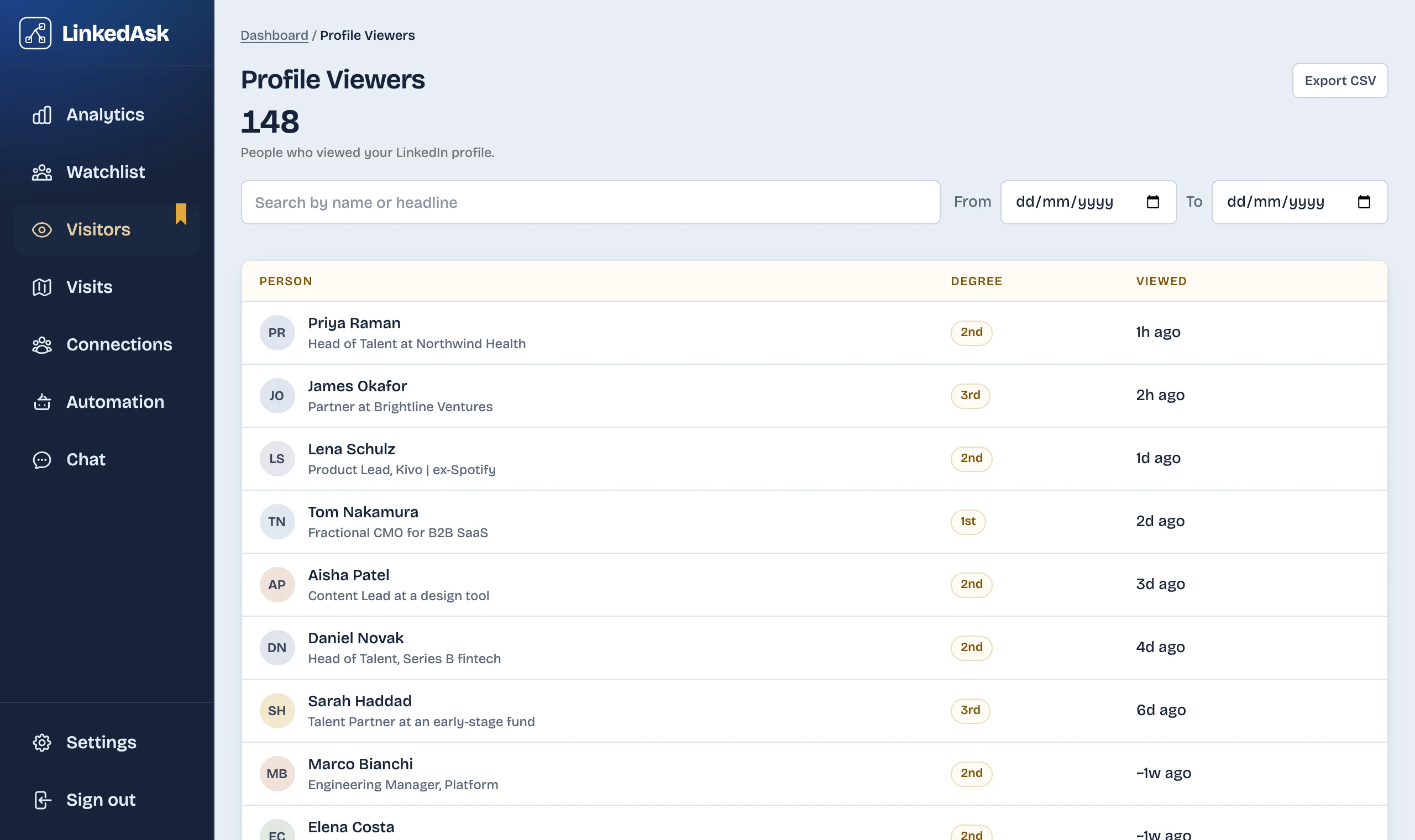
To keep the names after LinkedIn drops them, write them down or use a tool that does it for you. LinkedAsk is a Chrome extension that saves each viewer LinkedIn shows you on Who's viewed your profile, with the date LinkedIn gives, and keeps them after LinkedIn drops them from the list. See how LinkedAsk keeps your viewers.
Questions
Why does LinkedIn say people viewed my profile but show no names?
The count includes viewers who browse in private or semi-private mode, and those are never named. On a free account, LinkedIn also lists only the three most recent viewers from the last 90 days. If the list is completely empty, check your own viewing option first: on a free account, browsing privately turns your own list off.
Does turning on private mode hide who viewed me?
On a free account, yes. While your viewing option is private mode or private profile characteristics, LinkedIn turns off your Who's viewed your profile. Switch back to "Your name and headline" to see it again. Premium members can browse privately and keep their list.
Can I see viewers who dropped off the list?
Not on LinkedIn. Once a viewer is outside the window, LinkedIn no longer shows them, and the data archive does not include viewers. Premium Business and Career reach back up to 365 days; beyond that, the only copy is a record you kept yourself.
Why can't I see who viewed my profile on LinkedIn Premium?
Viewers in private mode are never named, even on Premium. The date filter starts at 90 days, so widen it to see up to 365 days. And if your Premium was cancelled, the full list goes away at the end of the billing cycle.
Keep reading
- Guide · 6 minHow long does LinkedIn keep your history?Profile viewers 90 days, pending invites 6 months, posts and messages until you delete them. One table of what LinkedIn keeps and what it shows.
- Guide · 5 minRecruiter viewed your LinkedIn profile: what nowWhat a recruiter's view usually means, whether to message them, and two short notes you can send without mentioning the view.
- Guide · 4 minYour anonymous LinkedIn viewers: what to learnYour anonymous LinkedIn profile viewers, LinkedIn Member and Someone at a company, explained: what each means, why Premium won't name them, what to do.
Keep the viewers LinkedIn drops from your list.
LinkedAsk saves each viewer LinkedIn shows you, with the date LinkedIn gives, and keeps them after they fall off LinkedIn's list.