Your anonymous LinkedIn viewers: what to learn
Anna SheronovaUpdated
An anonymous viewer on your LinkedIn profile is a person who looked at you while hiding their name, and LinkedIn will not tell you who it was, on a free account or on Premium. As of October 2026, your profile viewers show up as "LinkedIn Member" when the person browsed in private mode, or as a short description such as "Someone at Accenture" when they used semi-private mode, which LinkedIn calls private profile characteristics.
You see the view, not the viewer. The description still points to a company, a role or an industry, and that is worth reading against what you did last week.
If you came here to browse other profiles anonymously yourself, that is a different setting with its own cost: see LinkedIn private mode.
Your viewer list is also one of the shortest records LinkedIn keeps about you. How long LinkedIn keeps your history covers that window next to your searches, invitations and messages.
The three ways a viewer shows up
LinkedIn shows each person in your Who's viewed your profile list in one of three ways, depending on the setting that person chose for viewing other profiles (LinkedIn Help, as of October 2026):
| The viewer's setting | What you see | What it tells you | Name shown on Premium? |
|---|---|---|---|
| Your name and headline | Name and headline, often with location and industry | Who it was | Yes |
| Private profile characteristics (semi-private) | A description with no name and no picture, such as "Someone at Accenture" or "Student at University of North Carolina" | A company, title, school or industry | No |
| Private mode | "LinkedIn Member - This person is viewing profiles in private mode" | Only that a view happened, and roughly when | No |
The private-mode wording comes straight from LinkedIn: a private-mode viewer appears "as LinkedIn Member - This person is viewing profiles in private mode" (LinkedIn Help). An entry with a description but no name and no picture is the semi-private kind (LinkedIn Help).
What "Someone at" a company and private profile characteristics mean
"Someone at Accenture" means a person at that company viewed your profile in semi-private mode. LinkedIn picks one detail to show instead of the name: a company, a job title, a school or an industry. Its own examples include "VP of Marketing in Internet Industry", "Student at University of North Carolina" and "Someone at Accenture", and it says it may vary the detail it shows to protect the viewer's privacy (LinkedIn Help).
So the line narrows the viewer to a group, not a person. "Someone at Accenture" could be anyone who works there. "VP of Marketing in Internet Industry" could work at any company in that industry. Read it as interest from that company or that kind of role, and stop there.
How to read an anonymous view against what you just did
The useful question is not who it was. It is what you did recently that this company or role would react to. Timing helps: a semi-private view from a company a day after you contacted it can suggest the two are connected. It does not prove it.
- Note the entry type and the time LinkedIn gives ("Viewed 2d ago" or similar).
- Check your own last week or two: a job application, a proposal, a message, a comment on someone's post, a post that travelled.
- If the company or role matches something you started, act through the thread you already have: follow up with the recruiter or contact on that application, reply in the existing conversation, or look at the company's open roles.
- If nothing matches, note the entry and move on. A "LinkedIn Member" entry carries no company or role, so timing is the only thing you can match.
What not to do: guess a name and message that person with "I saw you viewed my profile". They chose not to show their name, and a guess is often wrong. Buying Premium to find out does not work either, as the next section shows.
Does LinkedIn Premium show anonymous viewers?
No. LinkedIn Help is direct about it: "Even if you have a Premium account, you won't see the names of viewers who choose to browse in private mode or private profile characteristics" (LinkedIn Help, as of October 2026).
Premium makes the list longer. It does not make the anonymous entries any less anonymous.
What Premium changes is the length of the list. As of October 2026, a free account sees its three most recent viewers from the last 90 days, while Premium Career and Business show viewers from up to 365 days (LinkedIn Help). The anonymous entries stay anonymous in both. For the full free versus Premium picture, see does LinkedIn show who viewed your profile.
Why so many of your viewers are anonymous
Anonymity costs the viewer something. On a free account, you have to show your own name and headline when viewing others to see your own viewers. Pick semi-private or private mode and your own Who's viewed your profile list turns off (LinkedIn Help). Premium members can browse privately and still see their list (LinkedIn Help).
That gives a fair inference about the people behind your anonymous entries: each one is either a Premium member or someone who gave up their own viewer list to stay hidden. Neither tells you who they are. It does tell you the view was a deliberate choice to look without being seen.
Keeping your own record of anonymous views
LinkedIn's list is short and rolls over, so a single "Someone at" line is easy to lose before you notice it happened twice.
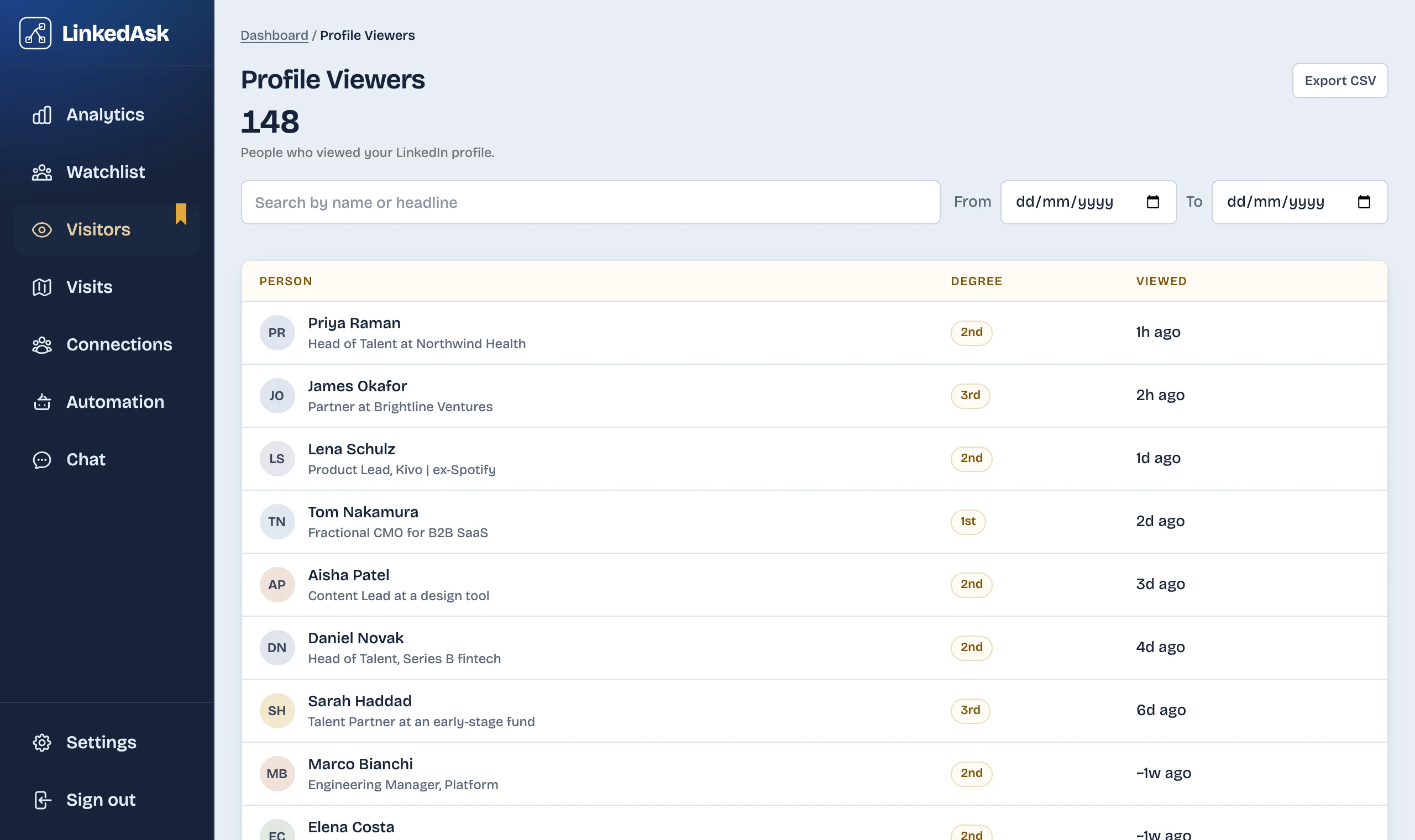
One option is LinkedAsk, a Chrome extension that saves each viewer entry LinkedIn shows you while you browse, anonymous ones included, as LinkedIn's own label ("LinkedIn Member", "Someone at Deloitte") with the date of the view. It keeps those entries after LinkedIn's window ends, one per view, so the same company turning up across several weeks becomes visible.
Questions
Can I find out who an anonymous LinkedIn viewer is?
No. LinkedIn shows no name for a viewer in private mode and only a description, such as a company or job title, for a viewer in semi-private mode. You can't make them show their name.
What does "LinkedIn Member" mean in my profile viewers?
It means the person viewed your profile in private mode. LinkedIn shows the label "LinkedIn Member - This person is viewing profiles in private mode" and nothing else about them, apart from when the view happened.
What does private profile characteristics mean?
It is the semi-private setting a viewer can choose. Instead of their name, you see one detail about them, such as their job title, company, school or industry, with no picture. LinkedIn may vary which detail it shows.
What does it mean when someone at a company looks at my LinkedIn profile?
A person at that company viewed your profile in semi-private mode. It signals interest from that company, not from a specific person. Compare it with what you sent or applied for recently before deciding whether to follow up.
If I browse in private mode, can I still see my own viewers?
On a free account, no: choosing private or semi-private mode turns off your own viewer list. On Premium, yes, you can browse privately and keep your list.
Are anonymous profile views real people?
LinkedIn describes them as members who viewed your profile and chose to browse in private mode. Its help pages give no other explanation for these entries, so treat each one as a real view from a person who chose not to show their name.
Keep reading
- Guide · 6 minHow long does LinkedIn keep your history?Profile viewers 90 days, pending invites 6 months, posts and messages until you delete them. One table of what LinkedIn keeps and what it shows.
- Guide · 5 minCan't see who viewed your LinkedIn profile? WhyWho's viewed your profile empty or short? Eight LinkedIn rules cause it, from your own private mode to the free three-viewer cut-off. How to check each one.
- Guide · 5 minRecruiter viewed your LinkedIn profile: what nowWhat a recruiter's view usually means, whether to message them, and two short notes you can send without mentioning the view.
Keep every anonymous view you get.
LinkedAsk saves each viewer entry LinkedIn shows you, anonymous ones included, so a company that keeps looking stands out.