LinkedIn private mode: what it hides and costs
Anna SheronovaUpdated
LinkedIn private mode hides your name from the people whose profiles you view: they see a "LinkedIn Member" instead of you. As of October 2026, on a free account it also hides your own list of who viewed your profile, and the in-between option, semi-private, costs you that list too. With Premium you keep your viewer list in private mode, but nobody, Premium included, sees the names of people who browse privately.
So private mode is a two-sided switch. It hides you from them, and on a free account it hides them from you. Profile views are one of several records LinkedIn keeps for a limited time; how long LinkedIn keeps your history covers the rest.
The three options and what each one costs
LinkedIn now calls the setting Visibility when viewing other profiles. Older guides call it "profile viewing options". It has three choices, and each one changes two things: what the other person sees, and what you keep.
| Option | Your viewer list on a free account | Your viewer list on Premium | What the person you view sees |
|---|---|---|---|
| Your name and headline | PartlyYes, a short list of recent viewers | Yes | Your name, headline, location and industry |
| Private profile characteristics (semi-private) | Not keptNo | Yes | A description such as "Someone at Accenture" or "Student at Cornell University" |
| Private mode | Not keptNo | Yes | "LinkedIn Member", nothing else |
Sources: LinkedIn Help, Who's viewed your profile visibility settings and Browse profiles in private and semi-private mode, as of October 2026.
What the other person sees
In private mode, the person whose profile you open sees a view from "LinkedIn Member". LinkedIn's wording on the setting is that "No other information about you will be shared" (LinkedIn Help).
Semi-private shows a characteristic instead of your name: your job title, company, school or industry. LinkedIn says it may vary which detail it shows. If you work at a small company, "Someone at" that company can narrow you down to a handful of people.
For the other side of the same view, including notifications and what they can tell, see can people see if you view their LinkedIn.
If you go private on LinkedIn, can you still see who viewed you?
Not on a free account. LinkedIn is direct about it: "If you have a Basic (free) account, and choose to browse in private mode, you won't be able to see who's viewed your profile either" (LinkedIn Help, Private mode viewers of profiles).
Your Who's viewed your profile page stays empty while the setting is on. That is the real downside of LinkedIn private mode for anyone who watches their viewers: a job seeker waiting to see if a recruiter looked, a seller checking whether a prospect opened their profile after a message.
Semi-private costs the same on a free account
Most advice treats semi-private as the middle ground: you stay mostly hidden and keep your list. On a free account, LinkedIn says otherwise:
"If you have a Basic (free) account, you must choose Your name and headline if you want to see the viewer history on your own Who's Viewed Your Profile page."
That line is from LinkedIn Help, Who's viewed your profile visibility settings. LinkedIn's page on a missing viewer history lists semi-private or private mode as the reason a free member sees no viewers.
On a free account there is no setting that hides you and keeps your list.
Even with your name showing, a free account sees only the three most recent viewers in the last 90 days (LinkedIn Help, as of October 2026). What each account type shows is in does LinkedIn show who viewed your profile.
What Premium changes
With Premium you can browse in private mode and still see who viewed your profile (LinkedIn Help). The trade-off from the free account disappears.
What Premium does not do is reveal private viewers. LinkedIn shows the names of private-mode viewers to no one, Premium members included. Semi-private viewers appear on a Premium list as characteristics only (LinkedIn Help). You also cannot block a private viewer or ask LinkedIn to reveal who it was.
So if you have Premium, some of your own viewers will still show up as "LinkedIn Member" or "Someone at" a company. LinkedIn notes that recruiters and business professionals use private mode to look for candidates, leads and partners, which is one reason those entries appear (LinkedIn Help, Private mode viewers of profiles). What you can still learn from them is in anonymous LinkedIn viewers.
Views you already made, and switching back
LinkedIn's help pages describe the setting for the views you make while it is on and say nothing about changing views you made earlier. They do not say that switching to private mode after a visit hides that visit. They also do not say that switching back to your name and headline reveals the views you made while private. If one past view matters to you, plan the setting before the visit, not after.
The setting saves as soon as you pick an option, both ways. That makes a practical pattern possible on a free account: switch to private mode before a visit you want to keep quiet, then switch back to Your name and headline afterwards so your own viewer list returns.
How to turn on private mode on LinkedIn
This is how to view a LinkedIn profile anonymously with LinkedIn's own setting, as of October 2026. Private mode is the setting people usually mean by LinkedIn incognito mode.
On desktop:
- Click the Me icon at the top of LinkedIn, then Settings & Privacy.
- Choose Visibility in the left rail.
- Under Visibility of your profile & network, open Visibility when viewing other profiles.
- Pick Private mode (or another option). The change saves automatically.
In the LinkedIn app:
- Tap your profile photo, then Settings & Privacy.
- Tap Visibility.
- Tap Visibility when viewing other profiles.
- Pick Private mode (or another option). The change saves automatically.
To browse LinkedIn anonymously only for a while, come back to the same screen and pick Your name and headline when you are done. Paths from LinkedIn Help, Who's viewed your profile visibility settings.
Keeping a record of who viewed you
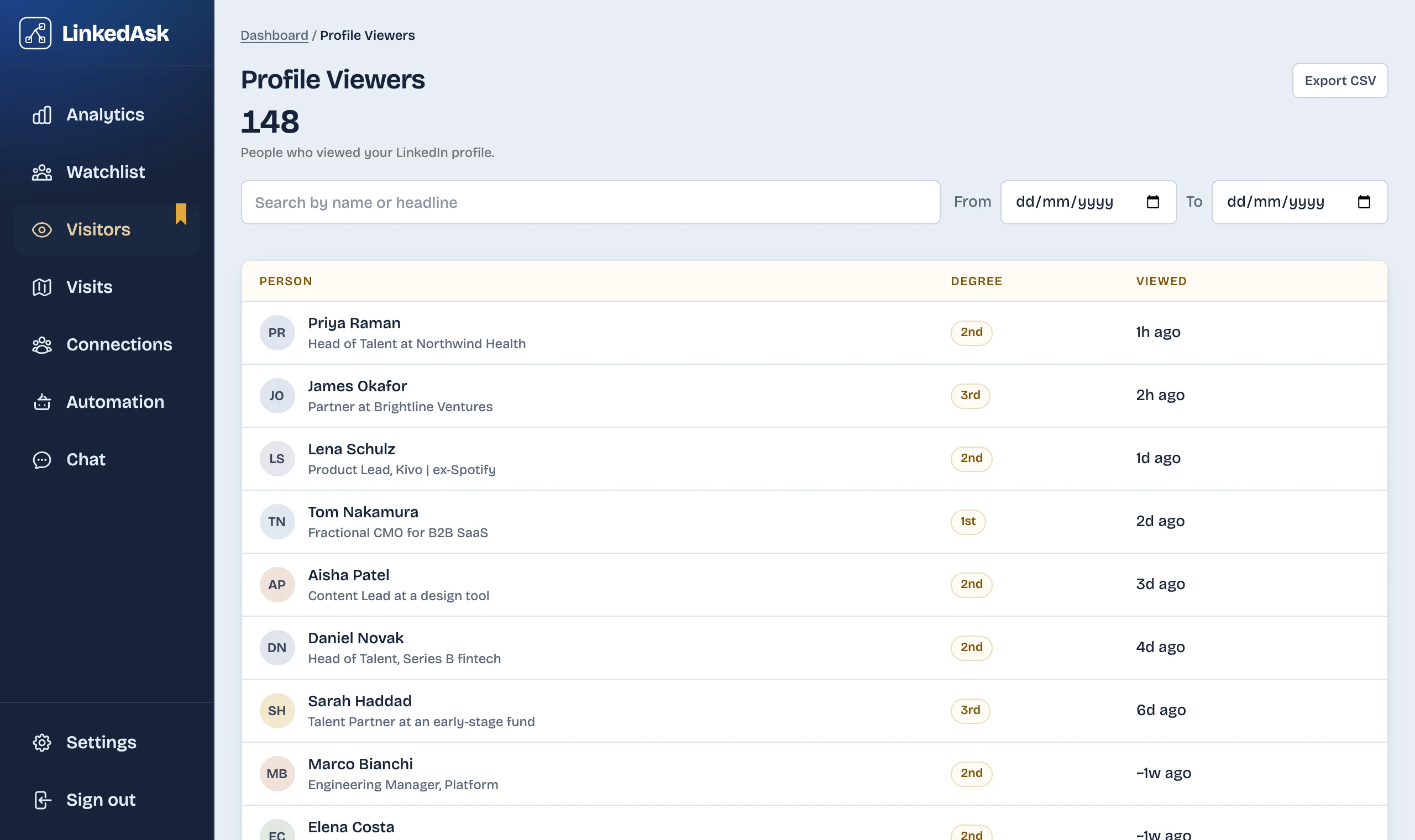
LinkedIn's viewer list is short and rolls over. If you keep Your name and headline on, LinkedAsk saves each viewer LinkedIn shows you on your Who's viewed page, with when LinkedIn says they viewed you, so the short list builds into a history.
When private mode is worth it
Pick by what you need more this week.
- Turn it on when a specific visit matters more than your viewer list, such as looking at a hiring manager before you apply or checking a competitor of your current employer.
- Leave it off when your viewers are the signal you are watching for: you are job hunting and want to see recruiters, or you sell and want to see which prospects looked back.
- Switch per visit if you are on a free account and need both. It takes under a minute each way.
Questions
Can someone see if I viewed their LinkedIn if I'm in private mode?
No. If your visit shows on their list, it shows as "LinkedIn Member", not your name or headline. This applies to the views you make while private mode is on.
Can LinkedIn Premium see me in private mode?
No. LinkedIn shows the names of private-mode viewers to nobody, Premium members included. A Premium member sees your visit as a "LinkedIn Member" view, the same as a free member does.
If I go private on LinkedIn, can I still see who viewed me?
Not on a free account: private mode and semi-private both hide your own viewer list until you switch back to Your name and headline. With Premium you keep your list in private mode, though private viewers still show without names.
If I turn off private mode after viewing a profile, will they know it was me?
LinkedIn's help pages describe the setting for the views you make while it is on. They say nothing about switching back revealing views you made in private mode, and nothing about a later switch hiding a view you already made. If a visit matters, set private mode before you open the profile.
Is private mode the same as making my LinkedIn profile private?
No. Private mode only controls what people see when you view their profile. Who can find and see your own profile, on and off LinkedIn, is a separate group of settings: your public profile and profile discovery.
Keep reading
- Guide · 6 minHow long does LinkedIn keep your history?Profile viewers 90 days, pending invites 6 months, posts and messages until you delete them. One table of what LinkedIn keeps and what it shows.
- Guide · 5 minCan't see who viewed your LinkedIn profile? WhyWho's viewed your profile empty or short? Eight LinkedIn rules cause it, from your own private mode to the free three-viewer cut-off. How to check each one.
- Guide · 5 minRecruiter viewed your LinkedIn profile: what nowWhat a recruiter's view usually means, whether to message them, and two short notes you can send without mentioning the view.
Keep a history of who viewed you.
LinkedAsk saves each viewer LinkedIn shows you, so the short list on your Who's viewed page builds into a history you can search.