Can people see if you view their LinkedIn?
Anna SheronovaUpdated
Yes, people can see if you view their LinkedIn profile, unless you changed your viewing option before you looked. As of October 2026, a signed-in visit puts you in their Who's viewed your profile list: with "Your name and headline" they see your name, with "Private profile characteristics" they see a description such as a job title and company, and in private mode they see only "LinkedIn Member". A view you already made stays on their side.
Say you clicked a former manager's profile by accident. Three things decide what happens next: the viewing option you had at the moment of the click, the kind of account they have, and how long LinkedIn keeps their viewer list. That last part is one piece of a bigger pattern, covered in how long LinkedIn keeps your history.
What people see when you view their LinkedIn profile
Your profile viewing option sets how you appear in their list. LinkedIn Help describes three options (LinkedIn Help):
| Your viewing option | What they see in Who's viewed your profile | Can you still see your own viewers? |
|---|---|---|
| Your name and headline | Your name, headline, location and industry | Yes |
| Private profile characteristics (semi-private) | A description without your name, such as job title, company, school or industry | Free: no. Premium: yes |
| Private mode | "LinkedIn Member - This person is viewing profiles in private mode" | Free: no. Premium: yes, last 90 days |
The private-mode label is LinkedIn's own wording (LinkedIn Help). Private-mode viewers are not named to anyone, Premium members included (LinkedIn Help).
The middle option hides your name, not your details. LinkedIn varies these descriptions to protect privacy, but when few people share your title and company, a description can still narrow it down to you.
The last column matters if you use a free account. A free account sees its own viewers only while it shows name and headline (LinkedIn Help). Premium can browse in private mode and still see its viewers for the last 90 days (LinkedIn Help).
Where they find out: the list, a notification or an email
The main place is their Who's viewed your profile list. LinkedIn can also tell them more directly. Its Help page says a view "may result in a notification being sent to the member whose profile you viewed, depending on your settings" (LinkedIn Help). LinkedIn also sends Who's viewed your profile emails, which members can unsubscribe from.
So LinkedIn does not promise an alert for every single view. Its own wording is "may". What is certain is the list entry, if they look.
Their account decides how long you stay on the list
How visible your visit stays depends on the other person's account, not yours. As of October 2026, LinkedIn Help says a free account will "see the three most recent viewers in the last 90 days", while Premium Business and Premium Career see viewers for the past 365 days (LinkedIn Help).
On a free account you drop off their list after 90 days, or sooner if three newer viewers come after you.
In practice:
- They have a free account: your visit shows only while you are among their three most recent viewers. Three newer visitors, or 90 days, push you off.
- They have Premium: your visit stays in their list for up to a year, with your name if you viewed them with name and headline.
For the full picture of what each account type shows the person being viewed, see does LinkedIn show who viewed your profile.
Can you undo a LinkedIn profile view?
No. LinkedIn offers no way to remove a view you already made. Your viewing option applies to how you appear when you view: in LinkedIn's words, "When you view a profile in private mode, you'll appear" as LinkedIn Member (LinkedIn Help). Switching to private mode now covers your next visits, not the one already in their list.
LinkedIn Help does not address this exact case; it follows from how the setting is documented. If the person has a free account, your view drops off their list once three newer viewers arrive.
To change how you appear for future visits, the setting sits under Me, then Settings & Privacy, then Visibility, then Visibility when viewing other profiles. The LinkedIn private mode guide covers what each option hides and what it costs you.
Search, posts, the app and logged-out visits
Searching for someone. Typing a name and reading the results list is not something LinkedIn Help describes as a profile view. Opening a suggestion is. If you select a member's name in the search suggestions, LinkedIn shows their mini profile on the results page, and "this is treated as a profile view that may result in a notification" (LinkedIn Help).
Viewing a post. Reading someone's post does not tell them it was you. Post analytics are "private to you", meaning the author, and show viewer demographics only "when there are enough unique viewers" (LinkedIn Help). Reacting or commenting shows your name, as it always does. Clicking from the post to their profile is a profile view, and Premium authors can see who viewed their profile since the post.
The LinkedIn app. Your viewing option is an account setting, so the same option applies when you open profiles in the app.
Not signed in. The viewer list is made of LinkedIn members. A visitor who is not signed in has no member name to show. Opening a profile from Google while you are signed in to LinkedIn in the same browser is a normal, signed-in view.
Looking more than once. LinkedIn Help documents no count of how many times one person viewed a profile.
Keeping your own record of profiles you visited
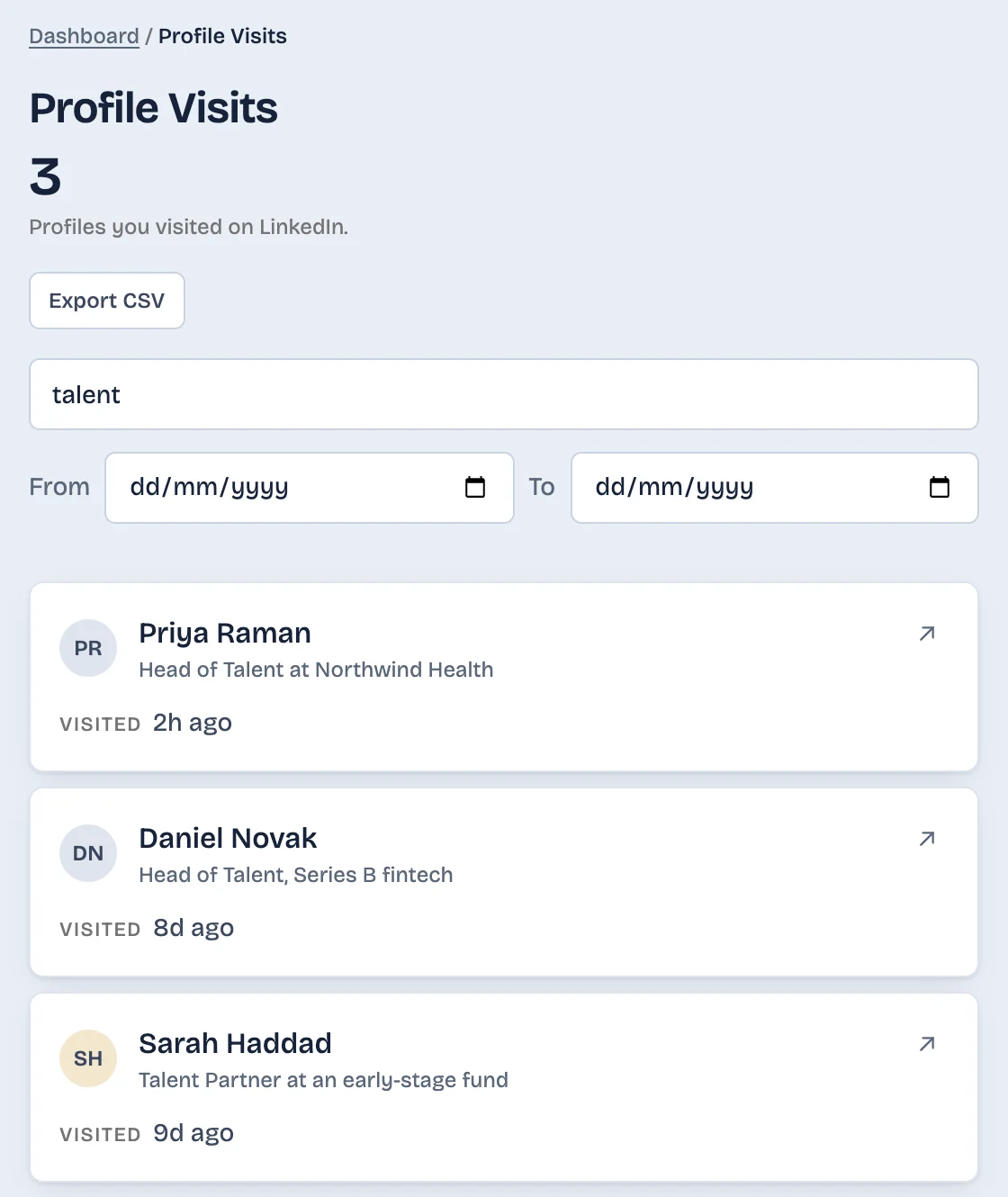
LinkedIn tells the other person about your visit, but it keeps no list for you of the profiles you opened (see profiles you visited on LinkedIn). If you open many profiles and lose track of who you looked at, a note or a spreadsheet works.
LinkedAsk is a Chrome extension that records each profile you open on linkedin.com in desktop Chrome, with the date and how many times you have been back. It does not change what LinkedIn shows the other person. See how LinkedAsk keeps your activity history.
Questions
Does LinkedIn notify someone when you view their profile?
It can. LinkedIn Help says a view may result in a notification, depending on settings, and LinkedIn sends Who's viewed your profile emails. Not every view is described as producing an alert, but your visit appears in their viewer list.
If I switch to private mode after viewing someone, does it hide that view?
No. The viewing option applies to how you appear when you view a profile, so it covers your next visits. The view you already made stays in their list as it was recorded.
Can someone see that I viewed their profile if they don't have Premium?
Yes, if you are among their three most recent viewers in the last 90 days, as of October 2026. Once three newer people view them, or 90 days pass, your visit drops off a free account's list. Premium members see viewers for the past 365 days.
Does the person see how many times I viewed their profile?
LinkedIn Help documents no count of repeat visits by one person. It describes who viewed a profile, not how often each viewer came back.
If I search for someone on LinkedIn but don't click their profile, will they know?
Reading the search results is not described as a profile view. Selecting their name in the search suggestions is: it opens a mini profile, and LinkedIn treats that as a view that may notify them.
If I view someone's LinkedIn post, will they know?
Not by name. Post analytics are private to the author and show only grouped viewer demographics when enough people viewed. Reacting, commenting or opening their profile from the post does show you.
Keep reading
- Guide · 6 minHow long does LinkedIn keep your history?Profile viewers 90 days, pending invites 6 months, posts and messages until you delete them. One table of what LinkedIn keeps and what it shows.
- Guide · 5 minCan't see who viewed your LinkedIn profile? WhyWho's viewed your profile empty or short? Eight LinkedIn rules cause it, from your own private mode to the free three-viewer cut-off. How to check each one.
- Guide · 5 minRecruiter viewed your LinkedIn profile: what nowWhat a recruiter's view usually means, whether to message them, and two short notes you can send without mentioning the view.
Keep a record of profiles you open.
LinkedAsk records each LinkedIn profile you open in desktop Chrome, with the date and how many times you went back.