Is LinkedIn Premium worth it? Who it's for
Anna SheronovaUpdated
Decide by one feature you will use, not by the price. Premium is worth it when you will use the full viewer list, InMail messages to members you are not connected to, or job applicant insights. It is not worth it when the draw is learning who looked at you in private mode, because no plan names those viewers.
What each Premium plan gives you
As of November 2026, LinkedIn's comparison table lists Premium Career, Premium Business and Premium All-in-One, next to Sales Navigator Core and Recruiter Lite. Every one of them shows the full list of profile viewers for up to 365 days. The plans differ in InMail credits and in the tools around the list.
| Plan | Built for | Viewer list and InMail credits a month | What else LinkedIn lists |
|---|---|---|---|
| Premium Career | Job search and professional growth | Up to 365 days, 5 credits | Applicant insights, top applicant jobs, profile writing assistance |
| Premium Business | Business insights and growing a network | Up to 365 days, 15 credits | Custom button, business insights, Premium Service Page features |
| Premium All-in-One | Sales, marketing and hiring tasks | Up to 365 days, 30 credits | A wider set of tools for those three jobs |
| Sales Navigator Core and Recruiter Lite | Selling and recruiting | Up to 365 days, 50 and 30 credits | Listed in the same LinkedIn comparison table |
Sources: LinkedIn Help, account types and the Career and Business pages on LinkedIn's own site. LinkedIn shows the current price for your plan and country on its Premium page.
The features that decide it
The viewer list. Worth it if you will act on who looked at you, such as a recruiter before an interview or a prospect after a post. A free account sees the three most recent viewers from the last 90 days. As of November 2026, Premium shows the full list for up to 365 days, with filters for date, company and industry, a weekly trend graph and how viewers found you. What a free account shows is worth reading first, because it may already answer your question. The window itself is explained in how far back LinkedIn shows your viewers.
InMail. Worth it if you need to message members you are not connected to. LinkedIn Help defines InMail that way. As of November 2026, Career includes 5 credits a month and Business 15. You get a credit back if the recipient accepts your InMail. The balance goes to zero when you cancel.
Applicant insights. Worth it if you apply to roles that draw many applicants. LinkedIn shows the number of applicants, how you rank among them and their top skills, and needs at least three applicants on the posting. LinkedIn says the ranking is not endorsed by the hiring company.
Private browsing. Worth it if you want to look at profiles without your name showing and still see your own viewer list. A free account has to browse with name and headline showing to see its list. The private mode guide covers the trade.
Business insights. LinkedIn describes company growth trends and hiring activity on its Business page. Treat that as LinkedIn's description and check that it fits how you work.
When Premium is not worth it
If you want to know who looked at you in private mode, it is not worth it. LinkedIn Help says you cannot see the names of members who chose private mode, "even if you have a Premium account". The answer in full is in can LinkedIn Premium see anonymous viewers.
If you act on who looks at you, the list is the part you lose when a plan ends, and the last section of this page covers keeping it.
It also does not pay if you open LinkedIn now and then and none of the features above matches something you do. And if you need one thing for a few weeks, such as applicant insights during a job search, subscribe for that, then leave. Your plan stays active until the end of the billing cycle, so how to cancel LinkedIn Premium is worth knowing before you pay.
Which plan fits your job
If you are looking for work, Career lines up with what you do: applicant insights, top applicant jobs and a viewer list that shows recruiters. Is LinkedIn Premium worth it for job seekers goes through each feature and where it stops.
If you sell services or build a network, Business adds more InMail credits, a custom button and business insights. Premium for freelancers and consultants covers when that helps with leads. To compare the two plans row by row, see Premium Career vs Business.
Before you subscribe and when you leave
LinkedIn lists monthly, quarterly and annual billing cycles. The current price for your plan and country is on LinkedIn's Premium page.
LinkedIn Help says a Premium subscription may be refundable within 7 days of the charge, if you have not used Premium. Rules differ by country, so read LinkedIn's refund terms before you rely on it.
To avoid the next charge, cancel at least one day before the next billing date. The cancel guide has the steps for desktop, the app, Apple and Google Play.
Keep the viewers you saw
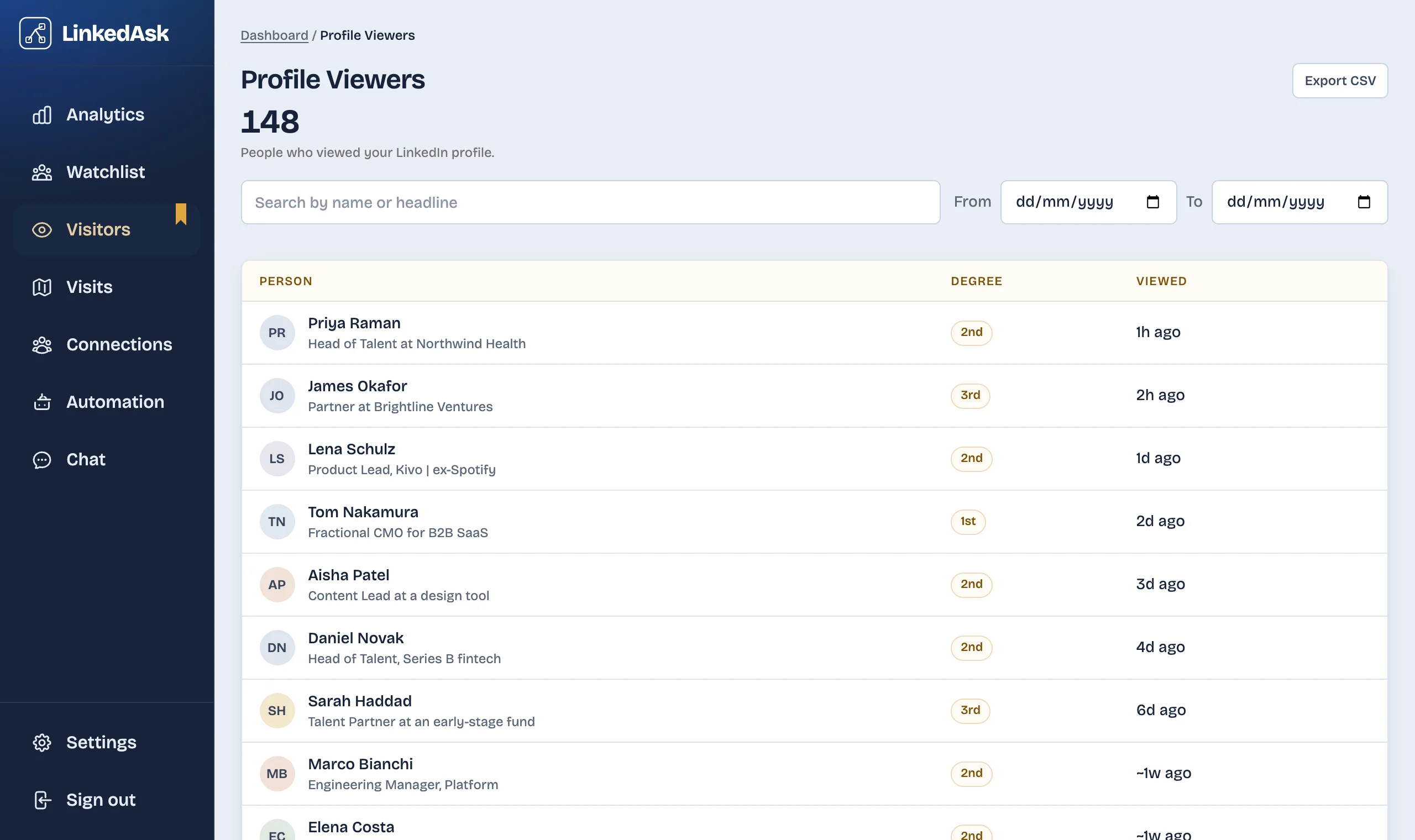
When Premium ends, the full viewer list goes with it. If you reached out after a recruiter or a prospect viewed you, you may want those names later. LinkedAsk is a Chrome extension that saves each viewer LinkedIn shows you on Who's viewed your profile, with LinkedIn's "Viewed ... ago" label and the date it saw them. See how LinkedAsk keeps your viewers.
LinkedIn Premium: questions
Does LinkedIn Premium actually make a difference?
It changes what you can see and do. As of November 2026, Premium shows your full viewer list for up to 365 days, gives you InMail credits to message members you are not connected to, and adds applicant insights on job postings. It makes a difference only if you will use one of those.
Can you see who viewed your profile without Premium?
Partly. A free account sees the three most recent viewers from the last 90 days, and only while it browses with name and headline showing. The guide on what a free account shows covers the details.
Can LinkedIn Premium see anonymous viewers?
No. LinkedIn Help says you cannot see the names of members who view you in private mode, even with a Premium account.
Is Premium Career or Premium Business better?
Both show the viewer list for up to 365 days. Business adds more InMail credits a month, a custom button and business insights. Career is aimed at job searches. The side-by-side comparison lists every row.
What do you lose if you stop paying for Premium?
Your plan stays active until the end of the billing cycle. After that the account returns to Basic: you keep your profile and connections, and you lose the full viewer list and your InMail balance.
Keep reading
- Guide · 3 minIs LinkedIn Premium worth it for freelancers?What Premium Business gives a freelancer or consultant: InMail, the viewer list and a custom button. Where it helps with leads and where it does not.
- Guide · 4 minIs LinkedIn Premium worth it for job seekers?Does LinkedIn Premium help you get a job? Applicant insights, top applicant jobs, InMail and the viewer list, and what they cannot promise.
- Comparison · 4 minLeadDelta vs LinkedAsk: a team CRM or a personal oneLooking for a LeadDelta alternative? LeadDelta is a team CRM with contact data and an AI inbox. LinkedAsk keeps your own LinkedIn activity. See which fits.
Keep the viewers LinkedIn shows you.
LinkedAsk saves each viewer LinkedIn shows you, with the date it saw them, so your list keeps growing after a plan or a window ends.