Is LinkedIn Premium worth it for job seekers?
Anna SheronovaUpdated
Premium Career can help a job search if you will use what it adds: applicant insights on postings, the top applicant jobs list, InMail to reach people outside your network, and the full viewer list. LinkedIn does not promise a job, and the ranking it shows you is not endorsed by the hiring company. Decide by which of those you would use each week.
This is the job-search view of the broader question in is LinkedIn Premium worth it. LinkedIn shows the current price for your plan and country on its Premium page, so this guide leaves money out and looks only at what you get.
What Premium Career adds to a job search
| Feature | What LinkedIn says it does | Limit LinkedIn states |
|---|---|---|
| Applicant insights | Shows applicant count, your ranking, top skills and experience levels of applicants | Needs at least three applicants, ranking is not endorsed by the hiring company |
| Top applicant jobs | Lists jobs where you are in the top 50% of applicants | Needs at least 10 applicants per role, empty without skills on your profile |
| Top choice jobs | Lets you mark a job as a top choice so hirers and recruiters can notice you | LinkedIn's claim about its effect is marketing, not a promise |
| InMail | 5 credits a month to message people outside your network | Unused credits build up to 15, the balance drops to zero on cancel |
| AI insights and coaching | Fit tips on job posts, coaching, message proofreader, profile writing help | LinkedIn notes some features are not available globally |
| Who's viewed your profile | Full viewer list for up to 365 days, with filters | Private-mode viewers are not named, even on Premium |
Premium Business shares several of these, including applicant insights and the viewer list, and adds tools for selling. If you are not sure which plan fits, Premium Career vs Business lays the two side by side.
Applicant insights and top applicant jobs
Applicant insights show, on a job posting, how many people applied, where you rank against them, the top skills among applicants and which of those you share, and the experience and education levels of the pool (LinkedIn Help, as of November 2026).
Three limits matter before you pay for them:
- LinkedIn needs at least three applicants on the posting before it shows insights.
- You see your ranking as a percentage when you are in the top half of applicants.
- LinkedIn says the ranking is not endorsed by the hiring company. For jobs where you apply on another site, the numbers reflect people who clicked to apply.
The top applicant jobs list works on a similar basis. It gathers jobs where you are in the top 50% of applicants and needs at least 10 applicants on a role. It stays empty if you have no skills on your profile, if no role matches your career interests, or if you have already applied to every match (LinkedIn Help).
One way to read them, and this is the author's reading rather than LinkedIn's, is as a hint about where to spend your applications. They do not tell you who will get an interview.
InMail: reaching someone outside your network
Premium Career comes with 5 InMail credits a month, and unused credits build up to a maximum of 15 (LinkedIn Help). LinkedIn gives you a credit back when the recipient accepts your InMail (LinkedIn Help). Note that LinkedIn's word is accepts, not replies.
If you only have a handful of people you want to reach, five a month is plenty. If your plan is to write to dozens of hiring managers, it is not, and you can also send a connection request. The balance drops to zero when you cancel, which how to cancel LinkedIn Premium covers.
Does LinkedIn Premium help you get a job?
LinkedIn does not promise a job, and it says the applicant ranking is not endorsed by the hiring company. What Career gives you is information and reach: applicant insights, the top applicant jobs list, InMail and the viewer list. Whether that turns into interviews depends on how you use them, so pick the ones you would act on each week.
Other features LinkedIn lists
Premium Career also lists AI-powered insights on job posts, coaching, a message proofreader and profile writing assistance. LinkedIn's own page footnotes that some of these are not available globally, so check your account before counting on them (LinkedIn Premium Career). LinkedIn also publishes figures about how Premium members fare. They are LinkedIn's own marketing claims, so this guide does not repeat them.
The viewer list while you search
Premium shows the full list of people who viewed your profile for up to 365 days, with filters, where a free account sees only the three most recent viewers from the last 90 days (LinkedIn Help). During a search that is the list where a recruiter or hiring manager can appear. People who browse in private mode do not get named, even on Premium (LinkedIn Help).
What a recruiter's view means, and what to send, is in recruiter viewed your LinkedIn profile. How far back each plan reaches is in LinkedIn profile view history.
Who can skip it
You can skip it if you are not applying to jobs with many applicants, because insights and the top applicant list need a pool to compare you against. You can skip it if your interviews come from referrals and direct messages, where InMail and rankings add little. And you can skip it if you want the viewer list only for curiosity, since it cannot name private-mode viewers.
If none of that sounds like you, keep the free account and revisit when you start applying heavily.
Keep the recruiter's name
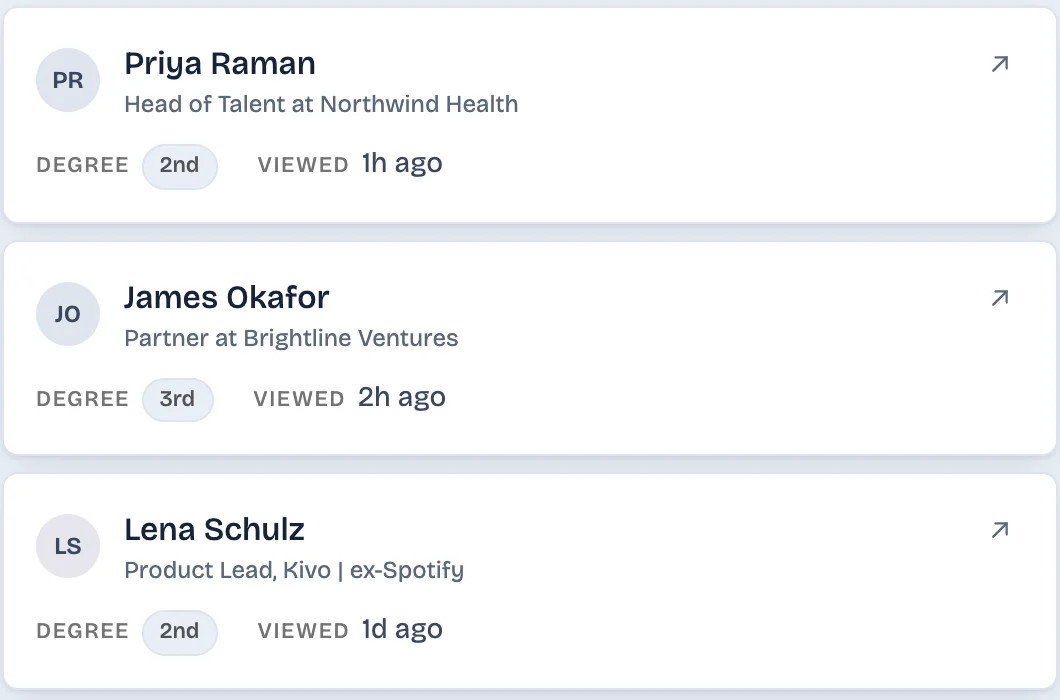
A free list drops a viewer when newer ones arrive, and a Premium list ends with the subscription. LinkedAsk is a Chrome extension that saves each viewer LinkedIn shows you, with name, headline and the date it saw them. If a recruiter looks at your profile under their name after you apply, you still have it a month later, and can write to them about the role.
Premium for job seekers: questions
Does LinkedIn Premium help you get a job?
It can help a search if you use what it adds: applicant insights, the top applicant jobs list, InMail and the full viewer list. LinkedIn does not promise a job, and the ranking it shows you is not endorsed by the hiring company.
What is Top Applicant on LinkedIn?
Top applicant jobs is a Premium list of jobs where you are in the top 50% of applicants. LinkedIn needs at least 10 applicants on a role before it shows it, and bases it on your profile, the job posting criteria and recruiter feedback.
Is Premium Career worth it for a short job search?
It can be if you will use applicant insights, top applicant jobs or InMail during those weeks. LinkedIn Help says your plan stays active until the end of the billing cycle, so you can use it for the search and then cancel.
Keep reading
- Guide · 4 minIs LinkedIn Premium worth it? Who it's forPremium is worth it if you will use a feature you can name: the full viewer list, InMail or applicant insights. What each plan gives you and who can skip it.
- Guide · 3 minIs LinkedIn Premium worth it for freelancers?What Premium Business gives a freelancer or consultant: InMail, the viewer list and a custom button. Where it helps with leads and where it does not.
- Comparison · 4 minLeadDelta vs LinkedAsk: a team CRM or a personal oneLooking for a LeadDelta alternative? LeadDelta is a team CRM with contact data and an AI inbox. LinkedAsk keeps your own LinkedIn activity. See which fits.
Keep every recruiter who viewed you.
LinkedAsk saves each viewer LinkedIn shows you, with the date they looked, and keeps them after LinkedIn's list rolls over.