How to cancel LinkedIn Premium and what you lose
Anna SheronovaUpdated
On desktop, open Me, then Premium features, then Manage subscription, then Purchases, pick your active subscription and choose Cancel subscription. Confirm. As of November 2026, LinkedIn says the plan stays active until the end of your current billing cycle. After that the account returns to Basic: you keep your profile and connections, and you lose the full viewer list and your InMail credits.
Cancelling is one decision inside a bigger one, and is LinkedIn Premium worth it lays out what you would give up. The steps below depend on where you bought the plan.
Cancel LinkedIn Premium on desktop
These are LinkedIn's steps for a plan bought directly from LinkedIn (Cancel your Premium subscription, as of November 2026).
Open Premium features
Click the Me icon on your LinkedIn homepage and select Premium features.
Open Manage subscription
Under Plan Details in the left pane, click Manage subscription. LinkedIn sends you to its Admin Center.
Find the subscription
Click Purchases in the left pane and select your active subscription.
Cancel
Under Actions, click Cancel subscription, then Confirm cancel.
Cancel in the LinkedIn app
For a plan bought directly from LinkedIn, tap your profile photo, then Premium features, then Manage your subscription, then Cancel subscription, and follow the prompts (LinkedIn Help).
If you bought through Apple or Google Play
Where you cancel follows where you paid. LinkedIn's help page says a plan bought on iOS through the mobile web is processed by LinkedIn, and cancelling it must happen on desktop, not in the iOS app. A plan bought through the Apple App Store is cancelled from your Apple device, and the same help page points to Apple's own steps.
A plan bought through Google Play can be cancelled from the LinkedIn desktop site, the LinkedIn app, or Google Play on desktop or in the app (LinkedIn Help). In Google Play, open your subscriptions, pick the Premium subscription and tap Cancel subscription (Google Play help). Uninstalling the app does not cancel it.
When Premium actually stops
Premium keeps working until the billing cycle ends. LinkedIn says to cancel at least one day before your next billing date to avoid another charge, and that you can schedule cancellation for the next billing date (LinkedIn Help). If you need it to stop sooner, contact LinkedIn support.
What you lose and what you keep
At the end of the cycle the account returns to Basic. LinkedIn Help says you retain your profile, connections and other data, and lists what ends (LinkedIn Help):
| Item | After the cycle ends |
|---|---|
| Profile and connections | KeptKept |
| Your other data | KeptKept |
| Full list of who viewed your profile | GoneGone. Basic shows a short list |
| InMail credits | GoneBalance goes to zero, not returned |
| Additional insights on job postings | GoneGone |
| LinkedIn Learning access | GoneGone |
| Unlimited profile browsing | LimitedYou may meet LinkedIn's commercial use limit |
The viewer list is the loss that matters if you act on who looks at you. LinkedIn's list for a free account is three viewers from 90 days, so the months you could scroll on Premium are gone from your account. How far back LinkedIn shows profile views has the window by plan, and how long LinkedIn keeps your history covers the other records. If a viewer you expected is missing later, the missing viewers guide lists the causes. If you are on Premium Career for a job search, what Premium Career gives a job seeker is worth a read first.
Keep a record of who viewed you
LinkedIn lets the full list go when Premium ends. LinkedAsk is a Chrome extension that saves each viewer LinkedIn shows you while you browse it, with the date, and keeps those entries after the list is gone from your account. Install it before the cycle ends, open your viewers page, and the entries you scroll through are saved.
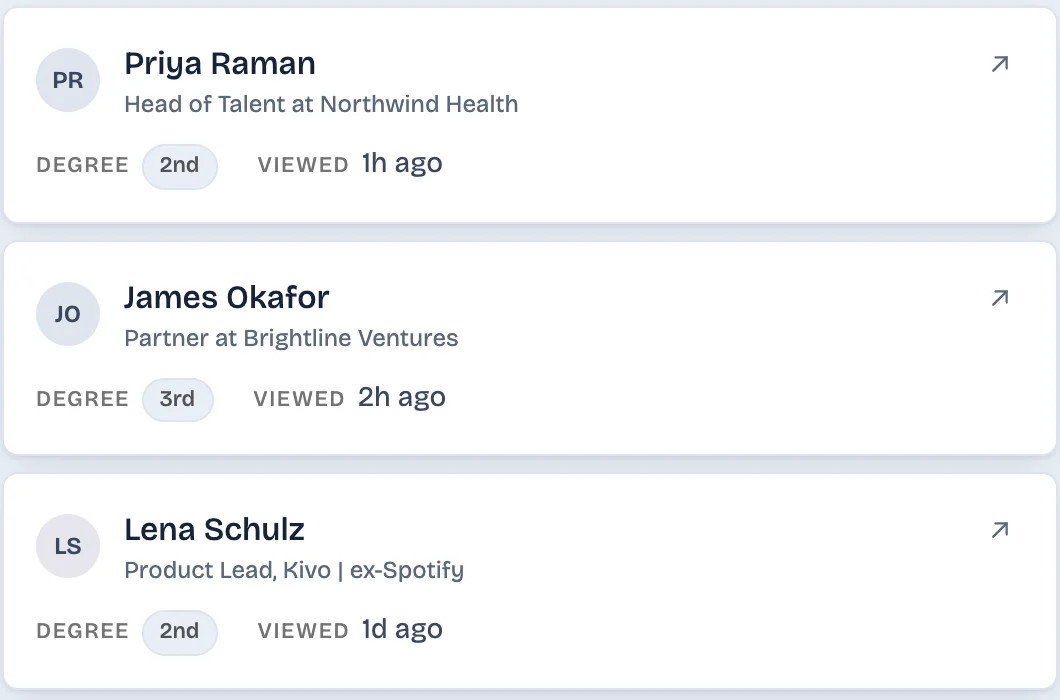
Save your viewers before the cycle ends
Premium is still active until the cycle ends, so the 365-day list is still there. Open Who's viewed your profile, widen the date range to 365 days, and write down the names you want, such as a recruiter you meant to answer or a prospect who looked twice. A screenshot works too, though it is hard to search later. LinkedIn's data download does not include viewer data.
Refunds and coming back
LinkedIn Help says Premium subscriptions may be refundable within 7 days of the charge, as long as the subscription has not been used (LinkedIn Help). Rules differ by country, so check LinkedIn's refund policy for yours. Refunds for purchases made through Apple must come from Apple. If you are on one plan and wonder what the other includes, Premium Career vs Business lists both.
You can reactivate from Me, then Settings & Privacy, then Subscriptions & payments. LinkedIn says unused InMail credits are not returned and custom Premium settings must be set again. It does not say whether the viewer history comes back (LinkedIn Help).
Questions
Do I lose my viewer list if I cancel Premium?
After the billing cycle ends, yes. As of November 2026, LinkedIn Help lists the full Who's viewed your profile list and specific viewer details among what you lose, and the account returns to Basic. Until then you keep it.
Do you lose LinkedIn Premium immediately if you cancel?
No. LinkedIn says a cancelled paid plan stays active until the end of your current billing cycle. To avoid another charge, cancel at least one day before your next billing date.
Will I get a refund if I cancel LinkedIn Premium?
LinkedIn Help says Premium subscriptions may be refundable within 7 days of the charge when the subscription has not been used. Rules differ by country, and refunds for Apple purchases come from Apple.
Do I lose my InMail credits if I cancel?
Yes. LinkedIn Help says the InMail balance becomes zero when a Premium subscription is cancelled, and unused credits are not returned if you reactivate later.
Can I cancel Premium bought on iPhone in the app?
It depends where you paid. A plan bought through the Apple App Store is cancelled from your Apple device. A plan bought on iOS through the mobile web must be cancelled on desktop, not in the iOS app.
Keep reading
- Guide · 4 minIs LinkedIn Premium worth it? Who it's forPremium is worth it if you will use a feature you can name: the full viewer list, InMail or applicant insights. What each plan gives you and who can skip it.
- Guide · 3 minIs LinkedIn Premium worth it for freelancers?What Premium Business gives a freelancer or consultant: InMail, the viewer list and a custom button. Where it helps with leads and where it does not.
- Comparison · 4 minLeadDelta vs LinkedAsk: a team CRM or a personal oneLooking for a LeadDelta alternative? LeadDelta is a team CRM with contact data and an AI inbox. LinkedAsk keeps your own LinkedIn activity. See which fits.
Keep your viewers after Premium ends.
LinkedAsk saves each viewer LinkedIn shows you, with the date, so the names you scroll past stay with you.