Withdraw a LinkedIn invitation: what happens
Anna SheronovaUpdated
To withdraw a LinkedIn invitation, open My Network, then Invitations, then the Sent tab, and click Withdraw next to the person. LinkedIn does not notify them. You can't send the same person a new invitation for up to three weeks, according to LinkedIn Help as of October 2026.
- before you can invite the same person again
- Up to 3 weeks
- reminder emails, which stop when you withdraw
- Up to 2
- until an unanswered invitation expires on its own
- 6 months
Withdrawing to fix a typo in the note costs you that wait, and the old invitation can't be restored. For where your sent requests live and what LinkedIn keeps about them, see the guide to your LinkedIn sent invitations.
The life of a connection request
DiagramSent
You click Connect
Pending
Waiting for their answer
Accepted
You are connected
Withdrawn
You end it, any time before they accept. They are not notified.
Ignored
They ignore it; you get no notice
Expired
LinkedIn ends it after six months
Accepted
You are connected
Withdrawn
You end it, any time before they accept. They are not notified.
Ignored
They ignore it; you get no notice
Expired
LinkedIn ends it after six months
Withdraw a LinkedIn invitation on desktop
You can withdraw any invitation that hasn't been accepted yet. These are LinkedIn's own steps as of October 2026:
Open My Network
Click the My Network icon at the top of your LinkedIn homepage.
Open your invitations
In the Invitations section, click Show all if you have invitations you received. If you have none, click Manage next to "No pending invitations".
Switch to Sent
Click the Sent tab under Manage invitations.
Click Withdraw
Click Withdraw next to the invitation you want to remove.
Confirm
Click Withdraw again in the confirmation pop-up.
LinkedIn moves its menus around, so the label in step 2 can differ on your account. If you don't see Show all or Manage, look for the Sent tab on your invitations page. It is the same list.
Cancel a connection request in the LinkedIn app
The app has the same list one tap away. LinkedIn's steps for iPhone and Android, as of October 2026:
Tap My Network
Tap the My Network tab in the navigation bar.
Tap Invitations
Tap Invitations.
Tap Sent
Tap the Sent tab.
Withdraw and confirm
Tap Withdraw next to the invitation, then tap Withdraw again to confirm.
The invitation then leaves your Sent tab. That tab lists only invitations still waiting for a response, so a withdrawn one leaves no trace there.
Will they know you withdrew it?
LinkedIn Help says: "The recipient will not be notified when you withdraw the invitation."
They may already have seen it. If LinkedIn already delivered the invitation email or notification, its help pages don't say that withdrawing recalls them. If they opened the email or tapped the notification before you withdrew, they saw your name and your note.
Withdrawing also stops the reminders. LinkedIn sends up to two reminder emails before an invitation expires, and a withdrawal ends those.
Reminder emails
While pendingUp to two before expiry
After you withdrawGoes: Stop
Your Sent tab
While pendingListed
After you withdrawGoes: Removed
A new invitation to them
While pendingAlready invited
After you withdrawChanges: After up to three weeks
When you can invite them again
You can invite the same person again after up to three weeks, as of October 2026.
Note the "up to" in LinkedIn's wording. It states a maximum and publishes no countdown, so there is no fixed date to wait for. If a new invitation doesn't go through, wait and try again later.
To resend once the wait is over:
Open their profile
Go to the person's LinkedIn profile.
Click Connect
Click Connect.
Send
Add your note, if you want one, and send.
It is a new invitation. LinkedIn doesn't say your old note carries over, so have the text ready to write again. LinkedIn also caps how many invitations you can send in a week, and counting your own week of invitations shows where you stand.
A withdrawal made by mistake has the same wait. A withdrawn invitation can't be restored, so the only fix is a new invitation afterwards. Withdraw only the requests you really want gone.
If they already accepted, there is nothing to withdraw. The invitation became a connection, and the way back is to remove the connection instead.
Withdrawn or expired: how each one ends
This table uses LinkedIn Help as of October 2026.
| Status | Inviting again | Who ends it | Reminder emails |
|---|---|---|---|
| Withdrawn | After a waitAfter up to three weeks | You, any time before they accept | Stop |
| Expired | New invitationYes, as a new invitation | LinkedIn, after six months | Up to two, sent before it expires |
The expiry row matters if you were about to withdraw a request you still want. You don't have to. An unanswered invitation expires on its own after six months, and how LinkedIn invitations expire covers what that looks like. Withdraw the mistakes, such as the wrong person or a note you regret, and leave the rest.
Keep a record of the invitations you send
The Sent tab only shows invitations that are still pending. Once you withdraw one, or it expires, LinkedIn's list drops it, along with the date you sent it.
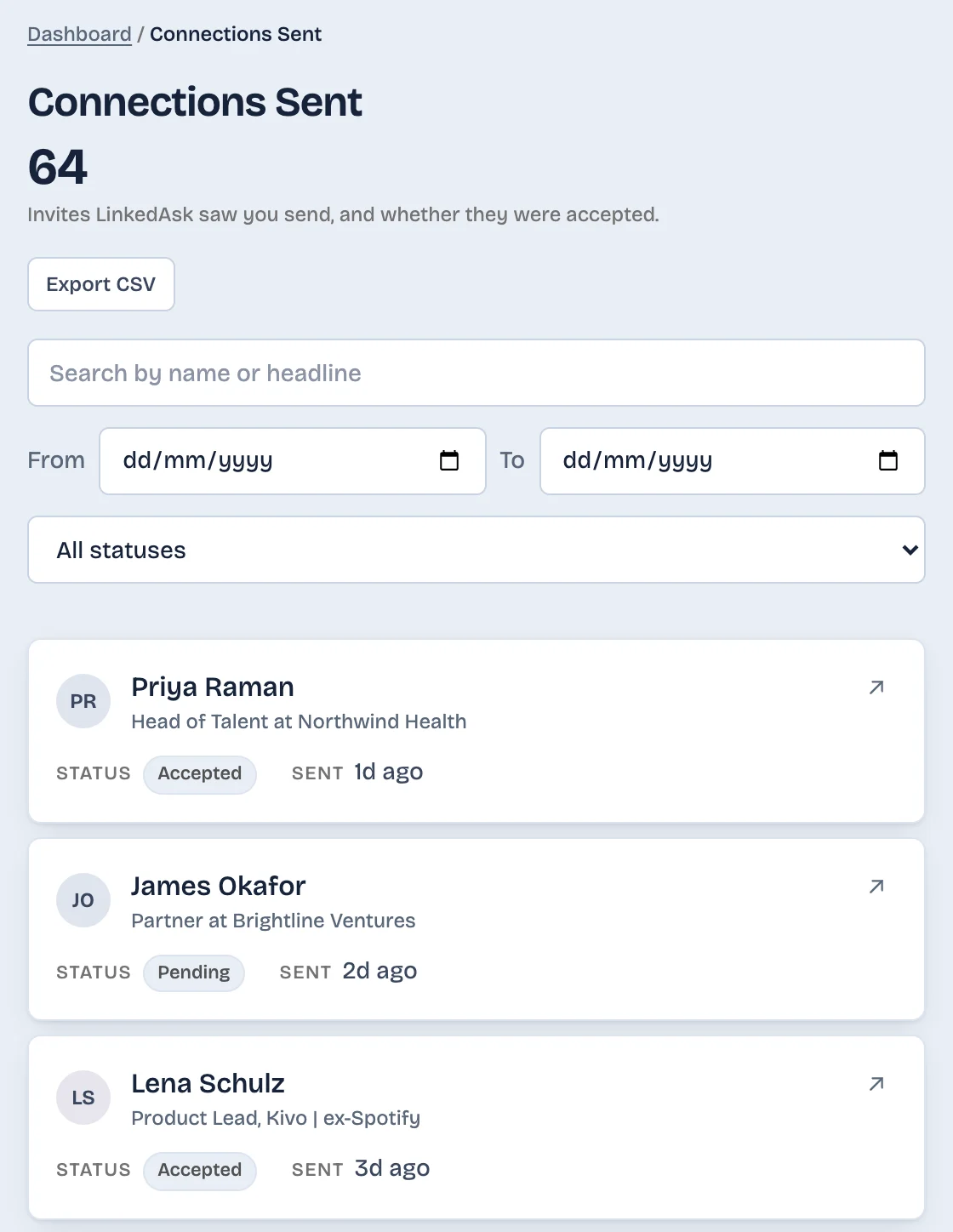
If you want that history, LinkedAsk's activity history keeps each invitation it saw you send, with the date. After you withdraw one, it shows as "No longer pending". If you invite the same person again later, the new invitation is kept as its own entry with its own date.
What to do next
- The request was a mistake (the wrong person or a note you regret): withdraw it now from the Sent tab.
- You want to fix the note and still connect: withdraw, then send a fresh invitation from their profile after the wait.
- You still want them and the note is fine: leave it and let it run its course.
- They already accepted: remove the connection instead. There is no invitation left to withdraw.
Withdrawing an invitation: questions
Will someone know if I withdraw a LinkedIn invitation?
No. LinkedIn does not notify the recipient when you withdraw an invitation. If they already opened the original invitation email or notification, they saw your request before you withdrew it.
Does the invitation email disappear from their inbox?
LinkedIn doesn't say it does. Its help pages say the reminder emails stop after a withdrawal, but they don't say the first invitation email is recalled. Assume anything already delivered stays where it is.
Can I withdraw an invitation in the LinkedIn app?
Yes. Tap My Network, then Invitations, then the Sent tab, and tap Withdraw next to the invitation. Confirm with Withdraw in the pop-up.
How long until I can invite the same person again?
Up to three weeks, as of October 2026. LinkedIn states this as a maximum and doesn't show a countdown, so if a new invitation doesn't go through, try again later.
Can I undo a withdrawal I made by mistake?
No. LinkedIn can't restore a withdrawn invitation. You can send a new invitation once the wait is over. LinkedIn doesn't say the old note carries over, so keep a copy of it.
Keep reading
- Guide · 4 minLinkedIn sent invitations: where each one goesLinkedIn's Sent tab lists only pending invitations. Find it on desktop and in the app, see what happens to each one, and keep a record of the rest.
- Guide · 4 minHow to see all your LinkedIn connectionsYour LinkedIn connections list is under My Network, then Connections, as of October 2026. See how to search, sort and filter it, and why it looks short.
- Guide · 4 minLinkedIn connection growth over time, by monthLinkedIn shows only today's connection total. Rebuild your connection growth over time from the export's dates, month by month, and see why old months read low.
Keep the invitations you send.
Install the extension. Invitations it sees you send stay in your history with their date, after they leave the Sent tab.