Remove a LinkedIn connection: will they know?
Anna SheronovaUpdated
LinkedIn doesn't notify someone when you remove them as a connection, as of October 2026. On desktop, open their profile, click More, then Remove connection. The LinkedIn app has the same More button on the profile. The removal still changes what each of you can see and do afterwards.
- sent to the person you remove
- No notification
- on desktop: their profile or your Connections page
- 2 routes
- endorsements and recommendations, even if you reconnect
- Not restored
This page is about people who already accepted. A request still waiting for an answer is withdrawn instead, which withdrawing a LinkedIn invitation covers, and your LinkedIn sent invitations explains the whole list of requests you've sent.
Remove a connection on desktop
On a computer you can do it from their profile or from your Connections page. Both are LinkedIn's own steps as of October 2026.
From their profile
Open their profile
Open the person's LinkedIn profile.
Click More
Click More in the introduction section of the profile.
Remove
Select Remove connection.
LinkedIn's help page says the status then changes to "Connection Removed", so you can see it went through.
From your Connections page, without opening their profile
Open My Network
Click the My Network icon at the top of your LinkedIn homepage.
Open your connections
Under your profile name, click the link with your number of connections (for example, "465 connections").
Click More next to them
Click the More icon next to the person, then click Remove connection.
Confirm
Click Remove in the pop-up to confirm.
This route is handy when you're removing someone you'd rather not look up first, or when you're already scrolling the list. It is the same list described in how to see all your LinkedIn connections.
LinkedIn moves its menus around, so a label on your account can read slightly differently.
Remove a connection in the LinkedIn app
The app works from the profile only. LinkedIn's steps for the mobile app, as of October 2026:
Open their profile
Go to the profile of the person you want to remove.
Tap More
Tap the More button.
Remove and confirm
Tap Remove connection, then tap Remove connection again in the pop-up to confirm.
Will they know you removed them?
LinkedIn Help says: "When you remove a connection, they won't be notified."
They can still work it out later if they look. They may notice Connect on your profile, or your name gone from their connections list. Neither change sends them anything. The other side of this is in how to tell if someone removed you.
What changes after you remove someone
As of October 2026, per LinkedIn Help:
Connection degree
Connected1st-degree
After you remove themChanges: No longer 1st-degree
Your Contacts section
ConnectedListed
After you remove themGoes: Not listed
Recommendations and endorsements between you
ConnectedShown
After you remove themGoes: Withdrawn, not restored if you reconnect
Messaging
ConnectedMessage each other directly
After you remove themChanges: Through InMail, a shared group or their message settings
Your Contact Info
ConnectedVisible to them
After you remove themGoes: Hidden from them
Your profile
ConnectedVisible to them
After you remove themStays: Still visible when they're signed in
Anything they endorsed or recommended on your profile, and anything you gave them, is withdrawn by LinkedIn and stays gone even if you connect again. Your Contact Info section is shown to 1st-degree connections only.
Messaging changes too. LinkedIn describes messaging each other directly as part of being 1st-degree connections, so after a removal a new message reaches them through InMail, a group you both belong to, or their own message settings.
If someone has recommended you, read that recommendation once more before you click Remove.
Adding them back later
You can connect again by sending a new invitation from their profile. LinkedIn Help says that clicking Connect on someone you removed may prompt you for their email address. If you don't have it, you can ask them to send you an invitation instead. That help page names no waiting period for reconnecting.
The recommendations and endorsements withdrawn at removal stay gone. In LinkedIn's words: "They won't be added back after the connection is re-established."
Remove, unfollow or block
As of October 2026, LinkedIn Help covers unfollowing, removing and blocking:
| Action | Still connected | They're notified | Your profile to them |
|---|---|---|---|
| Unfollow | ConnectedYes. Their updates leave your feed. | No | Visible |
| Remove connection | DisconnectedNo. Recommendations and endorsements between you are withdrawn. | No | Visible when they're signed in |
| Block | DisconnectedNo. Messaging and each other's shared content end too. | Not in most cases | Hidden |
If you unfollow and later change your mind, following someone again sends them a notification.
Keep the date you sent the invitation
If you sent the invitation, you may want its date after the connection ends.
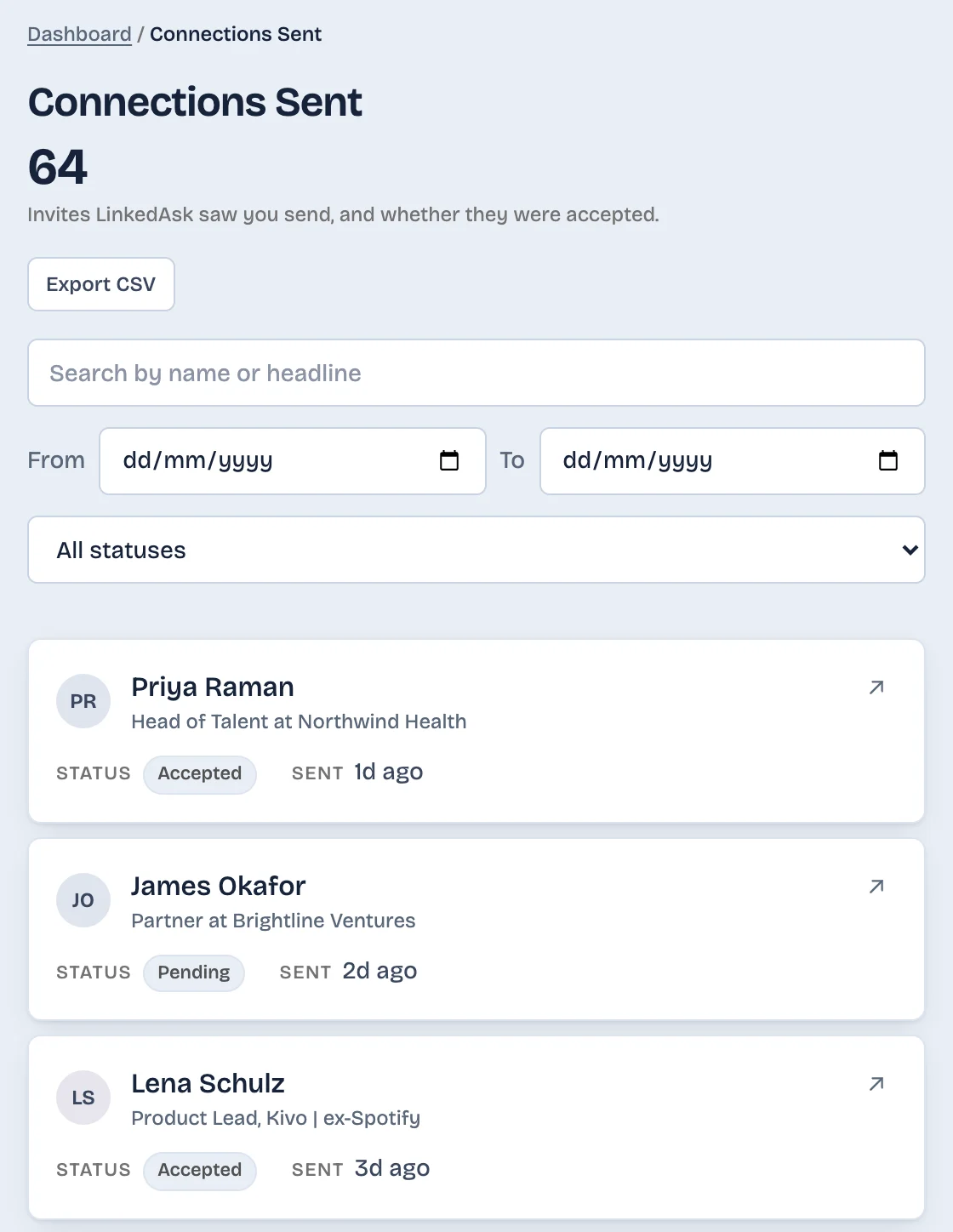
LinkedAsk's activity history keeps the invitations it saw you send, each with the date you sent it. After a removal the invitation stays in the history, marked "No longer pending". It does not record the removal.
Pick by situation
- Their posts are the problem, the connection isn't: unfollow.
- You want them off your connections list: remove them, from their profile or from your Connections page.
- You want no contact with them on LinkedIn: block them instead of removing.
- You're not sure yet: unfollow now. You can still remove them later.
Removing a connection: questions
How do I remove a connection on the LinkedIn app?
Open their profile in the app and tap More. Tap Remove connection, then confirm with Remove connection in the pop-up. These are LinkedIn's steps as of October 2026.
Can I remove a connection without visiting their profile?
Yes, on desktop. Click My Network, then the link with your number of connections under your name. Click the More icon next to the person, choose Remove connection, and confirm with Remove.
If I remove someone, can they still see my profile?
Yes. LinkedIn says your profile is generally visible to any signed-in member unless you block them. They lose your Contact Info section, which LinkedIn shows to 1st-degree connections only.
If I remove a connection, will they still follow me or see my posts?
LinkedIn Help doesn't say. It says 1st-degree connections automatically follow your posts, but not what happens to that follow after a removal. LinkedIn hasn't stated it, so check your own account.
What's the difference between unfollowing and removing a connection?
Unfollowing keeps you connected and hides their updates from your feed, and LinkedIn doesn't tell them. Removing takes them off your connections list. Unfollow fits when only their posts bother you.
Keep reading
- Guide · 4 minLinkedIn sent invitations: where each one goesLinkedIn's Sent tab lists only pending invitations. Find it on desktop and in the app, see what happens to each one, and keep a record of the rest.
- Guide · 4 minHow to see all your LinkedIn connectionsYour LinkedIn connections list is under My Network, then Connections, as of October 2026. See how to search, sort and filter it, and why it looks short.
- Guide · 4 minLinkedIn connection growth over time, by monthLinkedIn shows only today's connection total. Rebuild your connection growth over time from the export's dates, month by month, and see why old months read low.
Keep the invitations you send.
Install the extension. Invitations it sees you send stay in your history with their date, after the connection ends.