LinkedIn weekly invitation limit: count yours
Anna SheronovaUpdated
LinkedIn sets a weekly invitation limit on connection requests for every member, Basic and Premium alike, but as of October 2026 its Help pages publish no number and do not say how the week is counted. What you can count is your own last seven days.
What LinkedIn's Help pages say about the limit
LinkedIn's Help page on the invitation limit says: "All LinkedIn members, including those with Basic and Premium accounts, are subject to these limits." The page gives no weekly figure. It also does not say whether the week starts on a fixed day or rolls forward with each invitation you send.
The figures you see repeated online come from third-party blogs, not from LinkedIn. They cite no LinkedIn source, and they disagree on the reset: one describes each invitation counting for seven days after you send it, another counts a week from the first invitation of a cycle. Read any number you find as someone else's estimate.
Your sent invitations sit in a few places on LinkedIn, and the guide to your sent LinkedIn invitations walks through each of them. Inviting people to follow a LinkedIn Page runs on its own monthly credits.
| Question | What LinkedIn says |
|---|---|
| How many invitations a week | Not publishedNo number published |
| How the week is counted | Not definedNot defined: no fixed day, no rolling rule |
| Basic or Premium | StatedBoth are subject to the limit |
| Inviting people to follow a LinkedIn Page | SeparateA separate monthly allowance of credits shared by the Page's admins |
Count the invitations you sent in the last 7 days
The Sent tab is a quick look at what is still waiting. The data export lists invitations with the date each was sent.
The Sent tab
On desktop, open My Network, then Invitations (Show all, or Manage if nothing is pending), then the Sent tab. On mobile, open My Network, then Invitations, then Sent. LinkedIn describes this list as the invitations still waiting for a response. If your rows show how long ago each one went out, count the ones from the last seven days. An invitation someone already accepted may no longer be on the list, so the tab can show fewer than you sent. The same tab is where you take one back. The steps are in the guide to withdrawing a LinkedIn invitation.
The Invitations file in your data export
Request the Invitations data
Open Me, then Settings & Privacy, then Data Privacy, then Download your data.
Pick Invitations only
Choose the option to pick specific data and select Invitations. LinkedIn says it emails a download link within minutes for a specific-data request.
Open Invitations.csv
In my export of October 2, 2026, its columns were From, To, Sent At, Message, Direction, inviterProfileUrl and inviteeProfileUrl.
Count the last seven days
Filter Direction to outgoing invitations, then count the rows whose Sent At date falls in the last seven days.
LinkedIn says the file covers invitations sent and received with the date sent. If yours turns out to hold only some of your invitations, treat the count as a floor. The rest of the archive is covered in what the LinkedIn data export gives you.
Write down the day each invitation went out, because that tells you which days leave your count first. Counted this way, an invitation you sent on a Tuesday drops out of your seven days the following Tuesday.
Invitations sent this week
Illustration · example data- Thu+66
- Fri+410
- Sat010
- Sun010
- Mon+515
- Tue+722
- Wed+325
- Last 7 days25
If you also want to know how many of last week's invitations turned into connections, work out your acceptance rate from the same list.
Keep a dated record of the invitations you send
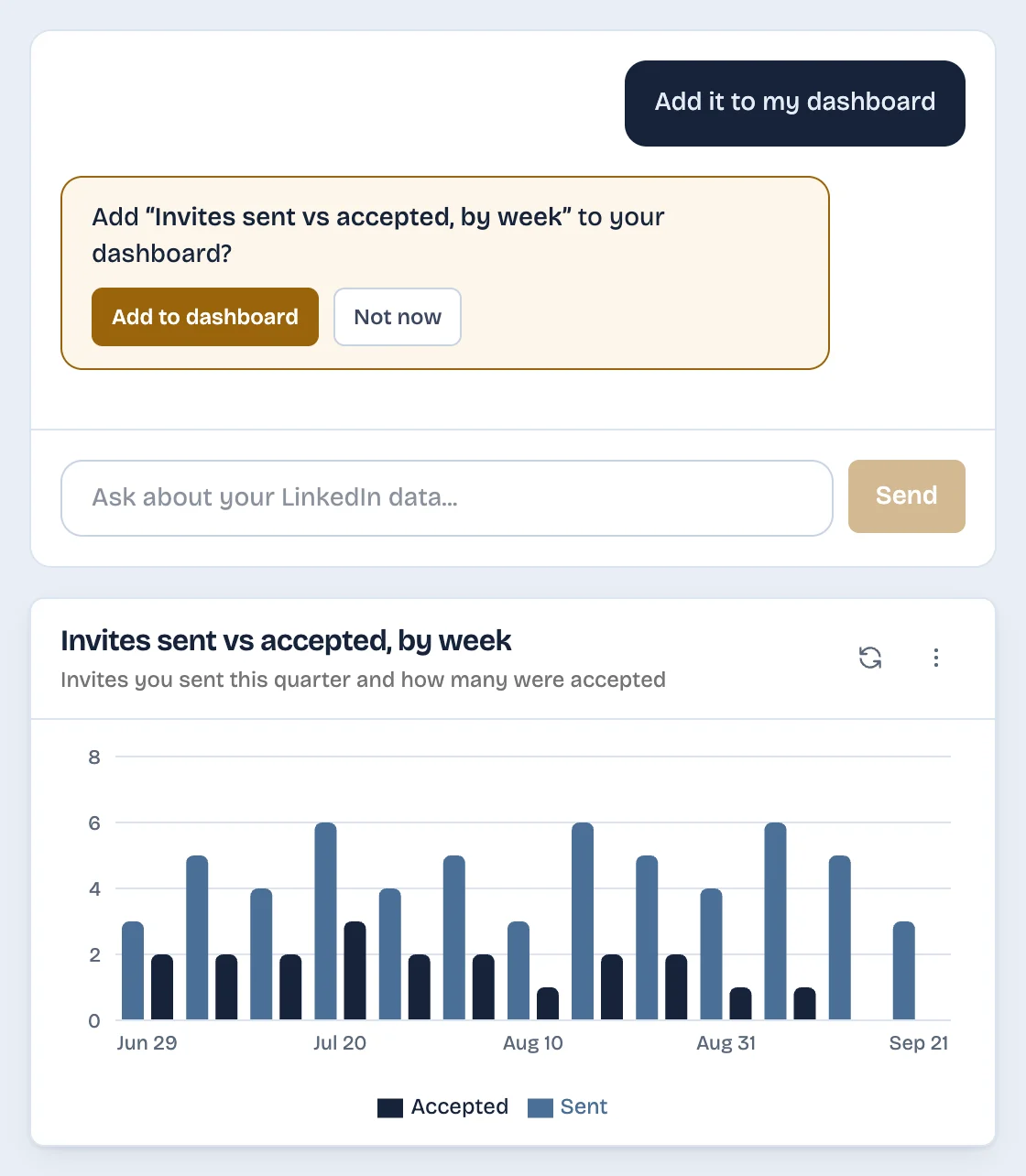
The Sent tab lists only invitations still waiting for a response, and the export needs a new download for each count. LinkedAsk's AI chart builder saves the invitations you send on LinkedIn in Chrome, with the date, from the day you install it. Ask its chat how many invitations you sent in the last seven days, or add the ready-made chart of invitations sent and accepted per week for the last 12 weeks.
Pick by situation
- A quick look at what is still pending: the Sent tab, about a minute.
- A full count with dates: the Invitations file from your data export, a few minutes plus the wait for LinkedIn's email.
- The same count every week without a new download: a tool that records invitations as you send them.
- LinkedIn's official weekly number: none is published as of October 2026, so plan from your own count.
Weekly invitation limit: questions
How many invitations can you send on LinkedIn in a week?
LinkedIn does not publish a number. As of October 2026 its Help pages confirm a limit for every member and give no figure. The numbers repeated online come from third-party blogs. Count your own invitations from the last seven days and plan from that.
When does the LinkedIn weekly invitation limit reset?
LinkedIn does not say. Its Help pages do not define whether the week starts on a fixed day or rolls with each invitation, and the third-party blogs that describe it disagree. Counting your own last seven days gives you a working figure either way.
Does LinkedIn Premium change the weekly invitation limit?
LinkedIn says members with Basic and Premium accounts are both subject to the invitation limits, and it publishes no separate figure for Premium. Counting your own week works the same way on either account.
Can I see how many invitations I sent this week?
Not as a single number on LinkedIn. The Sent tab lists invitations still waiting for a response, and the Invitations file in your data export lists invitations with the date each was sent. Counting the outgoing rows from the last seven days in that file gives you the fullest figure LinkedIn offers.
Keep reading
- Guide · 4 minLinkedIn sent invitations: where each one goesLinkedIn's Sent tab lists only pending invitations. Find it on desktop and in the app, see what happens to each one, and keep a record of the rest.
- Guide · 4 minHow to see all your LinkedIn connectionsYour LinkedIn connections list is under My Network, then Connections, as of October 2026. See how to search, sort and filter it, and why it looks short.
- Guide · 4 minLinkedIn connection growth over time, by monthLinkedIn shows only today's connection total. Rebuild your connection growth over time from the export's dates, month by month, and see why old months read low.
Know your week's count without a download.
LinkedAsk keeps a dated record of the invitations you send from the day you install it. Ask the chat for your last seven days.