What happens if you ignore a LinkedIn invitation
Anna SheronovaUpdated
Ignoring a LinkedIn invitation removes it from your Invitations list without accepting it, so the two of you do not connect. As of October 2026, LinkedIn Help says: "The sender won't be notified that you've ignored their invitation, so they may try to connect with you again." If you are the sender, nothing LinkedIn documents tells you that you were ignored.
- goes to the sender when you click Ignore, per LinkedIn Help
- No notice
- before you can re-invite someone after withdrawing
- Up to 3 weeks
- until an unanswered invitation expires on its own
- 6 months
For every way a connection request can end, see the guide to your sent LinkedIn invitations.
The life of a connection request
DiagramSent
You click Connect
Pending
Waiting for their answer
Accepted
You are connected
Withdrawn
Canceled by the sender. The recipient is not told
Ignored
The sender is not told
Expired
Ends after six months with no answer
Accepted
You are connected
Withdrawn
Canceled by the sender. The recipient is not told
Ignored
The sender is not told
Expired
Ends after six months with no answer
What the recipient and the sender each see
On the recipient's side the wording differs by device. On desktop, LinkedIn Help says Ignore removes the invitation. In the app, it hides it in the list. Either way, the invitation is not accepted and the two of you do not become connections.
| Question | Person who clicked Ignore | Sender |
|---|---|---|
| The invitation itself | Partly statedRemoved from your Invitations list, not accepted | LinkedIn Help does not say what your Sent tab shows |
| Notice of the Ignore | StatedNone goes to the sender | None arrives |
| A new invitation later | StatedThe sender can invite you again | You can send one again |
Can a sender tell they were ignored?
Not with certainty. No sign LinkedIn documents separates an ignored invitation from one the person has not seen or not decided on. LinkedIn treats an invitation nobody has acted on as pending until the sender withdraws it or it expires. Its Help pages do not say whether an ignored invitation keeps showing as Pending in your Sent tab or on the person's profile.
LinkedIn Help does not say that Connect coming back means you were ignored. A withdraw ends a pending invitation too, and so does expiry, so a button change alone does not tell you which one happened.
The practical answer is to stop reading the screen for clues. Your options are the same whatever the reason.
Sent invitations
Illustration · example data- MLMaya LindqvistProduct designer, health techSent this weekPendingWithdraw
- KMKenji MoriSales lead, logistics softwareSent in AugustNo answer yetPendingWithdraw
Sending the invitation again
If you sent the invitation and still want the connection, the next step depends on what your screen shows.
Check the person's profile or your Sent tab
Look for your invitation still listed as Pending.
If it still shows as Pending, withdraw it first
You can withdraw any time before it is accepted, and the recipient is not notified. LinkedIn Help adds that you won't be able to send a new invitation to the same member for up to three weeks.
If the profile shows Connect, skip the withdraw
There is no pending invitation to withdraw.
The three-week wait follows a withdraw, not an Ignore. If you would rather not withdraw, leave the invitation alone. LinkedIn Help says invitations expire after six months. The full withdraw process has its own guide on how to withdraw LinkedIn invitations.
A withdraw is not the only move. If you have the person's email or a mutual contact, a short message there tells them who you are before any new invitation arrives.
Keep a record of invitations that got no answer
Nothing on LinkedIn marks an invitation as ignored, so the way to keep track of them after they leave your Sent tab is your own record: who you invited, when, and whether they accepted. A spreadsheet with a name and a date works if you send a few invitations a month. A dated list also helps when you decide what to do with an old invitation: you can see how long it has waited before you withdraw it or follow up another way.
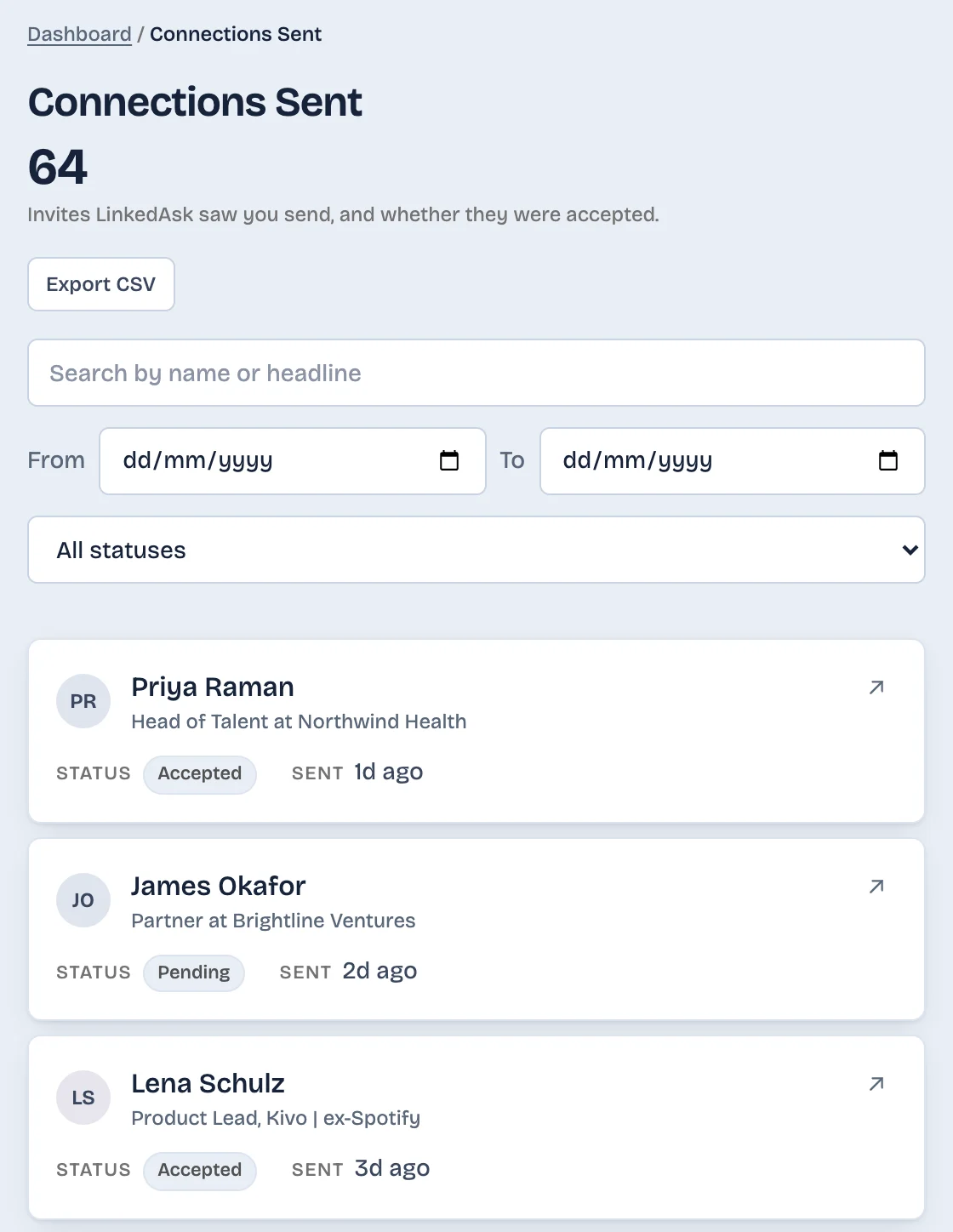
LinkedAsk's activity history keeps the invitations it sees you send from the day you install it, each with its date and whether it was accepted or is still pending. It cannot show why one is still pending.
What to do next
- You got an invitation and do not want the connection: click Ignore. It takes one click and needs no reply.
- You clicked Ignore by mistake: the guide to invitations people sent you covers your side of the Received tab.
- Your invitation has sat unanswered for weeks: decide without knowing why. Leave it, message them another way, or withdraw it and invite again later.
- You withdrew and want to try again: wait until LinkedIn lets you invite that person, then send a new invitation.
Ignored invitations: questions
Does LinkedIn notify someone when you ignore their invitation?
No. As of October 2026, LinkedIn Help says the sender is not notified when you ignore their invitation. You can click Ignore without writing back or giving a reason.
Can someone send another request after I ignore it?
Yes. LinkedIn Help says a sender you ignored can try to connect with you again. If a new invitation arrives, you can accept it this time or ignore it again.
Is a pending invitation the same as an ignored one?
Not necessarily, and the sender cannot tell them apart. LinkedIn treats an invitation nobody has acted on as pending until the sender withdraws it or it expires after six months. LinkedIn gives senders no sign that separates an ignored invitation from an unseen or undecided one.
Can you tell if someone ignores your LinkedIn request?
Not with certainty. LinkedIn does not notify the sender, and nothing its Help pages document separates an ignored invitation from one the person has not seen or not decided on.
Keep reading
- Guide · 4 minLinkedIn sent invitations: where each one goesLinkedIn's Sent tab lists only pending invitations. Find it on desktop and in the app, see what happens to each one, and keep a record of the rest.
- Guide · 4 minHow to see all your LinkedIn connectionsYour LinkedIn connections list is under My Network, then Connections, as of October 2026. See how to search, sort and filter it, and why it looks short.
- Guide · 4 minLinkedIn connection growth over time, by monthLinkedIn shows only today's connection total. Rebuild your connection growth over time from the export's dates, month by month, and see why old months read low.
See which invitations got an answer.
LinkedAsk notes each invite it sees you send, with the day, and whether it was accepted or is still pending.