LinkedIn MCP server: every kind compared
Anna SheronovaUpdated
LinkedIn has not published an MCP server, so the eight servers below come from other developers. They fall into six kinds by data source: a workflow tool that posts to LinkedIn, your browser session, a hosted service that runs your account, a data platform, a Sales Navigator session, or a record of your own activity. The data source sets what a server can read, and its tool list shows whether it can post or send anything.
For what an MCP is and how the six kinds differ, start with the LinkedIn MCP guide.
| Server | Where its data comes from | What it reads | What it can change or send |
|---|---|---|---|
| Composio LinkedIn | LinkedIn's official API, signed in with OAuth | Your profile, post content, organization page and share statistics, ad targeting data | Creates posts, comments and video posts. Deletes posts. |
| Zapier MCP for LinkedIn | Zapier's LinkedIn actions. The page does not name the LinkedIn interface. | No read tools listed | Creates status updates and company page updates |
| stickerdaniel/linkedin-mcp-server | Your LinkedIn session in a browser on your computer | Profiles, companies and their employees, jobs, saved jobs, your feed, your inbox, people and post search | Sends or accepts connection requests. Sends messages after you confirm. |
| eliasbiondo/linkedin-mcp-server | Your LinkedIn session in a browser on your computer | Profiles, people search, companies and their posts, jobs | No sending tools listed |
| Linked API (linkedapi-mcp) | A cloud browser run by Linked API on your connected account | Lead searches, profiles, your conversations | Sends messages |
| Apify LinkedIn MCP server | Apify's profile data service, without your LinkedIn login | Profile information, email addresses, mobile numbers, company details | No sending tools listed |
| artik0din/mcp-linkedin-sales-navigator | Your Sales Navigator session in a browser | Lead search with filters, lead profiles, your lead lists, exports to CSV or JSON | Sends InMail, saves leads, creates lead lists |
| LinkedAsk | Your own LinkedIn activity, recorded by its Chrome extension | Your visits, viewers, sent invitations and who accepted, connections, followers, reactions, posts, saved-people threads, and LinkedIn's totals for connections, followers and profile viewers | In LinkedAsk: saves and unsaves people, edits notes, and creates, edits and deletes dashboard charts |
Workflow tools that post to LinkedIn
Composio is built on LinkedIn's official API, and Zapier's page does not say which interface it uses. LinkedIn's developer platform lets an app publish for you once you grant the w_member_social permission, which LinkedIn describes as "required to create a LinkedIn post on behalf of the authenticated member".
Most of the 25 tools in Composio's LinkedIn toolkit create or remove content: posts, comments, video posts, image uploads and deletions. On the reading side you get your own profile, post content, page and share statistics for organizations, and ad targeting data. Composio signs in with OAuth2 and calls LinkedIn's API, for example "the UGC Posts API" for shares. Setup expects some code, since you create a session and pass its MCP URL to your agent.
Zapier MCP for LinkedIn has two actions, Create Share Update and Create Company Update, and no read tools. Its page gives the server address, mcp.zapier.com, and does not say which LinkedIn interface the actions go through.
Open-source servers on your browser session
With 4,010 GitHub stars on October 25, 2026, stickerdaniel/linkedin-mcp-server is the most-starred open-source repository here. It borrows the LinkedIn login from a browser you are already signed into, or opens a login window on first use. Reading covers profiles, companies and their employees, job postings, your saved jobs, your feed and your inbox, plus people and post search. Two tools act on LinkedIn: connect_with_person sends a connection request with an optional note or accepts one, and send_message sends a message once you confirm it. You can install it with uvx, Docker, a Claude Desktop bundle, or a plugin for Claude Code, Cursor or Codex. The license is Apache 2.0.
Only reading is on offer in eliasbiondo/linkedin-mcp-server, which has 201 stars and an MIT license. Its six tools return person profiles, people search, company profiles, company posts, job details and job search. The first run opens a browser window for you to log in, and the session stays on your computer after that. You need Python 3.12 or later and uv, and you start it from a clone of the repository.
A hosted service that runs your account
Nothing runs on your computer with Linked API. Its server connects your LinkedIn account to your assistant and carries out each request "through a cloud browser". The assistant can search for leads, analyze profiles, read your conversations and send messages. Many actions take several minutes, searches and profile fetches above all. Linked API publishes installation guides for Claude, Cursor, VS Code and Windsurf. The repository, linkedapi-mcp, has 70 stars and an MIT license.
A data platform
Apify's LinkedIn MCP server works without your LinkedIn account. It returns profile information, email addresses, mobile numbers and company details, and asks for an Apify account instead of LinkedIn cookies. Clients that accept a remote URL connect to mcp.apify.com and approve access through OAuth. Other clients run it locally with npx and an Apify token.
A Sales Navigator session
For lead work inside Sales Navigator, artik0din/mcp-linkedin-sales-navigator drives Sales Navigator through your logged-in browser session. It searches leads with filters such as title, company and seniority, opens lead profiles, saves leads to lists, creates lists, sends InMail with a dry-run option and exports leads to CSV or JSON. It needs Node.js 20 or later, and it reaches your login by attaching to a running Chrome, through a browser profile folder, or from a cookie file. The repository has 15 stars and an MIT license.
A record of your own activity
LinkedAsk publishes this page, so its row comes from its own code rather than a third-party README. It is the only server here that answers from your past activity. Its Chrome extension records what you do on LinkedIn while you use it, and connecting LinkedAsk to Claude, ChatGPT, Cursor or Claude Code takes one URL, https://linkedask.me/api/mcp, and a sign-in. ChatGPT accepts it on Business and Enterprise/Edu with full access, and on Pro for reading only.
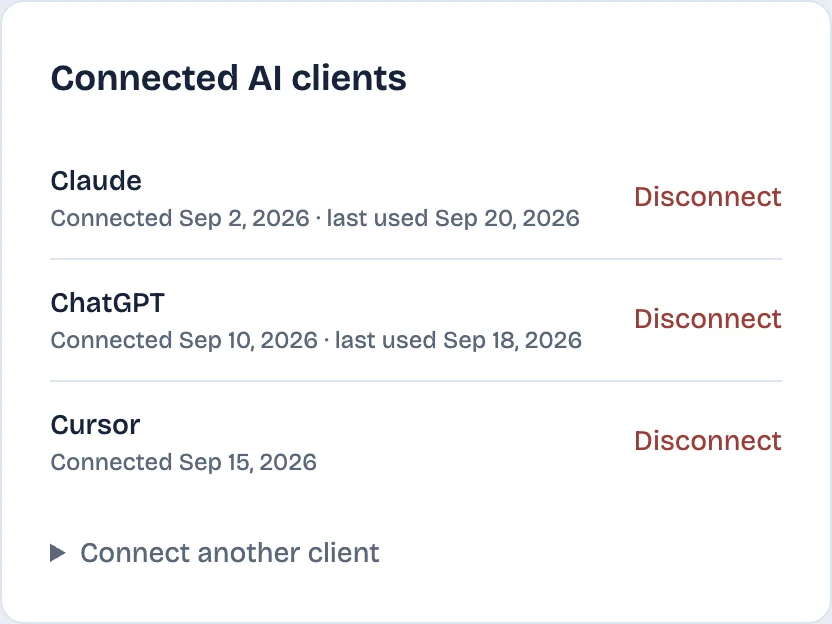
Besides the activity in its table row, LinkedAsk returns LinkedIn's own totals for connections, followers and profile viewers. On the consent page you choose what it may change: saved charts, ticked by default, and saved people with their notes, unticked by default. With both boxes clear it only reads. Its tools search and read your own record, and their changes stay in LinkedAsk: saved people, notes and dashboard charts.
Choose by job
- Publish posts: Composio, or Zapier for plain status and company page updates.
- Read profiles and your inbox from the chat: stickerdaniel's server on your computer, which also reads jobs, or Linked API if you want it hosted.
- Find email addresses and mobile numbers for prospects: Apify.
- Work lead lists in Sales Navigator: artik0din's Sales Navigator server.
- Ask about your own history, such as repeat viewers or invitations never accepted: LinkedAsk.
None of these servers can show viewers whom LinkedIn hides in private mode. Setup for each assistant is in connect Claude to LinkedIn and connect ChatGPT to LinkedIn.
LinkedIn MCP servers: questions
Which LinkedIn MCP server is best?
For publishing posts, a server on LinkedIn's official API such as Composio. For reading profiles, jobs and your inbox from the chat, stickerdaniel/linkedin-mcp-server, which runs on your computer through your own LinkedIn session. For questions about your own history, a server that keeps a record of your activity, such as LinkedAsk.
Is there an open-source LinkedIn MCP server?
Yes. stickerdaniel/linkedin-mcp-server is the most-starred, with 4,010 GitHub stars on October 25, 2026 and an Apache 2.0 license. It runs on your computer through your own LinkedIn session and can send messages and connection requests. eliasbiondo/linkedin-mcp-server is smaller, MIT licensed, and has read tools only.
Is there a LinkedIn Sales Navigator MCP server?
LinkedIn has not published one. The open-source artik0din/mcp-linkedin-sales-navigator works through your Sales Navigator session in a browser. It searches leads, saves them to lists, sends InMail and exports to CSV or JSON.
Is there an official LinkedIn MCP server?
No, as of October 2026. LinkedIn offers a ChatGPT app that looks up other professionals and runs only inside ChatGPT, and Claude's connector directory lists no LinkedIn connector.
Which LinkedIn MCP server can show who viewed my profile?
Of the eight servers here, only LinkedAsk lists a profile viewers tool. It answers from each view recorded since you installed the extension. The other seven document no viewers tool on the pages checked for this comparison.
Keep reading
- Guide · 5 minLinkedIn MCP: what it is and what it can readA LinkedIn MCP lets Claude or ChatGPT use LinkedIn data. Six kinds side by side by data source, what each reads and does, and where LinkedIn's ChatGPT app fits.
- Guide · 3 minFind warm introductions on LinkedIn with AIPrompts that find who you know at a company, rank them by your last message, and draft the request, with the LinkedIn data each prompt reads.
- Guide · 4 minWho to follow up with on LinkedIn: AI promptsPrompts that rank who to message on LinkedIn today, from replies you owe to profile viewers worth a hello. Each one says what data it needs and where to get it.
Add your own history to the mix.
Install the LinkedAsk extension, then connect Claude, Cursor or Claude Code with one URL. ChatGPT works on plans that allow custom MCP servers.